Key Takeaways
- APIs are built for applications and developers, providing programmatic access to underlying data and business operations.
- MCP servers provide an AI-facing interface designed for assistants and agents.
- Use an API for predictable, code-driven integrations, an MCP server for flexible AI workflows, or both when the use case requires them.
APIs have been the traditional standard for applications to exchange data and trigger operations from one system to another. But with AI assistants and agents now woven into development processes, MCP servers are offering a new means of connecting AI apps to external tools and data.
There is a difference in what these two can do. An API is built for an application where the developer has already put in place the endpoints, requests, and workflows. MCP gives an AI application the ability to see what is on offer and make its own call on how to employ those capabilities in line with what the user wants.
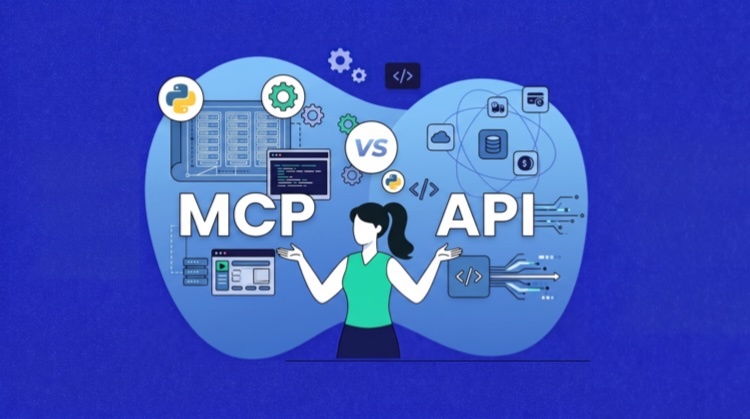
In this article, we look at the mechanics of both APIs and MCP servers, along with their differences, and the occasions when one is better suited than the other. It also covers how the two work together.
What Is an API?
An application programming interface (API) is a contract that enables one piece of software to talk to another. The terms are clear: it describes what operations can be performed, what inputs are needed, and in what format data or errors will be returned, as well as how authentication is to be handled.
Take a cloud platform, for instance; its API will permit an application to put in a request to spin up a server, retrieve some monitoring data, or even restart a service. It is common for developers to build such functionality into their automation scripts, backend services, mobile apps, and websites.
Whether one is working with REST or GraphQL, APIs are built on a variety of architectural styles. Then there are standards like OpenAPI to put HTTP API operations into a format that can be read by machines. In this way, the API is well-suited to the kind of predictable, code-driven communication that services require.
What Is an MCP Server?
An MCP server is a program that opens up external functionality to AI applications in accordance with the Model Context Protocol. It can expose a range of things: tools for executing tasks, resources to furnish contextual data, and prompts that serve as templates for interaction.
Behind the scenes, the server may connect to a database, file system, API, command-line utility, or cloud platform. An MCP host, such as an AI assistant or a development environment, uses an MCP client to make the connection and see what the server has to offer.
The host is then in a position to put those capabilities before the model as part of a controlled workflow. In doing so, one gets a uniform interface for the AI, which means external systems can be put to use across any number of hosts without having to put together a distinct integration for every AI environment.
How API Works
With a standard API integration, one is dealing with a request-response model.

The client will put in a call to an endpoint, complete with the proper method, payload, parameters, and authentication, and the server, in turn, provides a structured response, most often in JSON format.
There are different ways to structure this. REST APIs are built on resources and HTTP verbs like GET or POST; GraphQL gives the client the ability to define precisely what data is required. Regardless of the approach, it is up to the developer to decide which operation to invoke and to code the logic for the integration.
Once the API has validated the incoming request and relayed it to the underlying service, it will return either a result or an error. The application is then left to make sense of that result by way of its own rules, be it to start a new workflow or update the dashboard.
All of this means the developer has to see to it: from choosing the right endpoint and building the request to managing retries and any necessary adjustments should the API itself change.
How MCP Works
Built for AI applications, the MCP operates on a host-client-server model. An MCP server will put its functions on display in the form of tools to carry out actions, resources for data and context, and prompts as templates for interaction.
The process is set in motion when an AI host makes a client connection to an MCP server. In the course of initialization, the two parties come to terms on the protocol version and what capabilities are supported; from there, the client can ascertain what the server has to offer.
Should a user put forward a request in natural language, the AI application will evaluate the capabilities at hand and pick the one that is most fitting. The host has the option of putting permissions in place or seeking the user’s go-ahead before moving forward.
A structured request is then put to the MCP server by the client. The server does its part to validate the input and work with the relevant API, database, or file system. Once it has the result from the connected service, it is sent back to the host so the model can interpret it and respond to the user or take the next step in the workflow.
MCP Server vs API: Quick Comparison
The biggest difference between an MCP Server and API is not just the method of sending a request, but how capabilities are put forward and who is intended to be using them.
Developers will turn to an API to incorporate its operations into their application logic; it is typically documented with an OpenAPI specification.
An MCP server, on the other hand, is designed for AI hosts. It packages up capabilities so they can be inspected and invoked via a common protocol, with the client-server dynamic allowing for runtime discovery and capability negotiation.
Where an API is a general endpoint call, MCP puts forth primitives that are suited to AI: tools, resources, and prompts. An MCP server might use a local service, database, or even an API to get the job done.
The following table highlights the differences between the API and the MCP server at a glance.
| Comparison Area | API | MCP Server |
|---|---|---|
| Primary consumer | Software applications and developers | AI hosts, assistants, and agents |
| Main purpose | Expose data or application functionality | Make external capabilities available to AI applications |
| Interface structure | Endpoints, operations, parameters, and responses | Tools, resources, and prompts |
| Discovery | Documentation, SDKs, or specifications such as OpenAPI | Capabilities discovered through the MCP connection |
| Operation selection | Defined by application code | May be selected by a model based on user intent |
| User interaction | Usually indirect through an application interface | Often begins with a natural-language request |
| Connection model | Depends on the API architecture | Uses a defined client-server lifecycle |
| Underlying implementation | Connects directly to a service | Connects to APIs, databases, files, or local tools |
| Best suited for | Predictable software-to-software integrations | AI assistants and agents that need tools and external context |
MCP Server vs API: Key Differences
To understand the distinctions in design, operation, and how they are put to work in modern integrations, it is useful to examine the following points of comparison between MCP servers and APIs.
Primary Consumer and Design Goal
An API is a reusable interface built for the needs of software developers, be it for a website, mobile app, service, or automation script. The structure is there to afford predictable, code-driven access to data.
MCP servers are made for AI applications in which a model has to understand a capability prior to making use of it. For that reason, the tools and resources on an MCP must have well-defined names and descriptions along with input schemas and result formats that a model can be sure to interpret.
It is true that an AI application can make a direct call to an API. Yet more often than not, the developer will have to put in some integration logic to describe the API operations and turn the model’s requests into something the API will accept.
Capability Discovery
For an API, the consumer will find out what a service has to offer via an SDK, a developer portal, documentation, or machine-readable descriptions like OpenAPI. These allow for some automation but are distinct from the execution pattern of the integration.
With MCP, the exchange of capabilities is part of the live connection. During initialization, the server and client declare what is supported, letting a compatible client see exactly which prompts, tools, and resources are on offer. It is a consistent way for an AI host to identify functionality even if the server works with different underlying systems.
Who Selects the Operation
A developer writing the logic for a conventional API integration will decide which endpoint gets called. Even if the workflow is driven by the user, the actions are predefined in the code.
The model is more flexible with MCP. It can look at the tool descriptions and put forward the one that fits the user’s request. That said, the host retains authority over permissions and may ask for approval from the user before allowing the tool to run. The model can make a recommendation, but the application is in charge of execution.
How Context and Actions Are Represented
In a REST-style API, the server does not keep context from one request to the next; every interaction is treated in isolation and must be self-contained. It is therefore up to the client or application to keep track of any session or workflow state.
While an API is capable of returning data and initiating actions, there is no standard way to organize tools, prompts, and context for AI workflows.
MCP puts order to this by dividing up server capabilities. You have tools for actions like a service restart. Resources for supplying context or information, be it server logs or documentation. Then there are prompts to offer reusable guidance on routine tasks.
The point of this division is to give the host a clear sense of how to present and employ each capability with the model. In the course of an MCP session, the host can take results from one interaction and apply them to the next, say by pulling a log as a resource prior to using a tool for restarting a service.
Protocol Lifecycle and Reuse
An API might be built on REST over HTTP, GraphQL, SOAP, or gRPC. Each API may also define its own authentication method, request structure, versioning, error handling, and other operational rules.
While it is possible to reuse the same API in a number of applications, the developer has to construct each integration in line with the conventions laid out in the documentation.
MCP takes a different approach by establishing a common client-server lifecycle for compatible AI hosts to observe when interacting with any MCP server. This covers everything from initialization to the exchange of messages, capability negotiation, and coming to an agreement on the protocol version.
What MCP does not do is standardize the service or the API underneath. Instead, it puts in place a uniform layer for the AI that hides the provider-specific details of the underlying service, thereby simplifying the task of reusing what the server has to offer in supported AI applications.
Security and Control
There is a need for controls over APIs in the form of authentication and authorization, encrypted transport, input validation, rate limiting, audit logging, as well as secure storage for credentials. Since application code typically makes the choice of API operation, it is up to developers to stipulate ahead of time the conditions under which an endpoint may be invoked. In this way, security is implemented by the application, the service at its core, and the API gateway.
MCP calls for much the same level of protection, yet with an added model-driven dimension. The risk is that a model will pick a tool in response to user intent, opening the door to prompt injection, the wrong operation being chosen, or data exposure through excessive permissions or deceptive tool descriptions.
To counter these risks, hosts must make clear what a tool is set to do and demand approval on any sensitive matters; they should also isolate server connections and observe least-privilege rules. Ultimately, whether it is the host, the MCP server, or the API in question, each has to enforce its own security.
How MCP Servers and APIs Work Together
In many cases, an MCP server and an API will operate as distinct integration layers.
An AI host puts forward a structured request via an MCP client to the server. From there, the server takes on the task of translating the request into what the underlying API expects, executes the operation, and relays the outcome back to the host via the client.
While the API remains the means of accessing the platform’s data and business logic, the MCP server provides an additional layer oriented toward the AI. It presents tools, input schemas, and descriptions in a form that compatible hosts can put to use.
Authentication and permissions are handled at both levels. The API has final say on what can be done with the platform, and the MCP server manages the AI client’s access. In this way, an organization can open up certain capabilities to AI applications by reusing the backend services and APIs it already has in place.
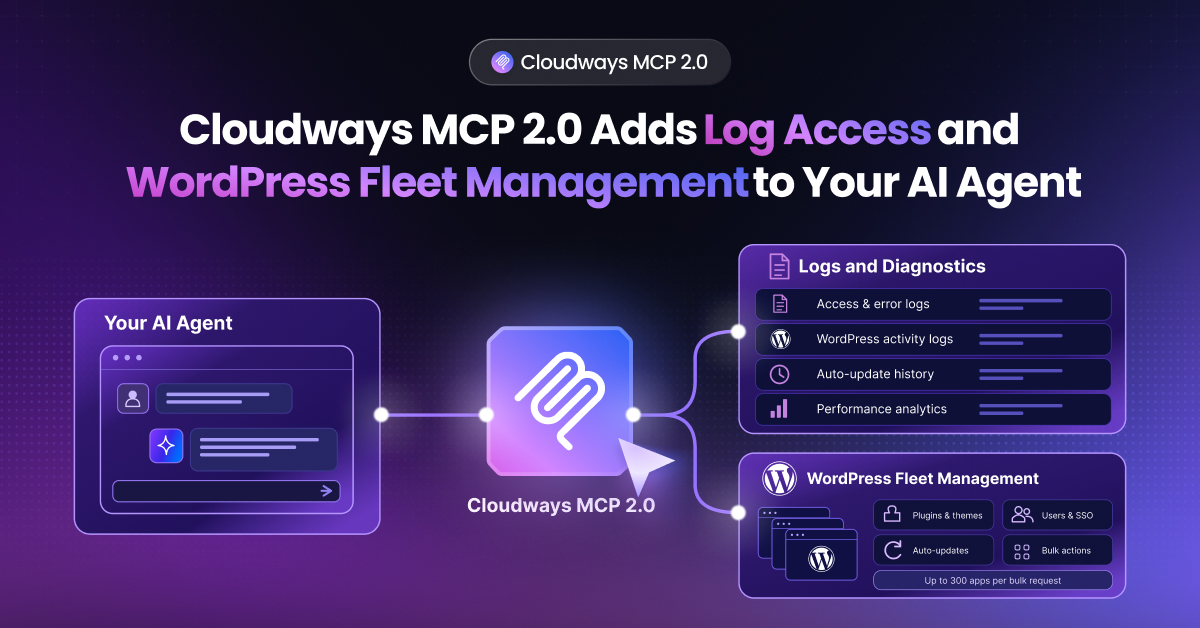
How the Cloudways MCP Server Works With the Cloudways API
Cloudways provides a good example of the way the different layers work together. Consider a developer who has an AI client that is MCP-compatible and connects it to the Cloudways MCP Server. From there, one can put in a natural language instruction to do something like spin up a new server with WordPress or simply get a list of active servers.
The client will pick out the appropriate Cloudways tool and pass on the necessary structured data to the MCP server. It is then up to the tool to make use of the Cloudways APIs for the platform capabilities at hand.
Once the Cloudways platform has executed the operation, the outcome is sent back to the AI client in a format it can process.
Put simply, the division of labor in this arrangement is clear: the MCP serves as the interface for the AI, the API is what allows for programmatic access, and the Cloudways platform is where the infrastructure work gets done.
Build and Manage With the Cloudways API and MCP Server
Use the Cloudways API to create and manage servers and applications, control services, and automate hosting workflows. Use the Cloudways MCP Server to perform supported hosting tasks through compatible AI clients.
Will MCP replace APIs?
MCP is not a substitute for APIs since they are built to serve different integration layers.
An API gives websites, mobile apps, external partners, or scripts direct and programmatic control over an application’s data and functions. MCP, on the other hand, offers a standard means of putting selected capabilities in front of AI hosts.
In fact, one will often find that an MCP server is still reliant on an API to get the job done. It may be able to do without an API if it is dealing with databases, command-line tools, or local files, but that hardly qualifies it as a universal software interface.
The reality for most platforms is that APIs will continue to be the foundation of integration; what MCP does is build on top of that to accommodate AI-driven processes.
MCP vs API: Which One Should You Use?
How to decide between the two comes down to what is initiating the request and the degree of predictability you require in the interaction.
An API is the way to go for a code-driven integration that is firmly in an application’s control. It is best suited for fixed operations where the outcome is predetermined, such as processing a payment, pulling a user record, obtaining a shipping rate, or any high-volume backend automation.
Choose an MCP server when an AI assistant or agent needs to find available capabilities, whether that means making flexible choices from a range of tools, adjusting to varying tasks, or interfacing with services for which there was no prior integration. It also serves well in cases where one must reuse context and tools across several compatible AI environments.
Many systems combine both approaches. The API will handle the platform’s core functions, but an MCP server can be put in place to present certain operations via an interface for the AI.
Take a hosting platform, for instance: it might rely on its API to handle direct server provisioning, yet at the same time, put approved server-management actions for an AI agent to handle over MCP.
Ultimately, one should let governance, security, performance, and the demands of long-term maintenance guide the decision.
Final Thoughts
MCP and APIs are not competing technologies; they serve distinct purposes. One will find that APIs are the tried-and-true means for applications to communicate with one another, offering a measure of reliability and predictability. An MCP, on the other hand, is an extension of that which allows AI agents to put tools to use dynamically rather than having each interaction preprogrammed.
The division of labor is clear in most architectures: the API handles the platform’s work, and the MCP server makes those functions available to AI hosts in a form that is structured and easy to find.
In this way, the two can be put to work side by side to accommodate everything from conventional software integrations to the more flexible, AI-centric workflows that are in demand today.
Q1: Is an MCP Server the Same as an API?
No. An API provides programmatic access to data or functionality for applications and developers. An MCP server exposes tools, resources, and prompts in a standardized format that AI applications can discover and use. An MCP server may use an API behind the scenes, but the two serve different roles.
Q2: When Should You Use MCP Over an API?
Use MCP when an AI assistant or agent needs to discover available capabilities, select tools based on user intent, or access the same tools and context across multiple compatible AI environments. Use a direct API when the integration is predictable, code-driven, and the required operations are known in advance.
Q3: Can MCP Work Without an API?
Yes. An MCP server can connect directly to local files, databases, command-line tools, or other data sources without using an external API. APIs are common in remote platform integrations, but they are not required for every MCP implementation.
Q4: Does an MCP Server Need an API Key?
Not necessarily. A local MCP server may access files or tools without an API key, while a server that connects to a protected external service may require an API key, OAuth token, or another credential. Remote MCP servers may also require authorization between the MCP client and server.
Q5: How Do You Turn an API Into MCP?
You do not directly convert an API into MCP. Instead, you build an MCP server that exposes selected API operations as tools or resources, defines clear input schemas, and translates MCP requests into valid API calls. The server must also handle authentication, errors, and structured results before being connected to a compatible AI host.
Start Growing with Cloudways Today.
Our Clients Love us because we never compromise on these
[email protected]
Nisha is a technical content writer with a passion for translating complex technology into content that’s clear, practical, and enjoyable to read. With strong technical insight and a user-first mindset, she crafts guides that help readers understand and use modern tools and platforms.