






Cloudways MCP
Run Your Hosting Infrastructure on Prompts
Describe what you need and see your AI tool execute it across the entire Cloudways infrastructure. Servers, deployments, security, billing, and 250+ more actions. Free for every Cloudways customer.
Works with the AI tools you’re already using
 Claude Code
Claude Desktop
Claude Code
Claude Desktop
 Cursor
 ChatGPT
 Codex
Codex
 VS Code
 Gemini
 Windsurf
Turn Every Prompt Into Real Actions With MCP
Model Context Protocol (MCP) is the open standard that makes this possible. Connect your Cloudways account once and prompts like “clone my staging server and upgrade PHP to 8.4” become real infrastructure actions instantly.
Here’s What You Can Do With Cloudways MCP
Spin up servers, secure sites, deploy code, bill clients, and more. All 250+ Cloudways actions, now done by prompting your AI tool.
Full Server & App Control
Provision, clone, scale, and configure your servers and apps on any of five cloud providers.
> Clone server 12345 and upgrade PHP to 8.2 on the copy
Security & Malware Protection
Run on-demand scans, tune your WAF, block IPs and countries, and restore quarantined files.
> Run a malware scan on my store and show quarantined files
SSL & Access Control
Issue Let’s Encrypt, wildcard, and custom certificates with IP whitelisting for SSH and SFTP.
> Issue a Let’s Encrypt cert for example.com with auto-renewal
Git Deployments & Staging
Pull branches, sync staging, manage deploy keys, and kick off full CI workflows from chat.
> Pull the latest from main, then push staging to live
Cloudflare CDN & Caching
Purge edge cache, tune CDN settings, enable minification, and pull cache analytics by prompt.
> Purge the edge cache and show my cache hit rate for the last hour
Monitoring & Alerts
Check CPU, surface slow pages, and review server alerts. Route notifications to Slack or email.
> Show CPU for the last 24h, find the slowest PHP pages, restart PHP-FPM
Client & Team Management
Set scoped permissions, transfer server ownership, and keep client work in separate projects.
> Invite [email protected] with access to server 12345 only
Agency Billing
Manage clients, plans, subscriptions, and invoices for your entire reseller business by prompt.
> Create client Acme Co., attach the $29/mo plan, show open invoices
Copilot Insights
Proprietary performance recommendations, insight summaries, and root-cause detail no other MCP server can surface.
> Summarize my Copilot insights and tell me what to fix first
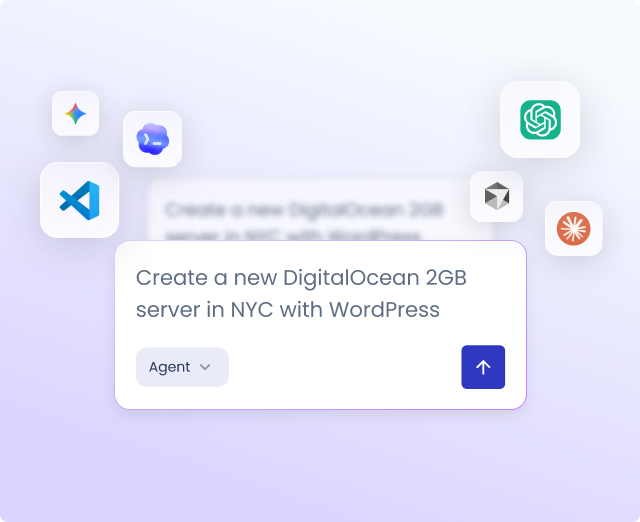
Connect in Under
60 Seconds
Generate a token, add it to your AI client, and start prompting.
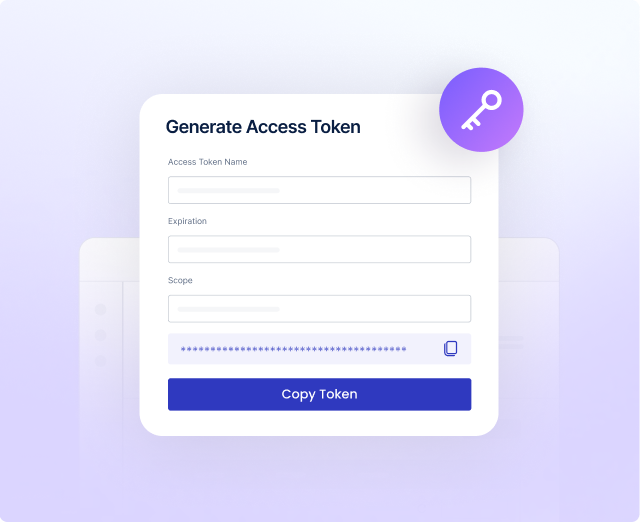
Create Access Token >Generate Access Token
Go to API Integration in your Cloudways dashboard, create a scoped access token, set an expiry, and copy it. Takes under a minute.
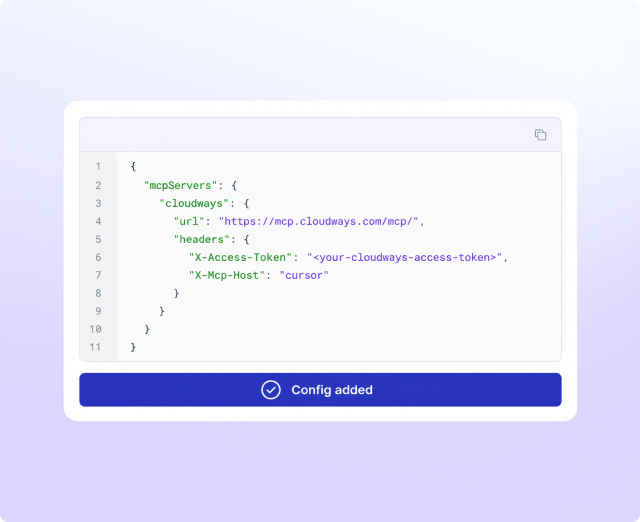
Add Cloudways MCP to Your AI Client
Add the Cloudways MCP server URL and your access token to your AI client’s config. Works with Claude, Cursor, ChatGPT, Gemini, and more.
Start Managing Infrastructure in Chat
Type what you need and your AI client handles it. Your entire Cloudways workflow is now in your chat window.
Free on Cloudways
Your AI Tool Is Ready. Are You?
Connect once and your entire Cloudways infrastructure runs on prompts. Server management, deployments, security, agency billing, and Copilot insights all from the AI tool you already use.
Don’t Take Our Word For It
From cutting origin traffic to freeing developer hours, see what Cloudways MCP is doing for people like you.

The MCP has taken out a lot of the admin headache that we used to have, where you’d have a senior developer who should be working on something a lot more complex having to do some very basic setups. They’re now able to get onto it, so it’s massively improved our efficiency as an agency.
Sam Blackbourn
Marketing Director

Through the MCP I pulled server settings, Cloudflare details, and traffic analytics, and could show that origin egress was around 20 GB against roughly 147 GB total, meaning the Cloudflare edge was already serving the overwhelming majority of traffic and our image optimization was doing its job
Ante Projić
Software Engineer
See What’s Possible With Cloudways MCP
Agencies managing dozens of sites. Developers buried in server admin. See how Cloudways MCP changed their workflows.
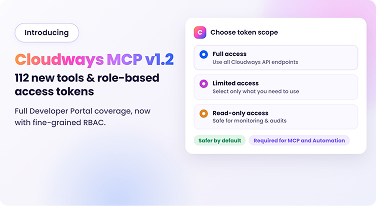
New MCP Tools, Role-based Access Tokens, and API Coverage
Cloudways MCP brings 112 new tools, RBAC access tokens, and full API coverage, including security, malware scans, and billing.

Ajme Cuts Origin Traffic to 20GB of 147GB With Cloudways MCP
See how Cloudways MCP Server helped lifestyle portal Ajme cut origin traffic to run lean with zero unplanned downtime.

B Corp Verve Frees Developers with Cloudways MCP
Learn how Verve uses Cloudways MCP to automate server admin, freeing developers to focus on client work instead of routine tasks.
Frequently Asked Questions
Which AI clients are supported?
Claude (Desktop and Code), Cursor, ChatGPT, Gemini CLI, VS Code Copilot, Windsurf, Codex, Cline, and any other MCP-compatible client. Bridge clients like Claude Desktop require Node.js v24+
Do I need to know how to call API endpoints in code?
No. Describe what you want in plain language and your AI tool picks the right action automatically. All 250+ Cloudways API endpoints are covered without you ever touching them directly.
Do I need to pay for MCP?
No. MCP is available to all Cloudways customers at no extra charge.
What’s the difference between read and write operations?
Read operations access your resources and data and list them without making any changes. Write operations access your resources and apply the changes you requested in the prompt. Some write operations like DELETE are destructive and require extra caution.
What happens if I run a destructive action by mistake?
Destructive actions require confirmation before they execute and every action is audit-logged. Most operations are also reversible by restoring the last known good state through backup restore.
How do I fix a stale tool cache?
Your AI client caches the tool list on first connection and won't pick up new tools added after that automatically. To get the latest tools, toggle the Cloudways MCP server connection off and on in your client settings or fully restart the client.
What is the role of Access Token in Cloudways MCP operations?
MCP authentication works through a scoped Access Token. You control what each token can do, full access, read-only, or per-endpoint, and when it expires. Tokens are shown once at creation and can be revoked instantly from your Cloudways dashboard.
Won’t 250+ tools overload my AI client?
No. Your client sees just 65 tools and the rest load dynamically on demand through a meta-tool architecture. Your context window stays lean and every dynamic tool runs through the same validation, rate limits, and audit logging as a direct call.
Your Servers Are One Prompt Away.
Connect Cloudways to your AI assistant in under a minute.
New To Cloudways? Sign up