





Cloudways Site Manager
Your WordPress, Managed in
One Place
Site Manager automates updates and monitoring, so you don't have to.
New To Cloudways? Signup
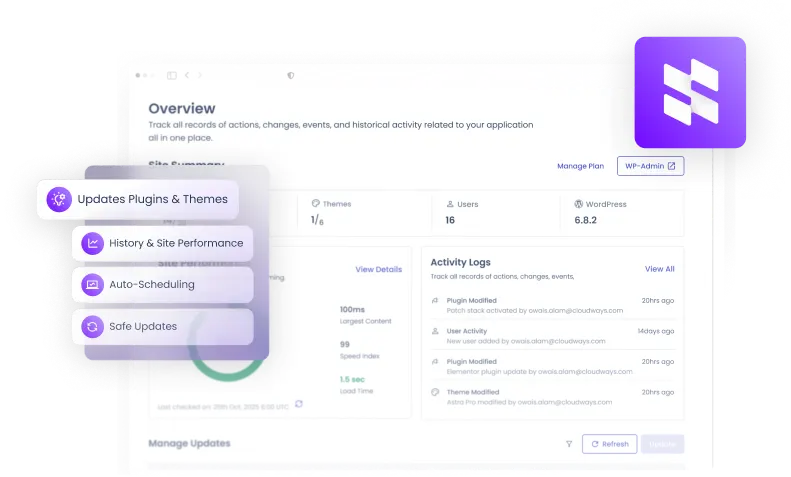
Save Hours Daily
Enterprise-Grade Security
Full Multi-Site Control
One Dashboard to Run Every WordPress Site You Own
Smart Update Engine
- Auto-detection of available updates
- Full backup before every update
- Auto rollback
- Post-update automatic cache clearing
- Selective update control
Advanced Testing
- Sandbox environment cloning
- Visual regression with AI screenshot comparison
- Customizable test configurations
Monitoring & Alerts
- PageSpeed Insights monitoring
- Detailed Activity Logs
- PHP error tracking
- Slack & email alert channels
- Detailed update history
Management Tools
- Centralized theme & plugin management
- User & role administration
- One-click SSO into WordPress Admin
- Bulk actions across sites
Automation & Scheduling
- Flexible scheduling
- Off-peak update windows
- Per-site or global schedules
- Flexible Quick and Safe Updates
- Critical updates automation
Compatibility
- Premium plugin support
- WordPress multisite compatible
- Native Cloudways platform integration
Seamless Upgrade
From SafeUpdates to
From SafeUpdates to
Site
Manager
Site Manager is the natural evolution of Safe Update. Everything you relied on is still here—plus powerful new tools for monitoring, user management, and multi-site operations.
Explore all features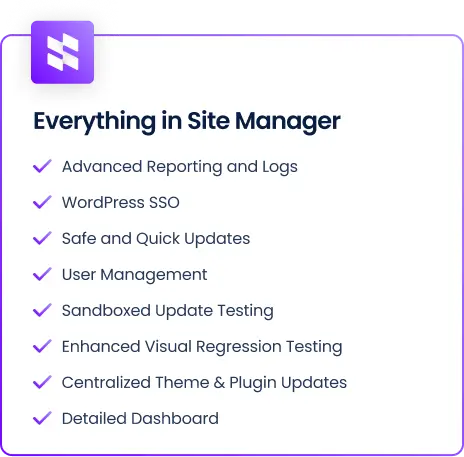
Built for Teams That Work and
Dream in
WordPress
Agencies
Managing multiple client sites
Bulk updates, centralized dashboards, and automated safety nets save you 10+ hours a week. Your clients get reliability. You get your time back.

Developers
Automation + full control
Scheduled updates, visual regression tests, and detailed logs give you confidence to ship faster and maintain less.

Ecommerce
Maximum uptime for online stores
WooCommerce stores can't afford a broken update. That’s why updates are tested in sandbox environments before they are pushed to production.

Simple, Seamless Integration In Three Easy Steps
Detect
Updates are automatically detected across all your sites the moment they are available.
Test in Staging
Every update is applied to a sandboxed clone first, keeping your live site completely untouched.
Validate Visually
Before- and after-update screenshots are compared automatically to catch any visual regressions.
Deploy or Rollback
Tests pass? It goes live. Something looks off? It rolls back instantly, no action needed from you.
Why Site Manager?
Site Manager automates the work that keeps piling up, so your team stays focused on clients, not chores.
Growth stops when maintenance takes over.
Get added peace of mind with comprehensive on-demand scans of your applications as needed.
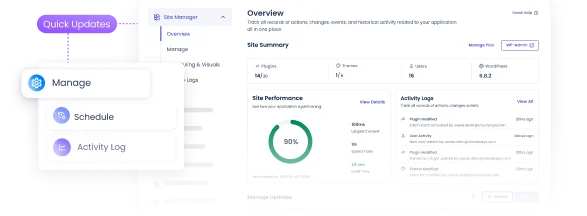
Win More Clients. Deliver at Scale.
Take on more clients without stretching your team. Promise faster, more reliable service and actually deliver it.

Save Time on Every Task
Automated updates, backups, and checks run in the background while you focus on moving your business forward.
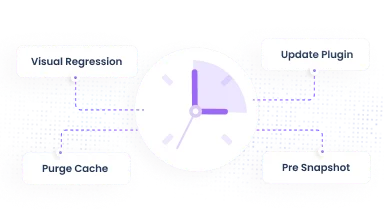
Smart Planning
Get complete visibility into previous scans & get a complete breakdown.

Secure Rollbacks
Restore files as needed, One by one or in bulk.

Simple Pricing. Clear Capabilities.
Start free with essential WordPress management and scale as you grow.
| Features |
Basic |
Pro |
|---|---|---|
| Centralized Dashboard | ||
| WordPress SSO | ||
| Plugin Management | ||
| Theme Management | ||
| User Management | ||
| Bulk Application Updates | ||
| Quick Updates | ||
| Safe Updates (Sandboxed Validation) | ||
| Auto Updates (Weekly) | ||
| Visual Regression Testing | ||
| Site Performance Monitoring | ||
| Update History | ||
| Activity Logs | ||
| Schedule History | ||
| Critical Updates Auto-application |
Pro Plan Pricing (per application)
-
Up to 5 Applications
$3
/app/month -
6+ Applications
$2
/app/month


Frequently Ask Question
Does Cloudways offer free migrations?
Yes. Cloudways provides free website migrations, and its expert team moves your existing sites from your current host with no downtime or data loss.
Why use Cloudways Site Manager?
Automate hours of manual WordPress maintenance with just a few clicks right from the Cloudways platform. It gives you full control over scheduling and selecting updates, and saves time by automatically validating that everything works correctly after an update. Site Manager ensures your websites stay live, secure, and error-free.
How can I activate Cloudways Site Manager?
To activate, follow these steps.
Log in to your Cloudways account.
Go to Integrations > Add-ons
Find Site Manager, Activate per site
Can I manage multiple WordPress sites on the Site Manager dashboard?
Yes. Site Manager supports bulk operations let you update core, plugins, and themes across multiple WordPress applications from the Cloudways platform (especially helpful for agencies or developers managing many sites)
Can I manage my clients on Cloudways Site Manager?
You can manage clients via the Client Billing and Reporting Tool, allowing clients to access only their assigned websites.
Can I manage WordPress users without logging into each site?
Yes. you can create, update, delete users, and assign roles directly from the Cloudways dashboard across all your websites.
Can I add plugins for WordPress directly from Site Manager’s dashboard?
Yes, Site Manager allows you to install, update, and manage plugins and themes directly from the dashboard.
Can I limit User Management capabilities to specific team members?
No, granular restrictions are not currently available.
Can I use Cloudways Site Manager if I’m just a beginner?
Cloudways Site Manager is built to help agencies of any and all sizes. Our tool is intuitive and easy-to-use, and doesn’t require any technical know-how. You can get started with it right away!
Is there a free trial for the Pro plan?
No, but the free plan allows evaluation before upgrading.
Are there free plans available?
Yes, a free plan is available with limited features.
How much will it cost me?
Cloudways Site Manager is priced at $3 per site per month for up to 5 websites. If you manage 6 or more websites, the price drops to $2 per site per month.
$3/site/month (up to 5 sites)
$2/site/month (6+ sites)
Is Pro billed per server or per application?
It is billed per application (site).
Can I switch between Free and Pro plans?
Yes, anytime.
Can I choose which plugins or themes to update?
Yes, selective updates allow you to exclude specific plugins or themes.
Which Premium WordPress plugins does Cloudways Site Manager support?
Cloudways Site Manager supports all premium WordPress plugins that are compatible with WP-CLI principles.
If I update a plugin manually, will Site Manager report it?
Yes, but not instantly. Updates appear after scheduled sync runs or via manual refresh (on-demand sync).
Can I find when a plugin was last updated?
Yes, this is available via Activity Logs on the Pro plan.
Can I export Activity Logs?
Yes, logs can be exported for reporting and auditing.
Can we schedule certain plugins for Quick Updates and others for Safe Updates?
No, currently Site Manager allows only one schedule per site, which can be either Quick or Safe Update. However, future releases will offer enhanced scheduling and alert systems.
Can I schedule updates instead of running them manually?
Yes, Auto Updates allow custom scheduling. Each site can have one schedule, which can be configured as either a Quick or a Safe Update.
If a Safe Update fails validation, what happens?
The system automatically restores the previous stable version.
Will updates disrupt my site while I work?
No. Quick and Safe Updates run in the background, allowing you to continue working without downtime.
What happens if an update breaks a site?
Safe Updates test updates on a staging clone first. If an issue is detected, the update is rolled back automatically, keeping your live site intact.
Will I know if an update fails or succeeds?
Yes, notifications via email or Slack keep you informed, and Activity Logs track all updates.
How can I monitor site performance after updates?
Performance Score Monitoring (PageSpeed Insights) lets you track Core Web Vitals and performance trends automatically, helping you maintain speed and SEO standards across sites.
Does Site Manager affect site performance?
No, it is lightweight and does not slow down your website.
Does Site Manager clear cache after updates?
Yes, both server-level and plugin caches are cleared automatically.
What is Visual Regression Testing (VRT)?
Visual Regression Testing ensures that nothing breaks after an update. Cloudways Site Manager captures screenshots of your website before and after updates and compares them for discrepancies. It also checks for visual differences across browsers and screens. If anything goes wrong, Site Manager automatically rolls back to the most recent backup to keep your sites safe.
Is Cloudways Site Manager secure and reliable?
Yes. It includes secure staging environments, vulnerability-based updates, and activity logs stored securely offsite with 90-day retention for auditing.
Is this suitable for WooCommerce or revenue-critical sites?
Yes. Safe Updates, Rollback, and Visual Regression Testing (VRT) ensure critical workflows like checkout remain unaffected.
Do I get support from the Cloudways team if I have questions?
We offer 24/7 support to all our users with fast, practical solutions to your problems and adequate answers to all your questions! We’re here to help.
Ready to automate your WordPress management?
Join thousands of agencies who save hours every week