






 Elastic Email
Reliable Email Delivery for Your Applications
Send transactional and marketing emails from your applications with Elastic Email on Cloudways. Improve email deliverability with authenticated SMTP, domain verification, and delivery tracking.
When Critical Emails Don’t Reach Customers, Opportunities Are Lost
Emails triggered by your website or application need reliable delivery, whether they contain an order update, a password reset, or an important customer notification.
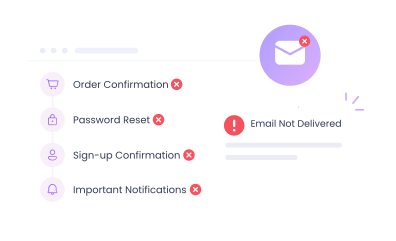
Unreliable Email Delivery
Emails sent directly through your server or the default WordPress mail function may fail, be delayed, or land in spam instead of reaching customers reliably.

Missed Transactional Emails
When order confirmations, password resets, sign-up confirmations, or notifications do not reach customers, important updates can be missed.
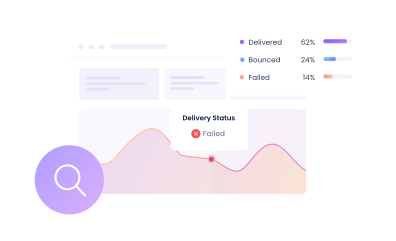
Limited Delivery Visibility Contact Cloudways Support for more information or assistance with these features.
Without clear email activity data, it can be difficult to identify bounced, failed, or undelivered messages and understand where delivery issues occur.
Stop Relying on Your Server to Send Website and Store Emails
Elastic Email on Cloudways moves outgoing emails off your server and sends them from your verified domain, so they’re less likely to land in spam.
Verified Domain, Trusted Emails
Authenticate your domain with SPF, DKIM, and DMARC, and connect applications through authenticated SMTP to help mailbox providers verify that your emails are genuine.
Get Elastic Email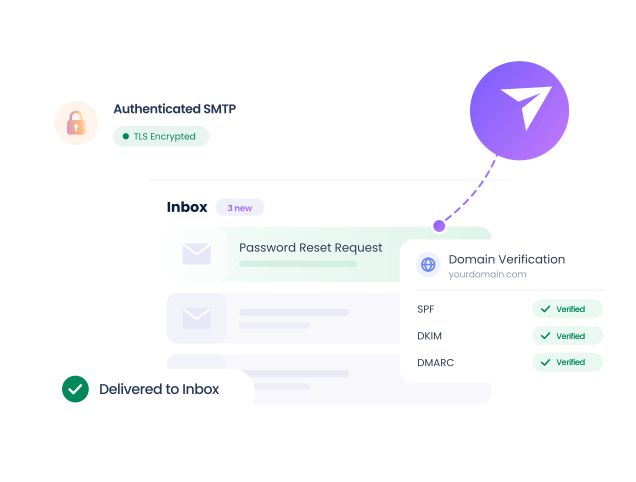
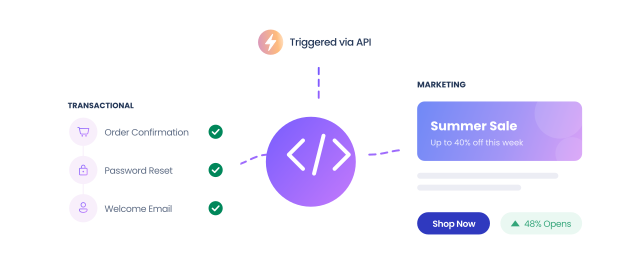
Transactional & Marketing Email
Send automated transactional emails such as password resets and order confirmations, as well as marketing emails generated by your applications.
Track Email Activity
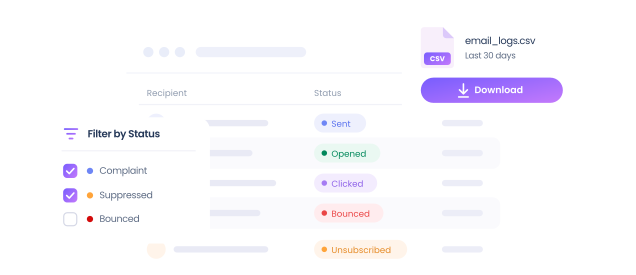
Review email activity such as sent, opened, clicked, bounced, unsubscribed, complaint, and suppressed statuses through downloadable Elastic Email logs.
Email Delivery That Scales With Your Volume
Send application emails through Elastic Email with flexible packages based on your monthly email volume.
- Transactional and marketing email delivery
- Authenticated SMTP
- Domain verification
- Email delivery logs
- WordPress and WooCommerce integration
- Connect one package to multiple servers
Elastic Email Pricing
Choose your monthly email volume
- 1,000 Emails
- 3,000 Emails
- 5,000 Emails
- 8,000 Emails
- 12,000 Emails
- 15,000 Emails
- 25,000 Emails
- 50,000 Emails
- 100,000 Emails
- 250,000 Emails
- 500,000 Emails
- 1,000,000 Emails
$2.30
Per month
Price scales with your selected monthly email volume.
Set Up Elastic Email in 3 Easy Steps
Activate the add-on, authenticate your domain, and start sending emails from your Cloudways applications.

Activate Elastic Email
Log in to Cloudways, go to Integrations > View All > Elastic Email, select a package based on your monthly email volume, and click Subscribe.
Set Up Server and Domain
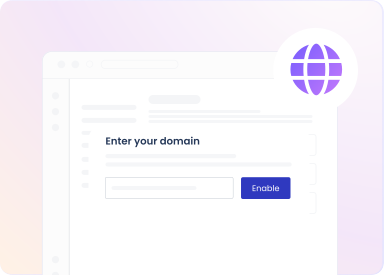
Bind Elastic Email to the Cloudways server you want to use, add the required DNS records, and verify your sending domain before sending emails.
Test and Start Sending
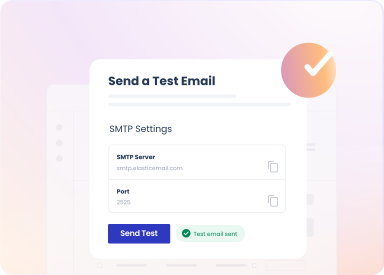
Send a test email from the Cloudways SMTP settings to confirm the configuration, then start sending application emails through Elastic Email.
Everything You Need for Stronger Email Performance and Clear Visibility
Get the essential features to send, track, and authenticate outgoing email from your applications.

Transactional Email
Send automated emails to customers for orders, accounts, and other application activities.

Marketing Email
Send marketing emails generated by your applications through Elastic Email.

SMTP Delivery
Route outgoing application emails through Elastic Email SMTP for more reliable delivery.

WordPress Integration
Integrate Elastic Email with WordPress using WP Mail SMTP or other supported plugins.

WooCommerce Support
Send WooCommerce emails such as order confirmations and customer notifications.

Multiple Servers
Connect one Elastic Email package to multiple Cloudways servers.

Server-Wide Setup
Once Elastic Email is enabled at server level, separate setup for each app isn’t needed.

Flexible Packages
Select an Elastic Email package based on the volume of email you expect to send each month.

Email Logs
Download email activity logs directly from the Cloudways Platform.

7-Day Activity
Download a CSV containing email activity from the previous seven days.

Delivery Status Contact Cloudways Support for more information or assistance with these features.
See whether emails are ready to send, waiting to retry, sent, bounced, or suppressed.

Open Tracking Contact Cloudways Support for more information or assistance with these features.
Track when recipients open supported HTML emails to monitor email engagement.

Click Tracking
Track link clicks when click tracking is enabled for the account.

Bounce Tracking Contact Cloudways Support for more information or assistance with these features.
Identify messages that Elastic Email attempted but was unable to deliver.

Complaint Tracking Contact Cloudways Support for more information or assistance with these features.
See when a recipient reports an email as spam or indicates that they did not request it.

Unsubscribe Tracking Contact Cloudways Support for more information or assistance with these features.
Identify recipients who unsubscribe from emails sent through the service.

Domain Verification
Verify each sending domain before using it to send emails through Elastic Email.

SPF Authentication
Authorize Elastic Email as an approved sender for your domain using an SPF record.

DKIM Authentication
Verify outgoing emails are authorized by the domain owner and unaltered in transit.

DMARC Support
Define how receiving servers handle emails that fail SPF or DKIM authentication checks.

Tracking Domain
Use your own domain for tracking links and pages generated by Elastic Email.

Verified Sender Addresses
Send test and application emails using addresses from verified domains.

Secure SMTP
Connect applications using TLS-secured SMTP on port 2525 (recommended) or 587.

SMTP Testing
Send a test email from Cloudways to verify your Elastic Email setup.
Take Control of How Your Website Sends Email
Stop wondering whether your emails arrived. Improve inbox placement and get clear insight into the emails your websites send.
Get Elastic Email
Frequently Asked Questions
What is the Elastic Email Add-on on Cloudways?
The Elastic Email Add-on is an outgoing email delivery service available through Cloudways for sending transactional and marketing emails from your websites and applications. Instead of relying on your cloud server or the default WordPress mail function to deliver messages, outgoing emails are routed through Elastic Email using authenticated SMTP.
This helps improve the reliability and deliverability of important application-generated emails such as order confirmations, password resets, account notifications, and other customer communications. You can verify your sending domains using email authentication methods such as SPF and DKIM, connect one Elastic Email package to multiple Cloudways servers, and review email activity through downloadable logs. Once Elastic Email is enabled at the server level, you do not need to enable it separately for every application hosted on that server.
What are transactional emails?
Transactional emails are automated messages sent in response to a user action or an event within your website or application. Common examples include account verification emails, password reset links, order confirmations, payment or shipping updates, sign-up confirmations, and other service-related notifications.
Unlike regular business correspondence, these messages are generated automatically by the application when a particular action takes place. Because they often contain time-sensitive or important information, reliable delivery is especially important. Elastic Email allows applications hosted on Cloudways to send these messages through a dedicated email delivery service rather than relying on the web server's default email function. It can also be used for marketing emails generated by your applications.
How much does Elastic Email cost on Cloudways?
Elastic Email pricing on Cloudways starts at $0.10 per month for 1,000 emails, with packages available for different monthly sending volumes. You can select a package based on the number of emails you expect your applications to send each month and move to a larger package as your requirements grow. Available packages range from 1,000 emails per month to 1,000,000 emails per month. When activating the add-on, select the package that most closely matches your expected monthly email volume.
| Monthly Email Volume | Price Per Month |
|---|---|
| 1,000 emails | $0.10 |
| 3,000 emails | $0.30 |
| 5,000 emails | $0.50 |
| 8,000 emails | $0.80 |
| 12,000 emails | $1.10 |
| 15,000 emails | $1.40 |
| 25,000 emails | $2.30 |
| 50,000 emails | $8.00 |
| 100,000 emails | $15.00 |
| 250,000 emails | $25.00 |
| 500,000 emails | $37.00 |
| 1,000,000 emails | $57.00 |
How do I set up Elastic Email on Cloudways?
To set up Elastic Email, log in to the Cloudways Platform and go to Integrations > View All > Elastic Email. Select the package that matches your expected monthly email volume and subscribe to the add-on. Next, bind Elastic Email to the Cloudways server that will send your application emails by opening the server's SMTP settings and enabling Elastic Email.
You then need to configure and verify your sending domain by adding the required DNS records with your DNS provider. These records authenticate your domain and help receiving mail servers verify your messages. After the DNS records have propagated, verify the domain from Cloudways.
Finally, use the Send Test Email option under the server's SMTP settings to confirm that the configuration is working correctly before using Elastic Email for your application emails. A single Elastic Email package can also be connected to multiple Cloudways servers.
Do I need to verify my domain to use Elastic Email?
Yes. Domain verification is mandatory before you can send emails through Elastic Email on Cloudways. Verification confirms that you control the sending domain and authorizes Elastic Email to send messages on its behalf.
The setup includes email authentication records such as SPF and DKIM. SPF identifies Elastic Email as an authorized sender for your domain, while DKIM adds a digital signature that helps receiving mail servers confirm that the message was authorized by the domain owner and was not altered in transit. You can also configure a tracking domain and DMARC to strengthen email authentication, protect your sending domain, and support better deliverability.
After adding the required DNS records with your DNS provider, return to the Cloudways Platform and verify the domain. DNS changes can take some time to propagate, so verification may not succeed immediately after the records are added.
Can I use Elastic Email with WordPress and WooCommerce?
Yes. Elastic Email can be integrated with WordPress and WooCommerce applications hosted on Cloudways. It can be used to send WordPress-generated messages and important WooCommerce emails, such as order confirmations, password resets, account notifications, and other customer communications, through a dedicated email delivery service rather than the default WordPress PHP mail function.
For WordPress, you can configure Elastic Email using WP Mail SMTP or the Elastic Email WP Sender plugin. After connecting the service, configure the sender name and email address, then send a test email to confirm that the setup is working correctly.
For WooCommerce stores, this setup can help improve the reliability of transactional emails that customers depend on throughout the purchasing and account-management process.
Can I track emails sent through Elastic Email?
Yes. Cloudways provides access to Elastic Email activity logs so you can review what happens to messages after they are sent. From the Elastic Email add-on, you can download a CSV file containing email activity from the previous seven days.
Depending on the message and tracking configuration, the logs can include statuses such as ReadyToSend, WaitingToRetry, Sent, Opened, Clicked, Unsubscribed, Complaint, Bounced, and Suppressed. This makes it easier to identify messages that were accepted for delivery, temporarily delayed, bounced, or prevented from being sent.
Open tracking is available for supported HTML emails, while click activity can be recorded when click tracking is enabled. These logs provide useful visibility when troubleshooting email delivery or reviewing how application-generated emails are performing.
Does Elastic Email provide an email inbox or mailbox?
No. Elastic Email on Cloudways is an outgoing email delivery service for transactional and marketing emails generated by your websites and applications. It is not a mailbox service and does not provide an inbox for sending, receiving, storing, or replying to normal business emails.
For example, Elastic Email can deliver an automated WooCommerce order confirmation or a WordPress password reset email, but it does not replace a business mailbox such as [email protected] that employees use for everyday correspondence.
If you need domain-based email addresses with regular inbox functionality for sending and receiving business email, Cloudways offers separate email hosting options such as the Rackspace Email Add-on. You can therefore use Elastic Email for application-generated outgoing messages while using a mailbox service for regular business communication.
What are the SMTP settings for Elastic Email?
For WordPress SMTP integrations, use smtp.elasticemail.com as the SMTP host, with port 2525 recommended or 587, using TLS and SMTP authentication.
When configuring an SMTP plugin such as WP Mail SMTP, use your Elastic Email API key as both the SMTP username and password. The sender email address should belong to a verified sending domain.
After entering the SMTP details, send a test email to confirm that the connection is working correctly. If emails fail to send or are delivered to spam, check the SMTP settings and make sure the required SPF, DKIM, tracking domain, and other applicable DNS records are configured correctly.