Key Takeaways
- MCP (Model Context Protocol) lets an AI assistant take real, authorized actions on your servers rather than just advising, and your account permissions still grant or deny every step.
- Reading and diagnosing through AI is low risk and worth adopting now, while changes are safe only when they are reversible, scoped, and confirmed by a person.
- The risks that matter most are indirect prompt injection, poisoned tool descriptions, over-privileged tokens, and untrusted third-party servers, and each has a matching safeguard.
- Scope your access with short-lived tokens, prefer a hosted server over unvetted local code, keep backups on, and read before you approve.
AI has pervaded every aspect of building and maintaining software. Businesses of all types and sizes are not only offering AI-enabled features on their products and services, they’re also increasingly utilizing the likes of ChatGPT, Claude, Cursor, Gemini and more for internal workflow optimization. As a consequence, there’s a common concern: Is AI safe? Should you let it run your servers? Yes, you should, with certain caveats.
Granting an LLM access to your corporate work tool accounts or tech backend might sound scary, and it’s good that you have this concern. It shows you understand the value of cybersecurity.
I build with these tools, and this piece is a frank discussion of where we all should draw the lines.
- What does MCP stand for in AI?
- What is AI Server Management Anyway?
- Is AI Safe for Production Server Management?
- Genuine Safety Concerns for AI Server Management
- MCP Server Security Measures
- AI Usage Safety Best Practices
- Following MCP Security Has Business Benefits
- Ensure MCP Security for Safe AI Server Management
What does MCP stand for in AI?
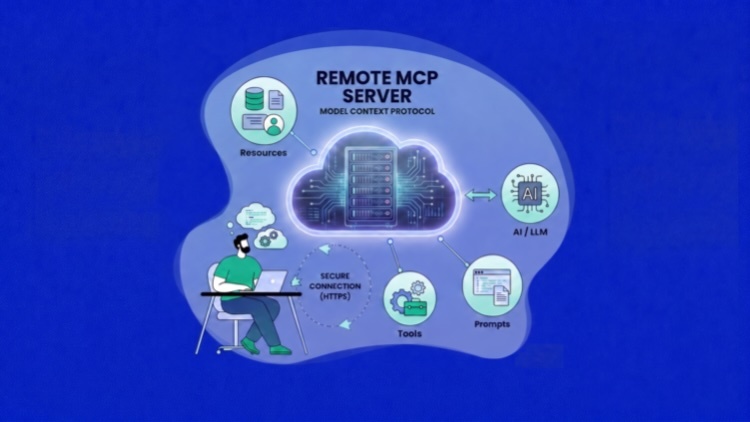
Model Context Protocol (MCP) is a connector standard that lets your AI assistant reach outside its chat window and effectively do things on your work tools, such as Figma, Canva, Photoshop, WooCommerce or the cloud servers where your vital business data is stored.
This obviously goes far beyond the AI assistant giving you step-by-step instructions on what to do on those tools, and you performing those actions yourself. To visualize this, let’s imagine you need work done on your property, so you give a new contractor the keys to the garage and shed, but not your house.
The actions you can successfully perform from your AI chat window are limited by your account settings or privileges on whichever tool you are connected to via MCP.
What is AI Server Management Anyway?

Your business website, personal blog, portfolio site, or eCommerce store is hosted on servers. You might be using shared, dedicated, cloud or VPS hosting types. Regardless, your hosting provider in 2026 likely allows your AI tool to connect to your hosting infrastructure via MCP.
Essentially, you’re doing all traditional server management in an AI chat window.
Let’s be real about it. Your AI is not a sentient process living in your LLM app. When you manage servers with AI, it sends requests through the hosting provider’s API. It’s the same interface a human employee’s clicks go through.
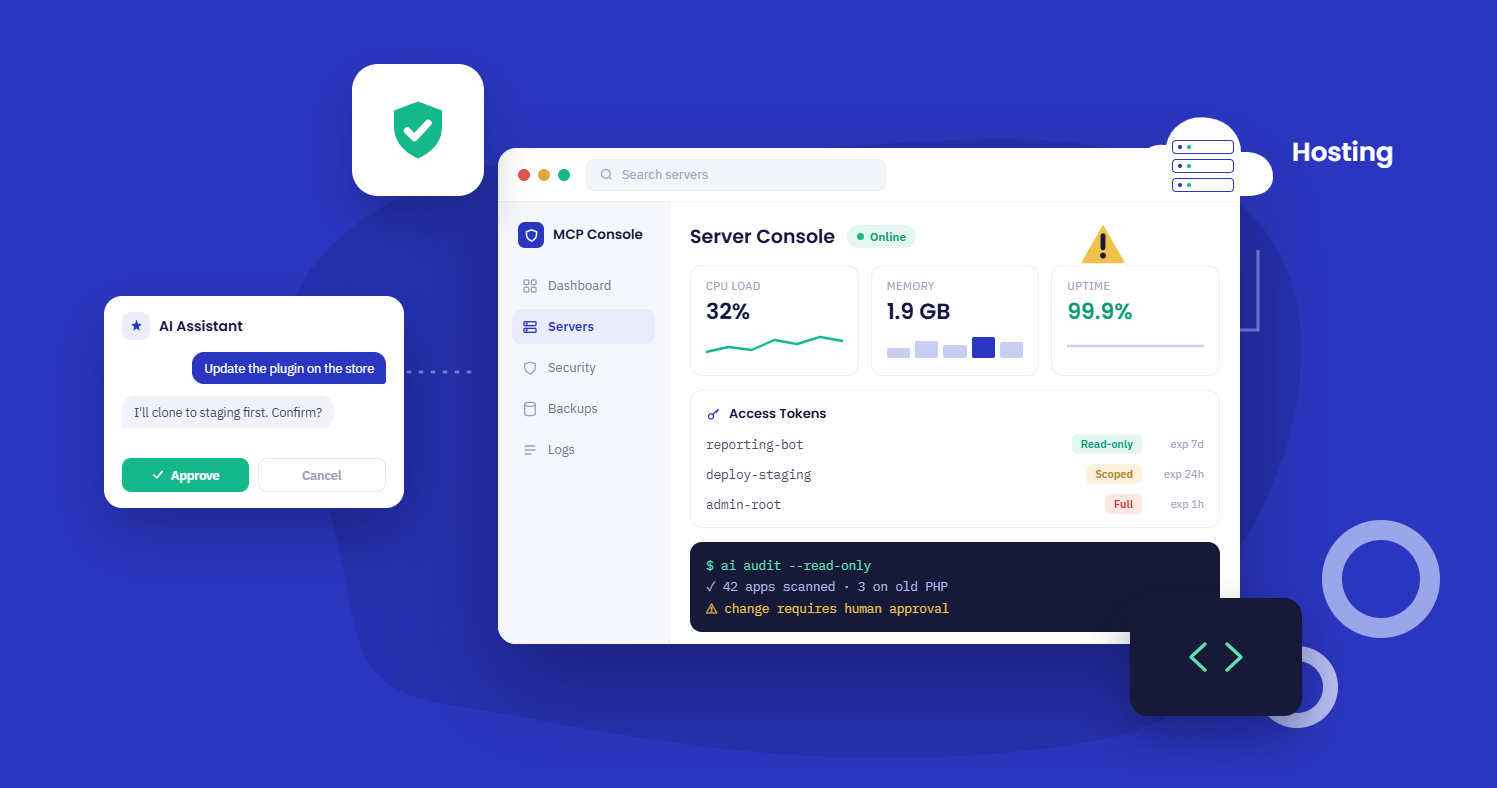
For example, if you ask for a staging copy of a client’s store before you update a plugin, the assistant proposes certain steps, and at each stage your account’s normal access or permissions control apply. The model reads and reasons, but your hosting account is what grants or denies actions.
AI Server management is delegation rather than autonomy.
Is AI Safe for Production Server Management?
Yes it is safe to run production servers with AI. That’s true even for non-technical users. All that’s necessary is that you follow a few best practices.
First, it depends on the extent of permissions you have granted to your AI tool with MCP. It’s easy enough to grant role-based access control to AI tool users on decent hosting providers. You can restrict actions that might be destructive or unconventional to ensure proper adherence to server management principles.
This is achieved when you get to decide how capable your token is. A capable hosting MCP lets you issue scoped tokens rather than a single all-powerful credential.
Cloudways, for example, lets you create named Access Tokens in three tiers: full access, read-only, or permission scoped down to specific resource types, each with its own expiry date. A read-only token handed to your reporting workflow simply cannot delete anything, regardless of how the prompt is worded.
Short-lived beats long-lived. A token that expires next week is a smaller liability than one sitting in a config file forever. Scope them, rotate them, and revoke them the moment a project wraps.
- Reading and Diagnosing: Such actions are quite safe. You should be wasting no time in moving these workflows to your AI chat windows instead of doing them in your hosting provider’s dashboard each time.
- Change Inducing Actions: Ensure any changes you make are reversible (have backups), scoped, supervised by a qualified person, and are preceded by cautions if they are destructive or account-wide.
The safety of server management using AI is not dependent on the relative intelligence of the model you are using.
Genuine Safety Concerns for AI Server Management
There are a few scenarios in which MCP cloud server management can go wrong and disrupt business operations.
- The model does the right thing, but on the wrong server/app. “It’s unclear what you want.” Be specific in your prompts.
- The model confidently asserts something false. LLM models are known to lie outright and only admit it when confronted. It might also misinterpret the results accidentally.
- Too much access. A token that could touch everything when the job called for a corner of it.
- Indirect Prompt Injection. This latest threat is from your assistant reading server logs, support tickets, README, or web pages. This would allow an attacker to read malicious instructions as if they came from you.
- Poisoning of tools. Each MCP tool has a text description telling the model what it does. An attacker can put instructions in there that will quietly copy your environment variables or keys somewhere else.
- Untrusted servers. Many community servers run as code with your credentials in scope. Install from sources you trust, and read what a server asks for before you plug it in.
As Simon Willison, the co-creator of Django, rightly puts it, there’s a lethal trifecta: the agent can reach private data, it is exposed to untrusted outside content, and it has a way to send data out. Take away any one of those and the worst outcomes get much harder to pull off.
MCP Server Security Measures
When using tools like ChatGPT or Claude to manage servers or apps, you should have the following instructions in your project. These will mitigate most of the risks arising from unintentional or unforeseen bad outcomes.
- Confirming destructive behavior. A human yes deletes restores and overwrites pause.
- Decoupling read and write. Look costs little and can be reversed. Change is gated.
- One step at a time. Sequential execution means you get a structured summary of what ran and what needs attention, not a silent batch process.
- Audit logging. Every action has a trail you can check afterwards.
- Input validation and rate limiting. The plumbing rejects malformed or runaway requests .
- Scoped access to accounts. The agent can only hit what your account already allows, not more.
- Scoped, short-lived tokens. Issue the smallest token the task needs, and give it an expiry, so a leaked credential has a shelf life.
- Local server outbound limits. Limit where a server running on your machine can send data. An injection that can not exfiltrate is mostly noise.
- Vet before you link. Treat a new MCP server as a new dependency. Check the source, stick to official or well-reviewed servers and be suspicious of anything requesting broad scopes for a narrow job.
Cloudways MCP for Agencies offers all these features to maximize productivity. Managing an entire fleet of client websites becomes much easier, as you never have to leave the chat window you’re using for all business tasks. Even your AI agents like Openclaw, Hermes can connect to Cloudways for maximum control and convenience.
AI Usage Safety Best Practices
You, the human user leveraging LLMs to do work-related tasks on servers and applications need to be educated on how to be a power user who doesn’t accidentally delete customer data or let ransomware lock you out of your hosting account.
- Start with read-only work: audits, “which apps are on old PHP,” incident triage.
- Do risky changes on staging first.
- Read the proposed action before you confirm, especially anything with “delete,” “restore,” or “overwrite.”
- Give the narrowest access the job needs, and revoke it when a project ends.
- Keep backups on and know your restore point.
It’s just like if you hired an entry-level resource; these are the same guardrails you’d apply to their access to critical work systems.
Following MCP Security Has Business Benefits
I’ve seen small business owners getting tangible benefits from following the advice we’ve shared here. Instead of having to navigate through dozens of dashboards and navigation menus, they do most of their operational work in their LLM chat window. They use plain English (or their native language) for vulnerability checks, SSL fixes, and get fast answers when their website slows down.
Agencies with teams working to stand out in a competitive market get fleet-wide visibility, one-prompt pre-launch checklist, spinning up client staging copies without a context switch.
This reflects on your P&L statement ultimately, because humans spend less time on mundane tasks, and more on higher-level strategy formulation, account management, and business development.
Ensure MCP Security for Safe AI Server Management
So, is AI safe to run your servers? Yes, as long as you know what you’re doing. It’s easy enough to learn the best way to do it without putting the reputation of your business in jeopardy.
Reading and diagnosing your infrastructure from a chat window is low risk and worth adopting immediately. Making changes is safe too, provided the change is reversible, the token is scoped, and a person signs off on anything destructive.
The threats worth respecting aren’t science fiction.
Q. Is AI safe to manage servers?
For reading and diagnosing, yes, with very little risk. For changes, it’s safe when the platform confirms destructive actions, keeps an audit log, limits the assistant to a scoped token, and you review changes before approving them.
Q. What is tool poisoning in MCP?
An attack where malicious instructions are hidden inside an MCP tool’s description, which the model reads but you never see. The tool can look harmless while trying to redirect the model, for example to leak credentials. It’s why the source of your tools matters as much as your prompts.
Q. Are remote MCP servers safer than local ones?
Often yes, for non-technical users. A remote server is hosted by the provider and can’t touch your local files, while a local server runs on your machine and has to be sandboxed to be safe. You’re trusting the provider instead of managing isolation yourself.
Q. Can AI delete my website by accident?
A well-built system won’t run a destructive action without human confirmation, so the practical risk is low. Use a read-only token where you can, keep backups on, and read what you approve.
Q. What does MCP stand for in AI?
Model Context Protocol. It’s the standard that lets an AI assistant take real, authorized actions in your connected tools instead of only giving advice.
Start Growing with Cloudways Today.
Our Clients Love us because we never compromise on these
Zain Imran
Zain is an electronics engineer and an MBA who loves to delve deep into technologies to communicate the value they create for businesses. Interested in system architectures, optimizations, and technical documentation, he strives to offer unique insights to readers. Zain is a sports fan and loves indulging in app development as a hobby.