Key Takeaways
- With AI website builders, agencies can quickly translate a client’s brief into a functional prototype.
- It is important for an agency to choose a builder that allows for flexible editing and custom development while making site management straightforward.
- A clickable AI prototype will do more than clarify a pitch; it can pinpoint any scope issues prior to production and elicit the kind of targeted feedback from the client that is needed.
This is a familiar scenario for any agency: The prospect is on board with the concept, yet before signing, they want to see something tangible. In response, the team will put in the hours to research the market, map out the site structure and some initial copy, and produce a moodboard or wireframes. They might even build together a hasty demo website; all of this is done with no guarantee the prospect will actually commit.
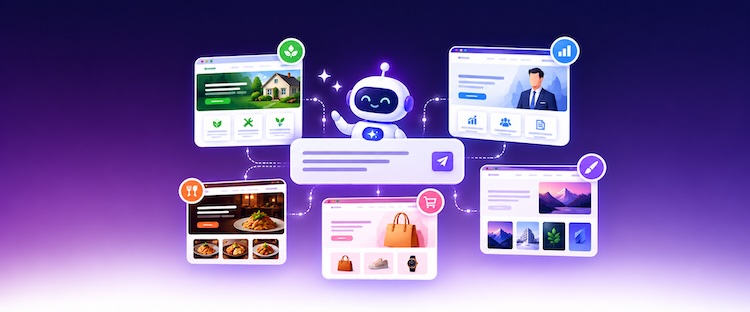
With an AI website builder, there is a quicker means of making one’s case. Rather than laying out static layouts or a written proposal, an agency can take the brief and produce a live WordPress prototype that gives the client a clear idea of how the site will operate and appear.
In this article, we examine the cost of conventional pitching and how an AI Website Builder for agencies can enhance those client conversations, as well as the part Cloudways AI Website Builder plays in streamlining the agency process from the initial brief to delivery.
- Why Traditional Website Pitches Cost Agencies Time and Money
- Why Static Mockups Often Leave Too Much Open to Interpretation
- How an AI Website Builder for Agencies Improves Client Conversations and Pitches
- Cloudways Agency Workflow: From Client Brief to Delivery
- How AI Changes the Agency’s Role
- Best Practices for Using an AI Website Builder for Agencies in Client Pitches
- Final Thoughts
- Frequently Asked Questions
Why Traditional Website Pitches Cost Agencies Time and Money
Long before any contract is signed, the agency has already put in considerable effort, much of it speculative. The account manager has coordinated the pitch while strategists have defined the approach and studied the client; copywriters have worked on sample messaging, designers have prepared concepts, and developers have looked at the technical side.
For the agency, this means incurring a number of costs:
- Pre-sales work encroaches on hours that should be devoted to paying clients. A pitch of any detail demands an investment of the team’s capacity for which there is no return.
- You have to factor in the price of specialist time. Should a prospect go with a different agency, the hours a designer or developer has put in on a WordPress prototype or a layout are lost.
- There is no guarantee of conversion. The agency has to pay the expense whether they are showing a Figma file or a plain WordPress site, regardless of whether the client signs or not.
- Put several pitches together, and the expense adds up. Customized concepts for multiple prospects can erode the agency’s margin.
It is not the time spent getting to know a prospect that is the issue. Rather, agencies often commit production-level hours to make something presentable without any assurance that the project will proceed.
Why Static Mockups Often Leave Too Much Open to Interpretation
While wireframes and design mockups serve their purpose in putting a proposed layout before the client, they are limited to certain pages and screen dimensions. What they fail to convey is how one actually moves through the site: the navigation, page transitions, forms, and the responsive nature of the experience.
This can lead to a situation where a client gives the nod to a static concept with an idea in mind that is at odds with what the agency has in store. Vague comments such as “make the homepage more engaging” or “more modern” do little to give the team any real direction.
Such discrepancies tend to surface once development is underway, at which point revisions come at a higher cost. A working prototype is the way to put an end to that kind of ambiguity; it presents a fuller picture of the website for the client to interact with and put their feedback into context.
How an AI Website Builder for Agencies Improves Client Conversations and Pitches
There is a new dynamic to the first client meeting when an AI is used to build a prototype. The agency no longer needs to ask a prospect to put some imagination into what the final website will be; it can put a working version of its proposed direction right in front of them.

The nature of the discussion is altered. One does not hear, “This is roughly what we have in mind,” but rather, “Here is the experience as we propose it. What are your thoughts on changing it?” It is easier for the client to give specific feedback when there is something tangible to react to. One gets more from comments like “the header needs to stand out” or “we should have a dedicated page for services” than from a vague “it does not feel right.”
For the agency, a functional prototype is useful in several ways:
- It is a way to show they understand the client’s business.
- To see how the visual approach, messaging, navigation, and pages fit together.
- For the pitch to be as compelling as possible, by virtue of being a working model and not just a static mockup or proposal.
- It allows one to zero in on priorities and any objections at an early stage.
- It allows one to get a better handle on the scope of the project.
- Distinguish between standard features and what will require custom development.
- Make for a more accurate estimate of the work ahead.
Prospects will be more assured in their decision-making when they can navigate a concept as opposed to forming an impression from a proposal. At the same time, any disparity in expectations can be discussed before the agency commits to heavy design and development.
That said, it is important to make clear that the prototype is an initial concept and not the completed website. There may yet be a need for quality assurance, testing, accessibility checks, and approved content.
If the expectation is set properly, the client will not assume what is on screen is the final word or part of the agreed scope. Should the agency secure the project, all the input from the pitch means production can get off to a clearer start with less chance of major revisions down the line.
Cloudways Agency Workflow: From Client Brief to Delivery
With the Cloudways AI Website Builder, an agency can take a project from the first brief to a WordPress or WooCommerce prototype in one seamless workflow. Once the site is generated, it is ready for the agency to present it, make any necessary refinements and customizations, and ultimately publish it on Cloudways managed hosting.
1. Turn the Client Brief Into a Structured Prompt
The first step is to convert what was learned in the discovery call into a well-defined prompt. It needs to address the client’s industry and business, who the audience is, what the website is meant to achieve, and the tone to be adopted. Make sure to include the essential functionality, the pages needed, the primary call to action, and the visual style the client wants.
It is important for the agency to separate what is a confirmed requirement and what is an assumption. Where the client has not supplied specifics such as team credentials, testimonials, performance claims, or pricing, have the AI insert clearly marked placeholders instead of making up information.
A good, structured prompt does more than give the builder the context needed for a pertinent first draft; it also serves as a record of how the brief has been interpreted for the internal team to vet.
For guidance on crafting effective prompts, explore AI website builder prompt examples.
2. Generate a WordPress or WooCommerce Prototype
Those who are new to the platform will start at the Cloudways AI Website Builder landing page to put in the structured prompt as defined earlier. A submission of that prompt is followed by a request to set up and verify an account with Cloudways.
From there, Cloudways will provision a flexible server for the account and have the AI construct the site on it. The 3-day trial commences once the website has been created, which comes with one AI website creation and 8 AI Credits.
An existing customer can go to the banner on the platform to make use of the AI Website Builder. After entering the prompt, the choice is yours between a current paid server or a new one.
Cloudways AI Website Builder will then create a full multi-page WordPress or WooCommerce website. The initial version will have responsive designs for mobile, tablet, and desktop, along with page layouts, draft copy, and imagery.
In the case of a service firm, one might see a contact form, an about page, and the necessary home and service pages; for an ecommerce business, the builder can set up WooCommerce with product, cart, and checkout pages.
What is produced is a working basis to build on, not an empty WordPress install or some mockups with no connection. Before the agency puts it in front of the client, however, it is best to review the results against the original brief and flag any areas that require some custom work or further discussion.
3. Refine the Prototype
There are three ways for an agency to put the finishing touches on a generated website:
- AI Chat: One can simply describe the desired changes to the layout, design, or content in plain language and let the system make those changes.
- Visual Editor: For a more hands-on approach, select any element and make direct alterations to the typography, spacing, colors, text, and sizing.
- Code Editor: Should the prototype call for a higher degree of control, code-level modifications are an option.
This setup lets team members put in their expertise; a developer can handle technical requirements, a designer can put the visual presentation in order, and an account manager or strategist can have simple content alterations made.
The idea is to get the prototype to a state where it conveys a coherent direction without the agency expending too much production effort before the client has given the project and its scope the go-ahead.
4. Present the Working Website to the Client
It is better to put a clickable, working version of the site in front of the client than a static presentation. That way, there is no room for interpretation as to how the final product might function, and the client can react to the actual structure and navigation.
When presenting, take the client through the prototype as a solution and provide some context rather than just passing along a link. Lay out the logic for the messaging hierarchy, the calls to action, and the overall visual direction. Put some pointed questions to the client:
- Is the homepage making the value proposition known?
- Will customers make sense of how the services are laid out?
- Is the brand reflected in the visual direction?
- Have we left out any key functionality or content?
- What is a must-have for the initial launch, and what can be put off to a later phase?
Such an approach yields feedback that the agency can turn into firm requirements. It also affords the chance to clarify which features are in place, where the placeholders are, and which client requests would require additional design or development work.
5. Customize the Approved Website
With the client’s sign-off on the direction and the project underway, the agency is free to transition from fine-tuning the prototype to full production. The work at this point can encompass a number of tasks:
- Using approved assets in place of any draft copy or images
- Rolling out the brand system in its entirety
- Polishing the user experience
- Installing WordPress plugins and integrations
- Developing any custom functionality
- Setting up analytics and tracking
- Enhancing accessibility and search optimization
- Review of performance, security, and browser compatibility
- Testing of forms, responsive behavior, and checkout flows
The Cloudways AI Website Builder is designed to generate standard Gutenberg blocks as opposed to confining the site within a proprietary system. That gives WordPress developers the freedom to access and extend what has been generated, so the agency can work with the approved prototype rather than having to start again elsewhere.
In short, the prototype sets the course expeditiously, and the agency delivers a finished product to the client that fits the scope.
6. Publish and Manage the Website on Cloudways
When testing and approval are complete, the site is ready for publishing on Cloudways flexible managed hosting. The wider Cloudways environment takes care of domain connection, SSL, security, and automated backups, which spares the agency from having to handle that infrastructure manually.
Post-launch, there are several ways for the agency to make further improvements, be it via the Visual or Code Editor, the standard WordPress setup, or even AI Chat. This allows for routine updates to be done with ease while leaving the developer open to more advanced changes.
And since the foundation is WordPress, neither the client nor the agency is bound to a closed platform; the site can be exported to different hosting or passed to another developer for expansion as the client’s requirements evolve.
Transform Client Briefs Into Launch-Ready Websites
Create WordPress or WooCommerce prototypes with AI, refine them using visual or code editors, and develop them into client-ready websites.
How AI Changes the Agency’s Role
When an agency uses AI to work on the initial build of a website, there is a shift in how the team spends its time. Where once it would take longer to build the first site structure, draft of the copy, or layout, these things are now done with greater speed. That allows the team to focus more of their efforts on the choices that will define the finished product.
But there are limits to what the AI can do. It is not going to make calls on a client’s market position or brand identity, nor can it validate a business model or know which experience is right for the audience.
Understanding the distinction between AI website builder vs web developer capabilities is essential for setting realistic expectations.
That is where human expertise comes in, and it is vital for a number of areas:
- Discovery with the client and ascertaining requirements
- For the strategy behind positioning and messaging
- User experience and information architecture
- To set the creative and brand direction
- Any custom integrations or functionality
- Adherence to regulatory and accessibility rules
- Verifying content
- Optimizing performance
- Quality assurance and testing
AI is merely the starting point. It is the agency’s job to bring the technical skill, the creativity, and the judgment to convert business needs into a digital experience of professional caliber.
Best Practices for Using an AI Website Builder for Agencies in Client Pitches
When it comes to client pitches, an AI prototype can have a way of looking more finished than it is. This can lead a client to think the design, features, and content are final. For this reason, agencies need to be deliberate about setting boundaries and expectations around the building of AI prototypes.
Here are some best practices to follow:
- Build your prompt from the client brief and brand assets at hand instead of on assumptions; use only confirmed information from the client.
- Be clear with placeholders. Any draft statistics, testimonials, images, or pricing that have yet to be signed off by the client should be clearly identified.
- Verify the AI content. Go through all factual claims and excise anything that is inaccurate or inconsistent with the client’s business.
- Make the prototype’s role plain. It is there to show a proposed way forward, not to stand in as the final, tested site.
- Do not overdo the pitch. The goal is to convey the concept across, so refine the prototype to that end and hold off on deep customization until the project is approved.
- Distinguish between standard and custom work. A client should know which elements are part of the prototype and which will demand custom development or integrations.
- Put a limit on revisions. State clearly how many changes to the prototype can be made during the discovery or pitch stage.
- Keep a record of what is agreed upon. Once you have the client’s feedback on the visual direction, functionality, and structure, document it before moving into production.
Adhering to these guidelines allows the agency to let the prototype do its job in supporting the pitch without leaving any ambiguity over the scope of work or revision limits.
Final Thoughts
AI website builders offer agencies a means to put client requirements in front of prospects for them to see and explore. There is value in having a working prototype; it lends a certain level of clarity to the pitch, supports better decision-making, and serves as a sound basis should the project be taken up.
With Cloudways AI Website Builder, you can do more than just generate that initial version. An agency can build a WordPress or WooCommerce prototype and then use the visual or code editor, or even the AI chat, to put the finishing touches on it. From there, the site can be developed and hosted right on the Cloudways platform once approved.
But the advantage goes beyond producing websites in less time. It is about freeing up the agency from the tedious early-stage work. That allows agencies to focus on what really matters to the client: strategy, design, and custom development.
Q1. Which AI website builder is best for agencies?
An ideal AI website builder for agencies will handle everything from quick site generation and client management to custom development and flexible editing. In that regard, Cloudways AI Website Builder is a strong option. It lets agencies create WordPress or WooCommerce sites and then put the finishing touches on them with the Visual or Code Editor, AI Chat, or even add in some custom work via plugins.
Q2. How much does an AI website builder cost for agencies?
Cloudways AI Website Builder has a 3-day free trial to get started, which comes with 8 AI Credits and a single site creation. The Pro plan starts from $7.99 a month per website and provides 20 AI Credits. If an agency opts for a plan covering a higher volume of websites, the per-site cost goes down.
Q3. Can I use my own domain with a website builder?
In most cases, an AI website builder will let you connect a custom domain, although this feature may require a paid plan. With Cloudways, for instance, an agency can link a client’s domain and have the finished WordPress or WooCommerce site live on Cloudways managed hosting.
Start Growing with Cloudways Today.
Our Clients Love us because we never compromise on these
[email protected]
Nisha is a technical content writer with a passion for translating complex technology into content that’s clear, practical, and enjoyable to read. With strong technical insight and a user-first mindset, she crafts guides that help readers understand and use modern tools and platforms.