Key Takeaways
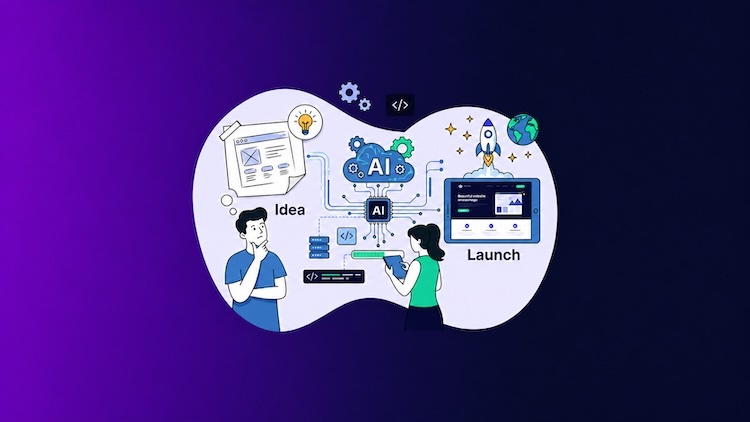
- An AI website builder can turn a detailed prompt into a complete website with pages, content, images, design, and responsive layouts.
- The quality of the AI-generated website depends on how clearly you describe your business, audience, goals, style, pages, and required functionality.
- AI can speed up website creation, but the generated content, design, SEO, and business information still require human review.
Traditionally, one would put together a website by choosing a template and arranging the page layouts, finding images to use, and putting in the copy before making any final design adjustments. With the advent of AI website builders, much of that is no longer necessary as artificial intelligence handles the bulk of the work.
If you are not versed in coding or have no design experience, these builders provide a far more direct route to establishing an online presence. That said, the level of functionality and control varies from one platform to another.
We will examine what exactly an AI website builder is in this guide and how it works, along with the advantages it offers and the limitations to be aware of.
What Is an AI Website Builder?
An AI website builder is a platform for creating and tailoring websites through the power of artificial intelligence.
Rather than being left to work with a blank canvas, you give the builder a description of your site in natural language. One might put in details as to what kind of business is run, the services on offer, the target audience, and even the preferred look and feel.
From that input, the AI will put together a first draft of the site, which could have:
- A proposed page structure
- Sections and layouts
- Content for the site
- Visual elements and images
- Design choices down to the fonts and color scheme
- Navigation and contact forms with calls to action
- Layouts that are mobile-friendly
- Basic SEO parameters
- Ecommerce capabilities, if the platform allows
What is produced can vary based on the platform; some are capable of creating a full-fledged online store or multi-page business site, and others a more modest single page.
The distinction between an AI website builder and a conventional website builder is in the approach to building that initial website. A traditional builder would have you pick a template and replace the sample content yourself. An AI website builder takes your requirements to generate something more customized.
That said, it is not a matter of the AI turning over a completely finished website with no human involvement. It is more that the heavy lifting of the setup is done for you, providing a solid foundation to be reviewed, organized, and then published.
How Does an AI Website Builder Work?
With an AI website builder, a prompt-based workflow is all that is required to transform a simple description into a fully editable site. There is no need to put in the manual work of building out each page; one merely has to set forth what is needed and let the AI do the rest.
While the exact process can vary between platforms, the core workflow generally follows the same stages. To show how this works in practice, the following steps walk through the process using Cloudways AI Website Builder.

Step 1: You Describe the Website You Want
To get started with the AI website builder, you will need to supply a prompt that describes what you are looking to build. Since the AI is working from this prompt to put the site together, it is best to be specific with your requirements as opposed to something general like “Create a business website.”
A good prompt will cover the essentials:
- The name of your business or site
- What industry you are in
- Your products and services
- Who you are trying to reach
- The tone of the content
- The look you want
- Necessary features and pages
- The action you want from your visitors
For instance, one might write: “Build a professional site for a residential landscaping firm called GreenScape Gardens. The website should target homeowners in need of garden design and maintenance services, so the tone should be friendly yet professional. Use a clean visual style in neutral and natural greens. Make sure there is a homepage, an About section, a gallery of projects, a page for services, and a contact page. Encourage visitors to request a consultation.”
Being this thorough provides the AI with the context it needs to create a website that is in line with your preferences and can mean fewer edits down the road.
That is an important consideration if the builder operates on a credit system; every time the AI makes an adjustment, a credit is used. By thinking through your needs ahead of time, you can spare yourself the expense of using credits to fix things you could have specified in the first place.
Step 2: The AI Generates the Website
Once the prompt is submitted, new users are required to create and verify a Cloudways account. Once the verification is complete, Cloudways will provision the environment and let the AI get to work on the website. Relying on the parameters set forth in the prompt, the system needs some two or three minutes to have a complete site ready.
What exactly is included in the website will be based on your request, but one can expect the following:
- A homepage along with any necessary supporting pages
- Navigation and page sections
- Headlines and body copy
- The appropriate images and graphics
- Typography and color scheme
- Calls to action and buttons
- Contact forms
- Layouts that are responsive on mobile
- The essentials for SEO
- Blog or ecommerce pages as needed
Take a consulting firm, for instance. In such a case, the AI might put together a home page, an About and a services page, a spot for testimonials and FAQs, and a contact page. It will handle the initial writing and design, even optimizing the look for whatever screen size is being used, be it a desktop or tablet. An online store would see the addition of product listings, a cart, and checkout pages.
In all cases, the AI follows established SEO best practices; an on-demand analysis can be run once the site is up.
It should be noted that the AI is only as good as the prompt it is given. Vague or incomplete instructions can result in content or design that does not suit the business, so it is important to be as specific as possible from the start.
Step 3: You Review and Refine the Generated Website
A thorough review is in order before you hit publish. While the AI’s first pass will appear to be a finished product, in reality, it is only a draft and may require some attention to properly put your business in the spotlight.
Go through the page structure, navigation, copy, and imagery with an eye for detail. Verify that the following are in order:
- The images are consistent with your brand.
- Your content is an honest description of what you have to offer.
- All business data, including product specifics and pricing, is correct.
- Contact details are there and complete.
- Links, buttons, and forms all function as they should.
- Privacy and other legal policy matters have been addressed.
- The site presents well, whether it is being viewed on a desktop, tablet, or mobile device.
There is no obligation to take the version the AI has put forward. If you want to make some changes, the site can be refined by way of the visual or code editor, or even the AI chat.
AI Chat
Put your desired changes into plain language and let the AI do the rest. Some things you can have it do are rewrite the homepage intro, put in a new service or page, swap out a call to action, or even give part of the homepage a redesign. You might also ask it to alter the tone of a section or put in a contact form.
The key is to be specific with your request. Point to the exact page or section for an update. An instruction like “Rewrite the homepage hero text in a professional voice and keep it to 50 words” will get better results than simply telling “make the homepage better.” And if applying a change costs credits, consider having the AI put forward some suggestions or run through alternatives first before you commit to one.
Visual Editor
For those who prefer not to write code, the visual editor lets you pick and choose website elements and make adjustments on the spot. A click on a button, image, heading, or section is all it takes to alter the alignment, fonts, spacing, colors, or size.
You can also reorganize the order of sections or change the page layout. It is a good way to exert fine control over an individual element as opposed to letting the AI modify a whole section.
Code Editor
Those with coding skills will find the code editor a means to more advanced customization. With access to the code, a developer can do things, such as put in custom styling, improve accessibility, tweak how the layout behaves, link to outside services, integrate business systems, and add specialized functions or custom tracking.
This affords a level of control that is hard to match with chat or visual editing alone, and makes it possible to extend the generated site when necessary. Then again, not all AI builders are created equal in terms of extensibility or how much code they let you see.
It pays to look into a platform’s portability, ownership, and extension capabilities before committing.
Step 4: You Publish the Website
Once you are satisfied with how the site looks and have put in the necessary refinements, it is time to publish. This action will take the website out of its preview or editing state and put it on its live host. From there, you can connect your domain and put the site in front of the public via the hosting platform.
The work does not stop at publication, however. The editing tools remain at your disposal should you wish to make changes down the road. Whether you need to put in new content, alter the design, put up additional pages, or otherwise grow the website in step with your business, you can do so after it has gone live.
The Technology Behind AI Website Builders
These are the technologies that AI website builders use to automate website building:
- With natural language processing (NLP) and large language models (LLMs), the builder can understand a prompt, generate the necessary content, and even facilitate conversational editing in order to meet one’s requirements.
- With machine learning and recommendation systems, the builder can put forward appropriate design choices like page structure, layout, or even the right fonts and colors for the website you want.
- Where computer vision is available, it serves to analyze and produce visual material, whether that means cropping an image or generating something new.
- Generative AI will follow your instructions and put together text, images, and other elements of the site.
In short, these technologies work together to produce a site that is both structured and editable, doing away with much of the manual labor involved in more conventional web development.
Benefits of Using an AI Website Builder
A lot of time and effort can be saved in the process of launching a website with the help of an AI builder. Rather than having to plan each page, section, and design element manually, it is possible to put together a structured first draft and then put in the work to tailor it to your requirements.
The appeal of AI website builders comes down to a few significant advantages:
- Faster Creation
Speed is perhaps the most obvious advantage. From the moment you have an idea to when you have a site up and running, AI can cut down on the lead time by taking care of preliminary tasks like content drafting, layout suggestions, and page structure.
- Easier Starting Point
It is not easy to know what to do with a blank page in terms of design or where to put your content. An AI will produce a solid starting point that you can build on and make better, instead of forcing you to come up with every detail from nothing.
- Lower Technical Barrier
You are not expected to be well-versed in code, layout systems, or themes to put out a first version of your site. You can simply state what is needed in plain language and make adjustments with visual tools. For the small business owner, founder, or freelancer without a background in development, this makes the whole process far more approachable.
- One Workflow for Multiple Tasks
In the absence of an AI builder, you might have to enlist different professionals or software for everything from the writing and design to the actual assembly and publishing of the site. An AI builder consolidates these into a single process, which is easier to keep track of.
- Simplified Iteration
There is no obligation to accept the AI-generated site as is. You can experiment with various calls to action, color schemes, headings, and content styles to see what works. For agency owners using AI, this kind of editing support is a quick way to get a prototype or concept in front of a client and free up time for strategy.
Limitations of AI Website Builders
Although AI website builders can simplify website creation, they are not suitable for every project. The quality of the result depends on the platform, the instructions provided, and the complexity of the website.
- AI-Generated Content Still Needs Review
Without precise guidance, an AI will turn out something rather generic. One has to be specific with the prompt, laying out the business’s tone, style, objectives, target audience, and the functionality that is needed.
And even then, the text it produces can be at odds with your brand voice or prone to repetition. Do not make the mistake of accepting the first draft; take the time to review and put your edits in place before you go live.
- The Website May Still Need Creative Refinement
While an AI can put together a layout with its own choice of typeface and images, it does not have a natural sense of what your brand should feel like. It is likely to overlook the details of your market position or what sets the company apart from the competition.
For a brand that is design-led or has a particular identity to uphold, a designer will be required to fine-tune the work so that the visual consistency is evident.
- Complex Functionality May Require Additional Work
An AI website builder is fine for standard website elements, but lacks the flexibility for more advanced use cases.
If the project calls for a custom marketplace, a membership site, complex booking or ecommerce workflows, customer portals, or any kind of bespoke database work, the AI will not be enough. Such things often demand a developer, custom code, or third-party integrations.
- SEO Features Do Not Guarantee Traffic
While an AI website builder can put in place a sound SEO base by producing search-friendly content, headings, page titles, and meta descriptions, it will not automatically create search visibility on its own.
To build the kind of authority that draws visitors in, the site requires a proper strategy, quality content, technical optimization, and links. Putting a website live is only the start of your online presence; it is not an assurance that people will come to it.
- The Website Still Requires Ongoing Management
Generating and publishing a website does not relieve one of the responsibility to maintain it.
There is still the matter of ensuring content is right, tending to software updates, overseeing forms and performance, and putting safeguards in place for security and backups. While an AI builder may make the initial build straightforward, the website is a business asset that demands to be looked after.
Build WordPress and WooCommerce Websites With Cloudways AI
Cloudways AI Website Builder turns a natural-language description into a complete, editable WordPress or WooCommerce website. It can generate a multi-page structure, business-specific content, relevant images, responsive layouts, and foundational SEO elements.
From there, options for fine-tuning are open to you. One might use the visual editor for some direct alterations, engage in an AI chat to make adjustments, or get into the code for a more hands-on approach. When the work is done, the site is ready for publication on Cloudways flexible managed cloud hosting.
What sets this apart from proprietary builders is that the work is not confined to a closed platform. Because it relies on standard WordPress blocks, you retain full command of your site and can make use of the wider WordPress ecosystem to edit or build upon what has been created.
Build and Launch Your WordPress Website With AI
Turn your idea into a complete WordPress or WooCommerce website with Cloudways AI Website Builder. Generate the initial design and content, refine it using AI chat, visual editing, or code editing, and publish it on Cloudways managed cloud hosting.
Final Thoughts
With AI website builders, the path from concept to a working site is less of a chore since they take care of most of the manual work. One does not have to put in the time to build from a blank slate; an AI can put together a site with a proposed design, content, and structure in place right from the start.
In many ways, this technology has made the process more accessible and quicker by assuming the kind of design and content calls that would normally be left to a specialist. That said, the generated website is only as effective as the input it receives.
To ensure a quality product before it goes live, there is still a need for some human oversight to see that the branding is consistent, the business details are right, and the site has been customized to get the quality one wants.
Q1: Should I use AI to build a website?
For those with little technical background who need to put up a blog, portfolio, or business site quickly, an AI website builder is a sound option. The same holds true for a simple landing page. But if your project calls for intricate integrations or very specific technical demands, you would be better served by a custom solution from a developer.
Q2: How long does it take to build a website using AI?
With an AI builder, one can have a site up and running in a matter of minutes, though this will vary by platform. Put in some extra time, however, to customize the design, vet the content, and do your testing before you are ready to put it live.
Q3: How much does it cost to have AI build a website?
You will find some AI website builders with limited trials or no cost at all. Take the Cloudways AI Website Builder for instance; its 3-day free trial comes with 8 AI Credits and lets you create an AI website, giving you the chance to build and customize a website before you commit to a subscription. The Pro plan starts from $7.99 a month per website and provides 20 AI Credits. For a deeper look at pricing factors, see our guide on the cost to build a website.
Q4: Which AI website builder is best for small businesses?
For those in need of a solution to put up a WordPress or WooCommerce site quickly, the Cloudways AI Website Builder is well-suited to the task. It will handle the generation of pages, content, and images, as well as responsive layouts and basic SEO. Once you have what you need, the site can be polished through visual editing, code access, or an AI chat before publishing on Cloudways managed cloud hosting.
You may also want to explore AI plugins for WordPress to extend functionality, or compare traditional WordPress page builders and best ecommerce website builders if you need more specialized features. Understanding why every business needs a strong website can also help guide your decision.
Q5: How can I tell if a website is AI-generated?
You often cannot tell with any degree of certainty from a casual inspection. One might spot generic copy, inconsistent images, or a repetitive layout, but such observations are hardly conclusive because humans can put a great deal of customization into an AI generated website. If you’re comparing platforms, our WordPress vs Squarespace comparison may help you understand the differences between AI assisted and traditional builders.
Start Growing with Cloudways Today.
Our Clients Love us because we never compromise on these
[email protected]
Nisha is a technical content writer with a passion for translating complex technology into content that’s clear, practical, and enjoyable to read. With strong technical insight and a user-first mindset, she crafts guides that help readers understand and use modern tools and platforms.