

Key Takeaways
- A Black Friday website crash often uncovers weak spots in hosting, databases, plugins, or third-party integrations.
- Monitor site performance during the Black Friday sale to detect errors, checkout problems, and slowdowns before they turn into outages.
- Prepare a recovery plan that includes recent backups, rollback options, stable releases, and a clear action plan to respond if your site crashes.
Black Friday is often when problems that don’t come up under regular website traffic become apparent. On normal days, you might not notice any performance issues, but when you get a high volume of visitors, you may start to see slow-loading product pages, search not working, problems adding products to the cart, or errors at checkout. The worst-case scenario is the site not responding at all.
During the 12-day Black Friday shopping period in 2024 and 2025, UptimeRobot analysis found that the number of failures across monitored websites, APIs, and online services was 20.2% and 9.8% higher, respectively, than failures on a normal weekday.
A Black Friday website crash can cost you sales in no time. When shoppers get frustrated, they’ll just leave and go to your competitors.
This guide explains the challenges websites face during Black Friday, as well as what you can do to ensure your store remains fast and available during peak traffic periods.
- What Actually Happens When a Website Crashes During Black Friday?
- Why Websites Actually Crash on Black Friday
- The Server Runs Out of Capacity
- Too Many Requests Need Fresh Processing
- The Database Becomes the Bottleneck
- PHP Workers Get Tied Up
- Plugins and Third-Party Services Add Extra Load
- Bots Compete With Real Shoppers for Resources
- Last-Minute Changes Cause Problems
- The Site Was Never Tested Under Real Load
- How to Prevent a Black Friday Website Crash
- Review Your Store’s Performance
- Test the Full Shopping Journey Under Load
- Reduce Server Load With Smart Caching
- Deliver Content Closer to Shoppers
- Optimize Your Database for Peak Traffic
- Scale Resources Before Traffic Peaks
- Filter Unwanted Traffic Before It Reaches Your Store
- Schedule Heavy Tasks Outside Peak Hours
- Avoid Last-Minute Changes Before Black Friday
- Monitor Your Store Throughout the Sale
- Your Black Friday Website Readiness Checklist
- What to Do If Your Site Slows Down During Black Friday
- Final Thoughts
- Frequently Asked Questions
What Actually Happens When a Website Crashes During Black Friday?
When a website goes down, it doesn’t typically go from healthy to offline in an instant.
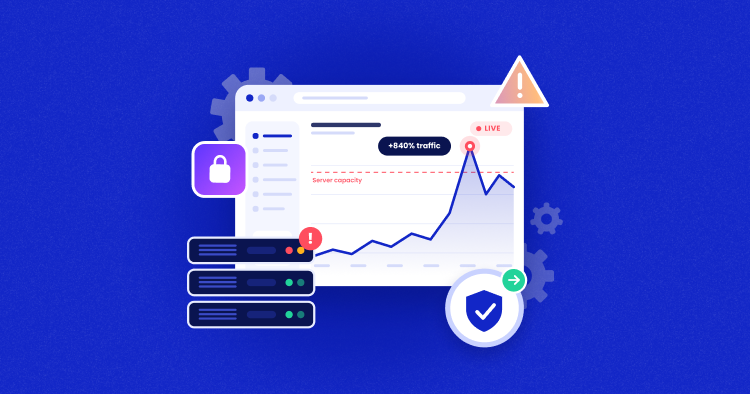
Most of the time, it starts with a slowdown. For example, requests that normally take 300 milliseconds start taking 2 seconds. This means that requests stay open longer, and there are more requests in the queue waiting for resources to become available.
PHP workers get tied up, database queries get queued up, CPU usage goes up, and more people are hitting the website while it’s still processing previous requests. This creates a growing backlog of requests, which in turn will just make the website slower.
At this point, customers begin to notice:
- Pages that won’t load
- Server errors (such as 500 Internal Server Error, 502 Bad Gateway, 503 Service Unavailable, or 504 Gateway Timeout)
- Searches or product filters failing
- Broken carts
- Failures at checkout
- Payment requests that time out
- WordPress admin pages that won’t load
- A site that is completely unresponsive
So a Black Friday website slowdown isn’t just a performance inconvenience. It’s a warning sign. By the time your homepage stops loading, the issue may have been going on for a while already.
Why Websites Actually Crash on Black Friday
The most common reason is “too much traffic,” but that really is only a partial reason. Just traffic doesn’t shut a site down. It happens when traffic reaches a point that the website isn’t able to deal with. The weakness can be different for every website. Here are some of the most common causes.

The Server Runs Out of Capacity
All servers have a finite amount of CPU and memory. On a normal day, your e-commerce store is only using a portion of your server’s resources. When Black Friday hits, the traffic you receive is likely to be very different.
Instead of just a handful of customers viewing your site, you may suddenly have hundreds or thousands of customers browsing, filtering, logging in, adding items to their cart, and checking out.
Many of these actions are resource-intensive and don’t use cached pages. When too many of these requests are made to the server at once, your server can quickly max out its CPU and memory resources and overload, causing the site to slow down, queue requests, or even go offline.
Too Many Requests Need Fresh Processing
By caching content, you can enable your site to handle higher levels of traffic because instead of the site having to generate every page or database response on the fly, it simply serves cached content.
But there are certain elements of your ecommerce site that need to be processed fresh each time, such as:
- Shopping carts
- Checkout pages
- Customer accounts
- Product filters
- Stock information
- Logged-in sessions
These kinds of requests generally require the application to process them and retrieve information from the database, and as more people use these features concurrently during Black Friday, this puts additional strain on the server and increases the risk of slowdown.
The Database Becomes the Bottleneck
Your ecommerce store makes extensive use of the database to query for products, check stock, update carts, apply coupons, handle sessions, and place orders.
On Black Friday, hundreds of users could be performing all these tasks simultaneously. Your site performance will be impacted if you have a database that is suffering from:
- Bloated tables
- Expired sessions or transients
- Slow or unoptimized queries
- Missing indexes
- Plugins making frequent database requests
- Large amounts of autoloaded data
- Complex product filtering
If your database is slowed down by inefficient queries, increased traffic will simply lead to more of those slow queries running. That, in turn, increases the load on the database and slows the store.
PHP Workers Get Tied Up
PHP workers process dynamic requests on WordPress and WooCommerce sites, like adding to cart, checkout, etc.
When a PHP worker gets tied up for too long due to a slow plugin, database query, or external API call, fewer PHP workers are available to process other requests. The end result is that your pages will slow down as you accumulate more requests, leaving customers waiting.
Plugins and Third-Party Services Add Extra Load
WordPress and WooCommerce stores frequently use plugins and third-party services to handle everything from payments and reviews to live chat, analytics, shipping, personalization, and more.
Some plugins add additional processing for each request, and third-party services can slow down or be unavailable altogether. The extra processing for Black Friday traffic can quickly build up and cause a performance hit on product and checkout pages.
Bots Compete With Real Shoppers for Resources
Your Black Friday traffic may not be all shoppers. Price scrapers, inventory bots, heavy crawlers, high-volume logins, malicious traffic, and card testing scripts can use up your site’s resources.
A lot of these requests are for dynamic pages, like search, filters, login, cart, and checkout. That means they are competing with your site for PHP workers and available server capacity that should be serving real users.
As bot traffic increases during peak shopping times, they can contribute to the load on your site and slow it down for genuine shoppers.
Last-Minute Changes Cause Problems
Sometimes a change to your site for Black Friday can cause outages. This could be a new plugin, a change to your checkout flow, a theme update, or even a new tracking script. These are changes that may only cause problems when more people are on your site.
Even if a query is just a bit slow, a JavaScript conflict, or an integration problem crops up, those issues can affect a large number of your customers during a high-traffic event like Black Friday.
The Site Was Never Tested Under Real Load
Just because your homepage loads fast for one shopper does not mean it will perform well when hundreds of shoppers are placing orders. If you haven’t tested your site under real load conditions, you could have serious bottlenecks in your search, cart, checkout, database activity, or integrations that will only show up when real Black Friday traffic hits.
Get Your Store Ready for Black Friday Traffic
Prepare your website for higher traffic with managed cloud hosting built for performance, scalability, and reliability during busy shopping periods.
How to Prevent a Black Friday Website Crash
To ensure that your site doesn’t crash on Black Friday, you have to prepare the most critical components that will face pressure, including server capacity, caching, database performance, security, and a reliable checkout. Follow these steps to make sure your website remains stable during a high-traffic period:
Review Your Store’s Performance
Prior to Black Friday, make sure you have a thorough understanding of how your store is performing under normal circumstances. Monitor the store’s important performance indicators such as CPU and RAM usage, database, PHP performance, error rates, cache hit rate, checkout response time, and bot traffic, as well as external API response times.
Cloudways offers flexible managed hosting that makes it easy to monitor the performance of servers and applications right from the platform. Cloudways also supports New Relic integration, which provides deeper insight into your application’s performance and bottlenecks.
Test the Full Shopping Journey Under Load
Rather than just testing your home page, test the entire shopping process. This means testing activities that your customers will be doing, such as browsing for products, performing a search, adding items to cart, applying coupons, and completing checkout.
Include all critical integrations in your test, and this includes payment gateways, shipping, tax, inventory, and order management. These can sometimes fail, even if your site is responsive.
Add more traffic to monitor any increases in response time or errors. This will help you identify any potential bottlenecks before your customers do.
Be certain to run the load tests against a proper test environment and not against your production store.
Reduce Server Load With Smart Caching
It is important to use page caching for cacheable content and object caching to reduce repeated database queries. For WooCommerce websites, ensure that dynamic content like the shopping cart, checkout, and customer account sections is properly excluded from caching.
Before the Black Friday sales, make sure your cache settings are correct, and all the product, category, and landing pages that are frequently visited are properly cached.
Cloudways servers come with multiple caching layers like Varnish, Redis, and Object Cache Pro. It also provides a free caching plugin, Breeze, which is especially optimized for WordPress performance when your site experiences heavy traffic.
Deliver Content Closer to Shoppers
A CDN can reduce the burden on your servers during your Black Friday campaign by serving cached content from edge locations that are closer to your customers. Not only will this make content loading faster for your customers, but it also means that fewer requests need to be forwarded to your origin server.
Before the Black Friday sale, ensure that your CDN is configured to serve static assets like images, CSS, and JavaScript, and make sure to test its performance from the main locations where you expect to get traffic from.
For Cloudways users, the Cloudflare Enterprise add-on provides CDN delivery with edge caching to deliver content from locations around the world. It also comes with WAF, DDoS protection, and rate limiting, which can reduce the load on your origin server, as well as filtering out unwanted traffic from reaching your store.
Optimize Your Database for Peak Traffic
Clean up any unnecessary information in your database, such as old revisions, expired sessions, transients, and unused tables, before the sale. Look out for any slow-running queries, missing indexes, or even plugins that are making too many requests from the database.
After cleaning up the database, check its performance to ensure that the busiest store actions on your website, such as searching, updating the cart, and checking out, are still working well.
Having a well-optimized WordPress database can help reduce unnecessary work, allowing your website to be more efficient at handling a lot of traffic.
Scale Resources Before Traffic Peaks
If you’re not sure how much traffic to expect this Black Friday, you can use past traffic, load test results, and your current resource usage to determine whether your online store will have enough capacity. If you consistently see high CPU or memory usage, slower response times, or errors when traffic increases, these are all signs that you may need to scale.
You can vertically scale by adding more resources (such as CPU, RAM, or storage) to your existing server to allow for predictable traffic growth. Or, if you’re expecting a sudden or unpredictable spike in traffic, you can horizontally scale by adding more capacity to your application to distribute traffic across multiple instances.
With Cloudways Flexible, you can vertically scale your server resources as demand increases. With Cloudways Autonomous, resources are automatically added to your store when you have a spike in traffic and are scaled back down when demand decreases. You only pay for additional capacity for autoscaling when it’s actually used.
Filter Unwanted Traffic Before It Reaches Your Store
Check your WAF, rate limiting, DDoS protection, suspicious IP activity, and bot traffic before your campaign goes live.
If you’re using Cloudflare Enterprise on Cloudways, they can provide these security protections at the edge. This will help you block unwanted traffic before it reaches your application.
Make sure to test out your protection rules beforehand so that you don’t block legitimate traffic to your application for checkouts, logins, or APIs.
Schedule Heavy Tasks Outside Peak Hours
Just because it’s Black Friday doesn’t mean you won’t have any other processes using your server resources. There could be backups running, product imports, inventory syncing, reports, analytics, malware scans, database maintenance, and scheduled WordPress tasks.
You’ll want to take a look at what you have scheduled during your peak traffic time and see if you can move any non-essential tasks to a quieter time of day.
If you are using Cloudways, you can manage WordPress cron jobs and schedule any non-essential tasks to occur at times other than during your busiest time of day when people are shopping. This will free up resources on your server for customers.
On Cloudways, you can also change your backup schedule, as well as your backup frequency and retention. This is an easy way to ensure that your automated backups are not running at the same time as your Black Friday traffic peaks.
Avoid Last-Minute Changes Before Black Friday
Set a deadline to avoid making non-essential changes to your site’s production before Black Friday. These include plugin updates, changes in your theme, tracking script updates, or even checkout updates. All these changes should be tested before implementing them on your site, as even a minor issue can affect many users when your site has high traffic.
Review your plugins and get rid of the ones you don’t need, the outdated ones, and the ones you aren’t using.
If you’re using Cloudways, you can test your updates on a WordPress staging environment and then apply them to your live site. You can also create an on-demand backup of your site before you do any important changes, so you have a recent recovery point if something goes wrong.
Monitor Your Store Throughout the Sale
Compare how your website performs to your reference point from before the sale. Look out for drastic changes in response times, errors, issues with the checkout, bot activity, or slow responses from external services.
By detecting a Black Friday website slowdown early, you’ll have a higher chance of mitigating the issue before it leads to an outage.
If you’re a Cloudways user, you can take advantage of Cloudways Copilot, which allows you to continuously monitor your website. It also enables you to detect issues and find insights for troubleshooting if your website experiences performance issues.
Your Black Friday Website Readiness Checklist
To help you get your website ready for Black Friday, we’ve listed the key areas you should check before launching your Black Friday campaign. Ensure your website, infrastructure, and all integrations are ready to handle the increased traffic.
- Check that your site has been load-tested with realistic browsing, cart, and checkout user journeys.
- Make sure that you have enough server capacity in place and that you can scale it out if needed.
- Review CPU, memory, PHP, and database performance.
- Optimize page and object caching.
- Make sure that cart, checkout, and account pages are not being cached.
- Make sure you have configured a CDN for asset delivery and test it.
- Review bot traffic, WAF, and rate limiting.
- Test your payment, shipping, tax, and other critical integrations.
- Move non-essential cron jobs and background tasks outside your peak hours.
- Remove any unnecessary or outdated plugins.
- Make sure you have a recent backup and that you know how to restore your site from a backup.
- Freeze any non-essential changes being made to production.
- Make sure that you have someone monitoring your site and checkout performance during the sale.
- Have a response plan for any performance issues you might encounter.
Host Your Website on Cloudways With a Black Friday Offer
Explore Cloudways Black Friday and Cyber Monday deals and save on fast, scalable managed cloud hosting for your website or business.
What to Do If Your Site Slows Down During Black Friday
To fix a Black Friday website slowdown, the most important thing is to identify the source of the problem and restore your site’s performance as quickly as possible.
Here is an approach you can use to fix the issue:
- Find out whether the entire site is affected or if only a certain area, such as search, cart, checkout, login, or something else, is impacted by the problem.
- Identify the bottleneck by examining CPU, RAM, PHP activity, database, error logs, and traffic.
- Check if you have recently made any changes to your plugins, theme, code, or configuration. Furthermore, check critical services such as payment, shipping, tax, or inventory if the problem is related to the checkout process.
- Implement the right solution; this may involve scaling your resources, rolling back a change that is causing the problem, optimizing a slow query in the database, blocking abnormal traffic from bots, or isolating the problem if there is an issue with an integration.
- Verify that the site is recovering from the issue, and continue to monitor site performance, response times, error rates, and checkout performance.
Final Thoughts
Black Friday is an opportunity to win sales, but it shouldn’t be a test of your website’s reliability. Your website’s weakest points should be discovered before Black Friday traffic peaks, so that you have time to experiment and make changes to optimize your website performance without disrupting your customer experience.
A Black Friday website crash is usually the result of several factors hitting the site simultaneously, including your hosting, database, plugins, integrations, and the checkout process.
The goal isn’t just to keep your homepage up during Black Friday, but to ensure that customers can navigate, search, add products to their carts, and complete the checkout process without interruptions, even when traffic is at its peak.
If your website is reliable enough to handle this consistently, then you can begin to take advantage of Black Friday traffic rather than worrying about it.
Q1: Does Black Friday affect online shopping?
Yes. On Black Friday, there’s often a sharp spike in online traffic and a surge in product searches, cart activity, and checkout transactions. For ecommerce stores, this usually places additional demands on the hosting resources and other components involved in the shopping process.
Q2: How early should I prepare my website for Black Friday traffic?
It is recommended that you start preparing your website for Black Friday traffic several weeks in advance. This gives you enough time to test your site’s performance, identify potential bottlenecks, and make any infrastructure changes necessary to support increased traffic. The last thing you want to be doing is load testing, updating plugins, or making scaling decisions in the last few days before Black Friday.
Q3: Should I upgrade my hosting before Black Friday?
Not necessarily. You should first check your current resource usage and review your traffic history and load tests. If you are approaching the resource limits of your current hosting account, or your website starts to slow down even at moderate levels of traffic during testing, then you should consider upgrading your hosting account or improving its scalability.
Q4: Can autoscaling completely prevent a Black Friday website crash?
No. Autoscaling can only increase the capacity of your site. It cannot resolve other problems that may cause your site to crash on Black Friday, such as poorly written queries, problematic plugins, third-party service outages, and application errors.
Q5: Should I pause ads or promotions if my website starts slowing down?
If your website is experiencing performance issues and additional traffic from your promotions and ads is worsening the problem, then you may temporarily pause them until you can investigate the issue further. This will really depend on the extent of the slowdown and how quickly you can resolve any issues.
Q6: How can I tell whether a slowdown is caused by my server or a third-party service?
To determine if the slowdown is occurring on your server, you should start by checking the server resources and utilization, PHP activity, database performance, error logs, and response times. If your website appears to be responsive, but there are some issues with specific actions, such as payments, shipping, or the checkout process, then it might be an issue with a third-party service.
[email protected]
Nisha is a technical content writer with a passion for translating complex technology into content that’s clear, practical, and enjoyable to read. With strong technical insight and a user-first mindset, she crafts guides that help readers understand and use modern tools and platforms.