

Key Takeaways
- Node.js needs a hosting environment built for persistent processes, not request-based ones.
- Serverless works early on, but billing and timeout limits become real problems at scale.
- Managed hosting handles the infrastructure so you can focus on building.
- The right Node.js host offers Git deployment, version control, zero downtime, and flat pricing.
Node.js has become developers’ first choice for modern web development, and over 48.7% of professional devs actively build with it.
Be it the real-time feed on your most used app, the API behind that SaaS tool you use daily, or the framework behind the AI-powered products and apps these days, it’s everywhere. Even giants like Netflix, LinkedIn, and PayPal run significant parts of their infrastructure on it.
But building something with Node.js is one thing. Hosting it correctly is another. Node.js doesn’t slot into just any server environment the way a PHP app does.
It has its own process model, infrastructure needs, and real consequences when those needs aren’t met. Pick the wrong hosting setup, and you’ll be bracing yourself with surprise bills, apps that buckle under traffic, or infrastructure that demands your attention at the worst possible times.
And to help you with all that, this guide covers what Node.js hosting actually means, its different types, and how to choose the one that fits your app. You’ll also see how Cloudways makes managed Node.js hosting work for developers and non-technical users alike.
- What Is Node.js? (And Why Hosting It Is Different)
- What Can You Build and Host With Node.js?
- Types of Node.js Hosting (VPS, Managed, Serverless, and Edge)
- When Serverless Node.js Hosting Stops Working for You
- Is Managed Node.js Hosting Right for You?
- What to Look for in a Node.js Hosting Provider
- Why Developers Are Moving Their Node.js Apps to Cloudways
- Final Words
What Is Node.js? (And Why Hosting It Is Different)
Node.js is a runtime environment that lets JavaScript run on the server, not just in the browser. Before it came along in 2009, JavaScript was strictly a frontend language. Node.js changed that, and web development hasn’t been the same since.
But what makes it different from everything before it is how it actually handles work. Here’s a simple way to see it.
A traditional PHP server is like a bank with one teller. A customer walks up, gets served, and the teller resets completely before the next person. Every request gets its own fresh process, start to finish, then it’s gone.
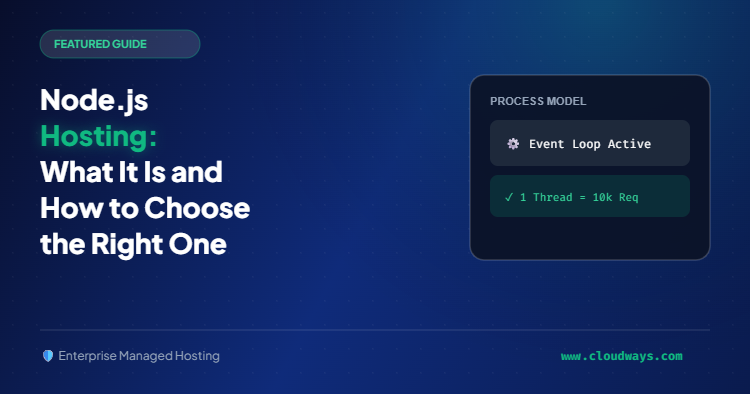
Node.js is more like an air traffic controller. One person managing dozens of flights at the same time, never fully stopping for any single one. It handles thousands of requests on a single thread, staying alive between them and keeping connections open throughout.
Developers call this a persistent process.
Your Node.js app doesn’t spin up and shut down with every request. It runs continuously, stays in memory, and keeps connections open. That’s why it’s so well suited for real-time apps, AI backends, and APIs that need to stay responsive under load.
It’s also why you can’t just throw it onto any server and call it done.
A hosting environment built for PHP spins processes up and down constantly. Node.js needs something different. It needs a server that understands process management, keeps your app running, restarts it if something goes wrong, and routes traffic through it correctly. Get that wrong and none of the performance benefits actually show up.
What Can You Build and Host With Node.js?
You can do a lot with Node.js as it’s not limited to a single type of application. It powers different kinds of products, and you must know which category yours falls into as the hosting requirements are different for each.
The backend API is the most common use case.
Frameworks like Express and Fastify run as persistent servers, handling incoming requests, talking to databases, and sending data back out. So, this is your category if you’re building the engine behind a mobile app, an AI product, or any service that other applications connect to.
Then there’s server-side rendering. Next.js and Astro work this way. The server builds the HTML before sending it to the browser, which means faster load times and better SEO. These apps need a server that’s always running to do that rendering work.
The third category is client-side rendering. React, Angular, Vite, and TanStack fall here. The browser handles the rendering after receiving a bundle of files from the server. The server’s job is simpler, but you still need a proper Node.js environment to build and serve everything correctly.
A simple way to figure out which one you’re building is to think about what it actually does.
- It’s an API if other services connect to it.
- Anything that needs to rank on Google points toward server-side rendering.
- Dashboards and internal tools work fine with client-side rendering.
Types of Node.js Hosting (VPS, Managed, Serverless, and Edge)
You get four main ways to host a Node.js app. You have to be smart while picking the right type as the wrong selection will have its consequences.
VPS Hosting
With a VPS, you get a virtual server with full root access. It’s an excellent option if you want absolute full control and want to manage everything yourself.
You’d be required to install Node.js, configure Nginx, set up PM2, handle SSL, and manage security updates. Basically, do everything yourself. A great choice if you know your way around a server. If that’s not the case, it’d become quite difficult to manage.
Managed Hosting
With managed hosting, you get the same infrastructure as a VPS, minus having to manage everything yourself. It’s like a partnership with your hosting provider, where they handle everything technical and you just have to make a couple of selections.
The provider handles process management, security, monitoring, and updates. You only need to connect your repo, pick your framework, and deploy. That’s it.
Serverless
Platforms like Vercel, Railway, and Netlify fall into this category. Instead of managing a server, you deploy functions that run on demand. It’s the fastest way to get something live, which is why most developers start here.
However, serverless comes up with quite a few limitations that we’ve covered in the next section.
Edge
Edge hosting is the newest of the four. Your code runs on servers distributed globally, right next to your users. Doing so gives you lower latency and faster responses.
The catch is that it comes with its own runtime constraints, and not every Node.js app fits into that environment.
So which one is right for you?
- Go with VPS if you want full control and have the skills to manage it yourself.
- Managed hosting works if you want production-ready infrastructure without the ops work.
- Serverless if you’re just getting started or building something lightweight.
- And edge if latency is everything and your app fits the constraints.
When Serverless Node.js Hosting Stops Working for You
Most Node.js developers start with a serverless setup. And honestly, it makes sense.
You don’t have to configure any server, deploy directly from GitHub, pay only for what you use. It’s a genuinely good deal for a side project or an early stage app.
The problems show up later. Usually on the invoice.
Vercel and Railway don’t charge a flat fee. They charge based on how much your app actually does.
When things are quiet, the bill stays small. When a good week of traffic hits, the cost hits with it. Sometimes dramatically.
A DDoS attack pushed one developer’s Vercel bill to $23,000. A college student got $3,200 in charges from the exact same situation. A $20 Pro plan climbed to $700, then $1,100 after a traffic spike. Vibe coder Matthew Berman got an $800 bill after just two weeks of building.
None of these were mistakes. That’s just what usage-based pricing does.
Timeout limits are the next thing that catches people off guard. Vercel cuts functions off at 60 seconds, even on paid plans. Quick API calls are fine. Anything heavier, an AI job, a big database query, a file conversion, doesn’t always wrap up that fast. The function stops. Mid-job.
Cold starts work differently but cause just as much friction. When a serverless function goes unused for a while, it shuts itself down. The next request waits for it to wake back up. On a simple site nobody notices. On anything real-time or fast-moving, users feel it.
Serverless isn’t the wrong choice. It just wasn’t built for every app at every stage. Once the limits start showing up, a persistent server with a fixed monthly price starts making a lot more sense.
Done With Surprise Bills?
Move to managed Node.js hosting with flat monthly pricing, persistent servers, and zero cold starts. Plans from $20/month.
Is Managed Node.js Hosting Right for You?
Not every Node.js app needs managed hosting. The right choice depends on what you’re building, how much infrastructure you want to deal with, and where you are in the process.
If you’re still learning Node.js or running a personal project with light traffic, a free tier on Vercel or Railway is enough. There’s no reason to pay for managed infrastructure when you’re still experimenting.
But the conversation changes when your app starts handling real users.
At that point, you need something that stays up reliably, scales without manual intervention, and doesn’t surprise you at the end of the month. That’s where managed hosting starts making sense.
Also, go for managed hosting if infrastructure isn’t your strong suit. Not everyone building with Node.js is a DevOps engineer. A lot of founders, indie developers, and agencies just want their app running correctly without spending weekends on server configuration, security patches, and process management.
Managed hosting handles all of that. You focus on the app. Everything underneath it is someone else’s problem.
A good way to know if you need it is to think about the last time something went wrong.
- Did you know why your app went down?
- Did you spend time debugging server config instead of writing code?
- Did a hosting bill come in higher than expected?
If any of those sound familiar, managed hosting is probably worth it.
What to Look for in a Node.js Hosting Provider
Choosing a Node.js host isn’t just about price. The things that matter most are usually the ones overlooked in the sales pitch. Here are some things your Node.js host must offer.
Git deployment should be effortless. You should be able to connect your repo, pick a branch, and push your code without any friction.
Zero-downtime deployments are a must. Whenever you push an update, your users shouldn’t run into any errors. The experience should be so smooth they don’t even need to refresh.
Automatic process management means if something crashes unexpectedly, it comes back up on its own. Check for that.
Node.js version control per app is a huge plus. Your host should let you run multiple apps on different Node versions without any issues.
Then comes security and support.
Security shouldn’t be a conversation you have after signing up. Good Node.js hosts include DDoS protection, a web application firewall, and malware scanning in their plans.
Many providers claim 24/7 live support. What they don’t tell you is whether that means a real engineer actually helping or a bot reading from a script. Check the reviews before you commit.
And last but not least, flat monthly pricing. Usage-based billing feels fine until a traffic spike turns your $20 plan into a $400 invoice.
That’s your checklist. Next up, how Cloudways measures up against all of it.
Everything on Your Checklist. One Platform.
Git deployment, Node version control, zero-downtime deploys, built-in security, and 24/7 live support. All included on every plan.
Why Developers Are Moving Their Node.js Apps to Cloudways
Cloudways recently introduced Node.js hosting and it sits right inside the same platform used for WordPress, WooCommerce, and PHP apps. You get a single unified dashboard with everything in one place.
And taking your Node.js app live on Cloudways takes minutes. Here’s what that actually looks like.
Log In to Cloudways
- Head to Cloudways and log in with your credentials. New to Cloudways? You can sign up directly from the same screen.

Pick Your Plan
- Node.js has its own spot in the Cloudways sidebar.
Click it, and you’ll see five plans.
- Starter at $20/month
- Professional at $30
- Growth at $50
- Scale at $100
- and Plus at $150
All plans come with Enterprise CDN, DDoS protection, and malware protection included.
- Pick your plan and choose your disk space. You can scale both up anytime.
Connect Your GitHub Repo
- Then you’ll be asked to connect via Git using Cloudways’ own GitHub app called Cloudways Deploy. Click Connect Git to get started.
- You’ll be taken to GitHub to install and authorize Cloudways Deploy. Choose which repositories to give access to and hit Install & Authorize.
- GitHub will ask you to verify your identity via email before completing the authorization.
- Once verified, select your repository from the list and click Continue.
Configure Your Settings
Here’s where most platforms lose people. Cloudways doesn’t. You get framework presets covering Express, Fastify, React, Angular, Astro, Next.js, Vite, and TanStack, both SSR and CSR variants.
- Pick your preferred framework. Choose your branch, select Node 22 LTS or Node 24 LTS, add your environment variables, pick a server location, and the configuration is done.
Hit Deploy
- No Nginx config, no PM2 setup, no SSH session. Just hit Deploy Now. Cloudways starts setting up your Node.js server first, which takes around 5-7 minutes, then builds your application automatically.
- Once both steps complete with green checkmarks, your app is built and ready.
Your App Is Live
- Your app is up and running in production. Persistent process, correct Node version, zero-downtime deployments from day one.
Flat monthly pricing from $20, 24/7 live chat support with under one minute response time, and a 95% CSAT score. If the Vercel bills have been climbing or the timeout limits have been hitting at the wrong moments, this is worth a look.
Final Words
Opting for the right Node.js hosting isn’t hard once you understand what your app actually needs. The wrong environment costs you time, money, or both. The right one stays out of your way.
Serverless gets you started fast. VPS gives you full control. Managed hosting sits in the middle and handles the infrastructure so you don’t have to.
If you’re at the point where serverless limitations are showing up or you just want something production-ready without the ops overhead, managed hosting is the natural next step.
Cloudways makes that transition a lot easier. Flat monthly pricing, Git deployment, framework presets for every major Node.js stack, and 24/7 support from real engineers. Everything you need to get your Node.js app live without any hurdles.
Give it a try and see for yourself.
Ready to Host Your Node.js App on Cloudways?
Managed Node.js hosting is in early access. Limited spots available. Join the waitlist and be among the first to deploy.
Start Growing with Cloudways Today.
Our Clients Love us because we never compromise on these
[email protected]
Sarim Javaid is a Sr. Content Marketing Manager at Cloudways, where his role involves shaping compelling narratives and strategic content. Skilled at crafting cohesive stories from a flurry of ideas, Sarim's writing is driven by curiosity and a deep fascination with Google's evolving algorithms. Beyond the professional sphere, he's a music and art admirer and an overly-excited person.