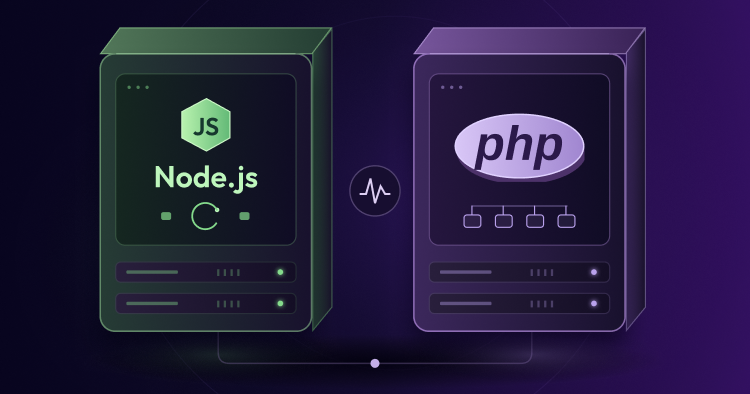
Choosing between Node.js and PHP isn’t just about which language is easier to work with. The two handle requests differently, and those differences carry over into how the applications run on a server.
PHP has been used to power websites for decades, including platforms such as WordPress, Drupal, and Magento. Node.js took a different approach by bringing JavaScript to the server and using an event-driven model that works particularly well for applications handling lots of connections at once.
Rather than relying on the usual list of pros and cons, I want to see how the two behave in a more practical test. In this guide, I’ll first look at how PHP and Node.js handle requests and memory, then set up comparable database queries on Cloudways and run a load test with 1,000 concurrent requests.
What Are PHP and Node.js? The Core Differences
The biggest differences show up in how each runtime handles requests and keeps track of memory.
PHP: Request-by-Request Execution
PHP applications typically work around a short request-response cycle. When a request reaches a PHP application, the web server passes it to PHP-FPM, which uses one of its available workers to run the PHP code.
The basic flow looks like this:
Incoming Request → PHP-FPM Worker → Run Script → Query DB → Send Response → Request Ends
The PHP process doesn’t normally keep application state around between requests. Once the request is finished, that request’s memory is cleared.
There are some practical benefits to this approach. If a PHP script runs into a fatal error, the problem is generally limited to that request rather than taking down the entire application. The trade-off is that the application has to go through its startup and database connection work again for subsequent requests, depending on how the application and database connections are configured.
Node.js: A Long-Running Event Loop
Node.js works differently. A Node.js application normally starts once and stays running, with incoming requests handled through its event loop.
The basic flow looks like this:
Incoming Request → Event Loop → Non-Blocking I/O → Callback → Send Response
                         ↑                              │
                         └──────── Keeps Running ───────┘
JavaScript itself runs on a main thread, while operations such as database queries, file access, and network requests can be handled without blocking that thread.
Because the Node.js process stays alive, things such as database connection pools can remain available between requests. The application doesn’t have to recreate everything from scratch every time someone visits a page or calls an API endpoint.
That model works particularly well when an application needs to handle a large number of connections. There is a trade-off, though. A piece of code that blocks the event loop can hold up other requests, and an unhandled error that brings down the Node.js process can affect every connection being handled by that process.
Web Servers and Hosting Architecture
The two stacks also have different requirements when it comes to the web server sitting in front of the application.
The typical setups look something like this:
PHP:
User → NGINX / Apache → PHP-FPM → PHP Application

Node.js:
User → NGINX → Node.js Process → HTTP Server
The PHP Hosting Stack
A PHP application doesn’t normally listen directly for requests on ports 80 or 443. NGINX or Apache sits in front of it and passes PHP requests to PHP-FPM.
The main pieces are:
- Web Server (NGINX / Apache): Handles incoming HTTP traffic, SSL/TLS, and static files such as images, CSS, and JavaScript.
- PHP-FPM: Maintains a pool of PHP workers and assigns incoming PHP requests to them.
This is one reason PHP hosting has remained so straightforward. A typical PHP site can be uploaded to a server and served without having to keep a separate application process running or restart the application after every code change.
That simplicity is a big part of why PHP continues to be such a common choice for traditional websites and content management systems.
The Node.js Hosting Stack
Node.js includes a built-in http module, meaning a Node application is its own web server. It binds to a specific port (like 3000) and listens directly for incoming connections.
In a production hosting environment, running Node.js raw isn’t sufficient:
- Process Manager (PM2): Keeps the Node.js application running in the background, handles automatic restarts if the process crashes, and load-balances across CPU cores using cluster mode.
- Reverse Proxy (NGINX): Sits in front of the Node app to handle domain routing, SSL certificates, static file delivery, and rate limiting before passing traffic to localhost:3000.
Mini Project 1: Building & Deploying the Node.js Benchmark App
To test performance under identical conditions, I am building a lightweight Node.js script that connects to PostgreSQL, executes SELECT * FROM products LIMIT 10, and returns the dataset as JSON.
Step 1: Local Setup
I open Command Prompt (cmd) and add my standalone binary paths for Node.js and PostgreSQL to the system PATH for this terminal session:
set PATH=%PATH%;C:\Users\abdulrehman\Downloads\node-v24.18.0-win-x64\node-v24.18.0-win-x64;C:\Users\abdulrehman\Downloads\postgresql-18.4-2-windows-x64-binaries\pgsql\bin

Next, I create a dedicated directory named node-benchmark, move into it, and initialize a new Node.js project:
mkdir node-benchmark
cd node-benchmark
npm init -y
npm install pg
I open the project folder in Visual Studio Code, create a file named server.js, and add the following code to configure an HTTP server with database connection pooling:
const http = require('http');
const { Pool } = require('pg');

const pool = new Pool({
  connectionString: process.env.DATABASE_URL || 'postgresql://postgres:@localhost:5432/postgres',
  max: 20
});

const server = http.createServer(async (req, res) => {
  if (req.url === '/api/users' && req.method === 'GET') {
    try {
      const client = await pool.connect();
      const result = await client.query('SELECT * FROM products LIMIT 10');
      client.release();

      res.writeHead(200, { 'Content-Type': 'application/json' });
      res.end(JSON.stringify(result.rows));
} catch (err) {
  console.error('PostgreSQL Connection Error:', err); // <-- Add this line
  res.writeHead(500, { 'Content-Type': 'application/json' });
  res.end(JSON.stringify({ error: 'Database query failed' }));
}
  } else {
    res.writeHead(404, { 'Content-Type': 'text/plain' });
    res.end('Not Found');
  }
});

const PORT = process.env.PORT || 3000;
server.listen(PORT, () => {
  console.log(`Node.js server listening on port ${PORT}`);
});
To test the server locally before deploying, I run node server.js in my terminal and verify that http://localhost:3000/api/users returns my catalog data.
Step 2: Deploying to Cloudways Velocity
With the local test working, I push the node-benchmark directory to a new GitHub repository.
In my Cloudways dashboard, I launch a new Velocity Node.js Application and link my GitHub repository.
Velocity automatically detects the Node environment, and sets up process management behind PM2.
But…for this demo, I’ll change the Environment Type Setup to Server-Side Rendering (SSR). And also change Package Manager to npm, Build Command to npm run build and Entry File to server.js.
Then I hit Deploy Now and wait for 5-6 minutes for the deployment to finish.
Once the app is deployed, I go to Access Details and connect the PostgreSQL database to my app.
I head to Environment Variables in the Velocity deployment settings and add my live database connection string:
DATABASE_URL = postgresql://[username]:[password]@localhost:5432/[database_name]
I save the settings and trigger a redeployment.
Step 3: Verification
Once Cloudways completes the redeploy, I open the database manager and run a SQL script to create the products table and seed it with initial sample data.
CREATE TABLE products (
    id SERIAL PRIMARY KEY,
    name VARCHAR(255) NOT NULL,
    description TEXT,
    price DECIMAL(10, 2) NOT NULL,
    image_url TEXT,
    created_at TIMESTAMP DEFAULT CURRENT_TIMESTAMP
);

INSERT INTO products (name, description, price, image_url) VALUES
('Minimalist Desk Lamp', 'Matte black architectural lighting.', 89.00, 'https://images.unsplash.com/photo-1507473885765-e6ed057f782c'),
('Ergonomic Wooden Chair', 'Crafted from sustainable oak.', 249.00, 'https://images.unsplash.com/photo-1580481072645-022f9a6d83d0');
Next, I open my live Velocity application URL in the browser:
https://node-app.cloudwaysnodeapps.com/api/users
The browser renders the JSON array containing the product catalog pulled straight from PostgreSQL.
I can also verify if the products are added to my PostgreSQL database by launching the database manager.
Mini Project 2: Building & Deploying the PHP Benchmark App
Unlike Node.js, PHP doesn’t require initializing a package manager or writing a custom HTTP server loop. The web server (NGINX/Apache with PHP-FPM) handles request routing automatically, so I only need a single script file.
Step 1: Local Setup
I open a fresh Command Prompt window and create a separate project directory named php-benchmark:
mkdir php-benchmark
cd php-benchmark
I open this directory in Visual Studio Code, create a file named index.php, and use PHP’s native PDO (PHP Data Objects) extension to query the database.
To keep the environments standard, the PHP application will use its own native MariaDB database rather than connecting remotely to the Node.js PostgreSQL instance.
Initially, I set up the connection with placeholder credentials:
<?php
header('Content-Type: application/json');

// Ensure you update 'your_password_here' before pushing!
$host = getenv('DB_HOST') ?: '127.0.0.1';
$db   = getenv('DB_NAME') ?: 'your_DB_name';
$user = getenv('DB_USER') ?: 'your_DB_user';
$pass = getenv('DB_PASS') ?: 'your_password_here';
$port = getenv('DB_PORT') ?: '3306';

$dsn = "mysql:host=$host;port=$port;dbname=$db;charset=utf8mb4";

try {
    $pdo = new PDO($dsn, $user, $pass, [
        PDO::ATTR_ERRMODE => PDO::ERRMODE_EXCEPTION, // Fixed: Added the double colon
        PDO::ATTR_DEFAULT_FETCH_MODE => PDO::FETCH_ASSOC,
        PDO::ATTR_EMULATE_PREPARES => false,
    ]);

    $stmt = $pdo->query('SELECT * FROM products LIMIT 10');
    $products = $stmt->fetchAll();

    echo json_encode($products);
} catch (Throwable $e) {
    echo json_encode([
        'error' => 'Database query failed',
        'details' => $e->getMessage()
    ]);
}
Step 2: Deploying to Cloudways LAMP
I go back to Cloudways and launch a standard Custom PHP (LAMP) application on a server instance identical in specs to my Node setup.
I push my php-benchmark directory to GitHub and connect it to my Cloudways application via the Deployment via GIT tab.
Then, to authenticate securely:
- I click Generate SSH Keys and then View SSH Keys in the Cloudways Git deployment dashboard and copy the generated public key.
- In GitHub, I navigate to my repo Settings, click on Deploy keys and add my key that I copied earlier.
- Back in Cloudways, I enter my repository’s SSH URL ([email protected]:abdulrehman293/php-benchmark.git) into the GIT Remote Address field and click Authenticate.
- Once authenticated, I select the main branch and click Start Deployment to pull the code into the server.
Step 3: Linking the Database
Once the application is launched, I navigate to the Access Details tab and copy my live MariaDB credentials (DB Name, Username, and Password).
I update my local index.php file with these actual credentials, push the commit to GitHub, and click Pull in the Cloudways Git dashboard to update the live server.
To finalize the setup, I launch the Cloudways Database Manager for this PHP app and run the same SQL script to create and seed the products table.
CREATE TABLE products (
    id SERIAL PRIMARY KEY,
    name VARCHAR(255) NOT NULL,
    description TEXT,
    price DECIMAL(10, 2) NOT NULL,
    image_url TEXT,
    created_at TIMESTAMP DEFAULT CURRENT_TIMESTAMP
);

INSERT INTO products (name, description, price, image_url) VALUES
('Minimalist Desk Lamp', 'Matte black architectural lighting.', 89.00, 'https://images.unsplash.com/photo-1507473885765-e6ed057f782c'),
('Ergonomic Wooden Chair', 'Crafted from sustainable oak.', 249.00, 'https://images.unsplash.com/photo-1580481072645-022f9a6d83d0');
Step 4: Verification
To confirm complete parity, I navigate to my live PHP application URL:
https://phpstack-1070279-6647761.cloudwaysapps.com/
The browser outputs the exact same JSON dataset returned by the Node.js application, proving both environments are perfectly mirrored and ready for stress testing.
And if I launch the database manager in Cloudways, I can see the table and the entries in it.
Benchmarking & Comparison: The 1,000 Concurrent Request Stress Test
With both endpoints live on Cloudways, serving mirrored JSON payloads but querying their respective native databases (PostgreSQL for Node.js, MariaDB for PHP), I ran the final load test.
Since the live targets require HTTPS, I used the SSL-enabled version of Apache Bench (abs) from the Windows command line to send 1,000 total requests with a concurrency level of 100 parallel connections (-c 100).
Node.js Load Test Command:
abs -n 1000 -c 100 https://nodejs-1666768-6647448.cloudwaysnodeapps.com/api/users
PHP Load Test Command:
abs -n 1000 -c 100 https://phpstack-1070279-6647761.cloudwaysapps.com/
| Metric | Node.js (PostgreSQL) | PHP 8.2 (MariaDB) |
| Requests Per Second (RPS) | 9.87 req/sec | 6.85 req/sec |
| Time per Request (Across Concurrent) | 101.27 ms | 146.08 ms |
| Time per Request (Mean Total) | 10,126.90 ms | 14,608.50 ms |
| P95 Latency | 11,391 ms | 13,934 ms |
| Failed Requests | 0 | 0 |
What the Results Mean
- Throughput Advantage: The Node.js stack delivered roughly 44% higher throughput than the PHP stack. Node.js processed nearly 10 requests per second under heavy concurrent load, completing the full test in about 101 seconds compared to PHP’s 146 seconds.
- Connection Pooling: A key reason for this performance delta comes down to database connection handling. Node.js keeps its database connection pool open in memory, reusing existing sockets for incoming traffic during the 1,000-request barrage.
- PHP-FPM Overhead: Standard PHP natively tears down state after every request. Even with MariaDB sitting on the same local server, spawning multiple worker processes to handle 100 parallel hits and repeatedly negotiating new database connections inherently adds latency.
- Perfect Stability: Despite the intense concurrency and the heavy 10,000+ ms absolute response times under load, both Cloudways environments maintained complete stability. Neither server buckled, finishing with exactly zero failed requests.
Wrapping Up
PHP and Node.js are both capable backend technologies, but they fit different types of applications.
PHP makes a lot of sense for traditional websites, CMS-based projects, and applications that benefit from its large ecosystem. Node.js is a better fit for applications that rely heavily on APIs, real-time connections, or a large number of concurrent I/O operations.
I’ve made the source code and database schemas for both benchmark applications available on GitHub. The Node.js benchmark repository and PHP benchmark repository can be cloned and deployed to another environment to run the same tests.
If you have questions about server configuration, PHP-FPM tuning, or PM2 process management on Cloudways, leave a comment below.
Q1: Which is better, JavaScript or PHP?
Neither is better for every project. JavaScript works well for modern web apps and real-time features, while PHP is a strong choice for websites and CMS platforms such as WordPress and Drupal.
Q2: Is PHP still useful?
Yes. PHP still powers a large part of the web and remains widely used for WordPress, WooCommerce, Laravel, and other web applications.
Q3: Is Python or Node.js better?
It depends on the project. Node.js is a good fit for APIs and real-time applications, while Python is often preferred for data processing, automation, and machine learning.
Q4: Is Node.js just a server?
No. Node.js is a JavaScript runtime that lets JavaScript run outside a web browser. It can be used to build web servers, APIs, command-line tools, scripts, and other applications.
[email protected]
Abdul is a tech-savvy, coffee-fuelled, and creatively driven marketer who loves keeping up with the latest software updates and tech gadgets. He's also a skilled technical writer who can explain complex concepts simply for a broad audience. Abdul enjoys sharing his knowledge of the Cloud industry through user manuals, documentation, and blog posts.