Key Takeaways
- ChatGPT can be used in WordPress through plugins, APIs, or automation depending on workflow needs.
- Most WordPress sites benefit by starting small with AI-assisted content or repetitive tasks.
- ChatGPT supports content, SEO, and user interactions but still requires human review.
- Performance, cost control, and security planning matter when adding AI to WordPress.
WordPress users are already experimenting with ChatGPT in small ways. A blog draft here. A faster reply there. Often, the change starts with one task that used to take longer than it should.
Uncertainty still holds many people back. The idea feels too technical, and most explanations don’t help. That hesitation is reasonable, especially when WordPress already has enough moving parts.
Some users keep things minimal and stop early. Others try to automate everything and end up frustrated.
Both patterns lead to the same place.
The sections below focus on real situations, not feature lists. Each example stays grounded in everyday WordPress work. The aim is to help you spot what fits naturally and ignore what doesn’t.
What Does “ChatGPT WordPress Integration” Mean?
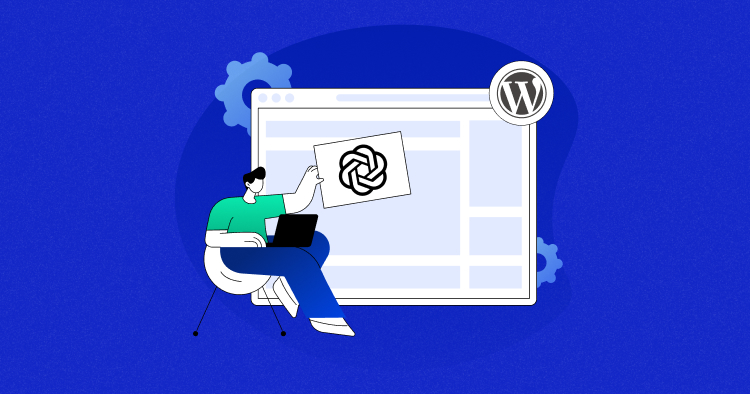
ChatGPT integration with WordPress doesn’t mean handing control of your site to AI. It simply means using ChatGPT alongside WordPress to reduce manual work. The site still runs the same way. Only the process behind it changes.
Some integrations stay visible. Others stay completely behind the scenes. Both count, and neither requires deep technical knowledge to understand.
How ChatGPT Actually Works With WordPress
ChatGPT usually works as a helper, not a replacement. It generates text, suggests improvements, or prepares content before anything goes live. WordPress remains responsible for publishing, layout, and performance.
A few setups run on the front end. Examples include chatbots or form responses that visitors can see. Other setups stay on the back end and assist with writing, organizing, or preparing content before publishing.
The difference matters. Frontend tools interact with users. Backend workflows support the people running the site.
What You Can Realistically Do With ChatGPT in WordPress
Most real use cases stay practical.
- Write content like blog drafts, page copy, or product descriptions
- Add chatbots to answer common questions
- Improve SEO workflows by preparing meta text and FAQs
- Assist with development by drafting small code snippets
- Automate repetitive tasks such as outlines or replies
Not every site needs all of these. Many start with one and stop there.
Why Use ChatGPT in WordPress in 2026?
WordPress sites keep getting more demanding. Content expectations are higher. Response times matter more. Small teams manage more work than before.
ChatGPT helps handle that pressure without adding new tools to learn. Tasks that used to break focus can move faster. The work still needs review, but the starting point improves.
Another reason comes down to scale. As sites grow, repetition grows with them. ChatGPT handles repeatable tasks consistently, which frees time for decisions that actually need human input.
Timing also matters. In 2026, many WordPress tools already support AI features. Using ChatGPT now feels less experimental and more like an extension of existing workflows.
Not every site needs it. For sites that publish often, handle user queries, or manage content at scale, the benefits show up quickly.
How to Use ChatGPT in WordPress: 3 Practical Methods

~ AI-powered plugins available in the WordPress plugin repository
There isn’t a single “right” way to use ChatGPT with WordPress. Most setups fall into a few clear patterns, depending on how much control you want and how much time you can invest.
Some methods work well for beginners. Others offer more flexibility but need extra setup. Knowing the difference early helps avoid wasted effort.
Most people start small. One method. One task. That approach usually works best.
The sections ahead break down three practical ways to use ChatGPT in WordPress. Each method solves a different kind of problem, and none require changing how WordPress works at its core.
Method 1 — Use ChatGPT in WordPress With Plugins
Plugins offer the easiest entry point. Most people start here and stay here for a while.
~ AI-powered content generation inside the WordPress dashboard using a plugin
A plugin connects WordPress to ChatGPT behind the scenes. You work inside the dashboard you already know. Prompts, drafts, and responses show up where you expect them.
For many sites, that’s enough.
Popular ChatGPT WordPress Plugins
Several plugins handle ChatGPT integration well. Each one focuses on a slightly different need.
- AI Engine: Helps with content creation, chatbots, and editor-level assistance. Works well for blogs and support-heavy sites.
- AI Power: Covers multiple AI tasks, including writing, images, and automation. Useful for teams experimenting with broader AI workflows.
- WPForms with ChatGPT: Adds AI-generated responses to form submissions. Often used for confirmations, follow-ups, or quick replies.
- WooCommerce AI plugins: Assist with product descriptions, summaries, and customer questions. Best suited for stores managing large catalogs.
Not every plugin fits every site. Choosing one depends more on what you want to simplify than on features
Best Use Cases for Plugin-Based ChatGPT
Plugins work best when tasks repeat often.
- Drafting blog posts and pages
- Adding basic chatbots for support
- Improving forms and user interaction
- Speeding up small content updates
These tasks usually need light editing, not full rewrites.
Limitations of ChatGPT Plugins
Plugins aren’t perfect.
API usage can add up over time. Customization stays limited compared to custom builds. Some plugins add scripts that affect performance if used carelessly.
Knowing these limits helps set expectations early.
How to Use ChatGPT in WordPress With a Plugin
~ Preparing an AI-generated draft inside WordPress before publishing
Most plugin-based setups follow a similar flow, even if the screens look different.
- Install a ChatGPT-compatible plugin from the WordPress plugin directory or by uploading it manually
- Add your OpenAI API key in the plugin settings to connect ChatGPT with WordPress
- Select where ChatGPT should work, such as the editor, forms, or a chatbot interface
- Run a small test task, like drafting a paragraph or replying to a sample form submission
- Adjust basic settings if needed, especially tone or creativity, before using it regularly
Method 2 — Use ChatGPT in WordPress via OpenAI API
Plugin-based setups work for most people. API-based setups exist for those who need more control. This route suits sites with custom workflows or teams that already work close to the backend.
Instead of relying on a plugin interface, WordPress sends prompts directly to OpenAI’s API. The response comes back and gets handled however you decide. That flexibility is the main reason people choose this path.
When API Integration Makes Sense
API integration fits situations where plugins feel restrictive.
- Custom content workflows that don’t match standard editors
- Admin-side tools built for editors or support teams
- Dynamic content generation based on user input or site data
For simple blogs, this approach can feel unnecessary. For complex setups, it removes limits.
How API-Based ChatGPT Works With WordPress
The process stays fairly straightforward at a high level.
WordPress sends a request to ChatGPT through a secure API key. The prompt gets processed. A response comes back and is displayed, stored, or edited before use.
Most setups keep the API key outside theme files. Prompts are usually cleaned before sending. Responses often get reviewed or cached to avoid repeat calls.
This method doesn’t automate decisions. It only provides output faster. Human review still matters, especially for anything public-facing.
Method 3 — Automate WordPress Tasks Using ChatGPT
Automation sits one step beyond plugins and APIs. Instead of using ChatGPT directly, it gets triggered by actions that already happen on your site.
~ Trigger-based automation using ChatGPT inside WordPress
A form submission. A new post idea. A customer message. Each action can pass context to ChatGPT and return something useful in response.
This method works best when tasks follow a pattern. When the same steps repeat, automation saves time without changing how the site feels to visitors.
Automation Tools That Work With ChatGPT
A few tools make this easier without custom development.
- Uncanny Automator: Connects WordPress plugins with ChatGPT using simple triggers and actions. Often used for content and membership workflows.
- Zapier: Links WordPress with external tools like email platforms and social schedulers. ChatGPT fits into the middle of these workflows.
- Make: Offers more flexibility for teams that want custom logic. Useful when workflows grow more complex.
Each tool handles automation differently. The goal stays the same. Reduce manual steps without losing oversight.
High-Impact Automation Examples
Automation works best when it stays focused.
- Turning form submissions into draft outlines
- Generating first-pass content for review
- Creating personalized replies at scale
These setups don’t remove human judgment. They shorten the distance between idea and execution.
How to Add a ChatGPT Chatbot to a WordPress Website
A chatbot makes sense when questions repeat. Visitors want quick answers, and not every query needs a human response.
~ Configuring a ChatGPT-powered chatbot inside WordPress
Adding a ChatGPT chatbot usually happens through a plugin or automation tool. Once enabled, it sits on the site and responds based on prompts and rules you define. The setup doesn’t change how WordPress works behind the scenes.
Chatbots work best when they stay focused. Clear boundaries lead to better conversations and fewer mistakes.
When a ChatGPT Chatbot Makes Sense
Some sites benefit more than others.
- Support-heavy websites with recurring questions
- eCommerce stores handling product or order queries
- Membership platforms guiding users through access or features
For sites with little interaction, a chatbot may feel unnecessary. Context matters more than trends.
ChatGPT Chatbots vs Traditional Live Chat
ChatGPT chatbots and live chat solve different problems. Chatbots stay available around the clock.
Live chat depends on staff availability. One scales easily. The other offers deeper human understanding.
Costs differ as well. Chatbots rely on API usage. Live chat relies on people. Many sites use both, depending on the situation.
Choosing between them depends on expectations, not features.
Using ChatGPT for Content and SEO in WordPress
Content and SEO remain the most common reasons people bring ChatGPT into WordPress. The goal usually isn’t speed alone. It’s getting past the blank page and keeping work consistent.
ChatGPT works best as a starting point. Drafts, summaries, and structure come first. Final edits stay human.
~ Preparing SEO titles and meta descriptions inside WordPress
Content Creation Use Cases
Most content workflows follow a familiar pattern.
- Drafting blog posts before editing
- Writing landing page copy for campaigns
- Preparing product descriptions for stores
ChatGPT helps move ideas forward. It doesn’t replace review or brand voice.
SEO Tasks ChatGPT Can Assist With
SEO work often feels repetitive. ChatGPT can help with preparation, not decisions.
- Writing meta descriptions for pages
- Creating FAQ content for common queries
- Summarizing long posts into clean sections
These tasks work best alongside existing SEO plugins. ChatGPT supports the process. It doesn’t replace optimization tools or strategy.
Performance and Security Considerations When Using ChatGPT
Adding AI to WordPress introduces new moving parts. Most issues don’t come from ChatGPT itself, but from how often it’s called and where it’s used.
Thinking about performance early prevents surprises later. The same goes for security.
Managing Performance and API Usage
Every ChatGPT request uses resources. Too many calls can slow things down or increase costs.
Caching helps reduce repeat requests. Limiting AI usage to specific actions also keeps performance steady. Many sites avoid real-time calls on every page load for this reason.
Testing matters. Small changes can have a noticeable impact once traffic grows.
Why Hosting Quality Matters for AI-Powered WordPress
AI features often increase background activity. Requests, processing, and data handling all add load.
Reliable hosting makes a difference here. Strong infrastructure helps handle spikes, especially when AI-driven features run alongside regular traffic. Staging environments also help test changes safely before anything goes live.
This is where platforms built for WordPress performance start to matter more as AI usage grows.
Best Practices for Using ChatGPT in WordPress
ChatGPT works best when used with intention. A few habits make a noticeable difference in output quality and long-term results.
These practices apply no matter which method you choose.
Writing Better Prompts for WordPress Tasks
Clear prompts lead to better responses. Vague input usually produces generic output.
Adding context helps. Mention the audience, purpose, or format you want. Short instructions often work better than long explanations.
Reviewing and Editing AI Output
AI-generated content still needs review. Tone, accuracy, and relevance matter.
Editing doesn’t need to be heavy. Small changes often make content feel more natural and aligned with your site’s voice.
Monitoring Costs, Performance, and Accuracy
Usage can grow quietly over time. Keeping an eye on API calls prevents surprises.
Performance checks matter as well. Regular reviews help spot issues early and keep AI usage under control.
Common ChatGPT Mistakes to Avoid in WordPress
ChatGPT can save time, but only when used carefully. A few common missteps tend to cause more problems than benefits.
Avoiding these early keeps workflows clean and manageable.
Publishing AI Content Without Review
AI output can sound confident while missing context or nuance. Publishing without review risks errors and off-brand messaging.
A quick edit usually fixes most issues. Skipping that step causes the biggest problems.
Over-Automating User Interactions
Automation helps with scale, not empathy. Overusing chatbots or automated replies can frustrate users.
Some conversations still need a human response. Knowing where to draw that line matters.
Ignoring Performance and Cost Impact
AI usage isn’t free. Frequent calls increase costs and can affect site performance.
Tracking usage and limiting unnecessary requests helps avoid slowdowns and surprise charges.
Final Thoughts — Is ChatGPT Worth Using in WordPress?
ChatGPT isn’t a requirement for every WordPress site. Some sites run perfectly fine without it, especially when content and interaction stay minimal.
For others, the value becomes obvious quickly. Sites that publish often, manage user queries, or rely on small teams tend to see the biggest gains. The time saved usually comes from small improvements, not sweeping automation.
Success depends on how ChatGPT gets used. Starting with one task keeps expectations realistic. Expanding only when it proves useful avoids unnecessary complexity.
WordPress still does the heavy lifting. ChatGPT simply supports the work around it. Used thoughtfully, it becomes a practical addition rather than a distraction.
Frequently Asked Questions
Q. Can ChatGPT Automatically Create WordPress Posts?
ChatGPT can generate drafts, outlines, or sections of content. Publishing still requires human review and approval inside WordPress.
Automation tools can create drafts automatically. Final edits should stay manual to maintain quality and accuracy.
QIs ChatGPT Safe to Use in WordPress?
ChatGPT is safe when used responsibly. Sensitive data should never be sent through prompts.
Most issues come from poor configuration, not the tool itself. Limiting access and reviewing output reduces risk.
Do I Need Coding Skills to Use ChatGPT in WordPress?
Coding isn’t required for plugin-based setups. Many users work entirely inside the WordPress dashboard.
API-based integrations do require technical knowledge. Those setups suit developers or advanced teams.
Does ChatGPT Affect WordPress SEO?
ChatGPT doesn’t harm SEO on its own. Search engines care about content quality, not how it’s created.
Reviewed, edited content performs just like human-written content. Publishing raw AI output without refinement can cause issues.
[email protected]
Sarim Javaid is a Sr. Content Marketing Manager at Cloudways, where his role involves shaping compelling narratives and strategic content. Skilled at crafting cohesive stories from a flurry of ideas, Sarim's writing is driven by curiosity and a deep fascination with Google's evolving algorithms. Beyond the professional sphere, he's a music and art admirer and an overly-excited person.