Key Takeaways
- OpenClaw can genuinely take real actions, running server commands, reviewing code, and pulling live security data, not just generating text.
- It consistently refuses to guess when it lacks real information, asking for missing details instead of making something up.
- Broad, unscoped permissions carry real risk, shown clearly when one agent created a dating profile its owner never asked for.
- Where OpenClaw runs matters as much as what it does, since managed hosting handles isolation and update testing that self-hosting leaves entirely up to you.
A dev’s chatbot was glitching in six different integrations for ten months and no one on the team could find the cause. They pointed OpenClaw at it, and it found the issue and fixed it in one session.
Another person had spent thirty minutes writing sentences as if writing code. “Build me a CRM from my Gmail and Calendar, filter out the sales spam, keep what’s actually useful.” The system now exists.
None of these people are engineers building something interesting. They’re people who got frustrated doing repetitive tasks and decided that an agent could do it for them.
This is what OpenClaw really does, not the glossy brochure stuff, but real work happening in the background by people who don’t care how impressive the technology is, just that it works. (New to OpenClaw itself? Our full breakdown covers what it actually is and how it works.)
Here are fifteen things people are building with it now, sorted into categories, and a note about where to host it that almost nobody writing about this remembers to make.
- Automating Your Inbox and Calendar With OpenClaw
- OpenClaw Use Cases for Developers and DevOps
- OpenClaw Use Cases for Content and Social Media
- OpenClaw Use Cases for Business and Support Teams
- OpenClaw Use Cases at Home and in Daily Life
- Where Your OpenClaw Agent Should Actually Run
- The Bottom Line
- Frequently Asked Questions
Automating Your Inbox and Calendar With OpenClaw
People have been using OpenClaw for automating their emails and other tasks. And this use case is a lot more common than any of the other cases covered in this blog.
1. Clearing an Email Backlog
We used four sample emails, a generic newsletter, a cold sales outreach, a client asking why the invoice they got didn’t add up, and an automated mention notification. The agent was tasked with sorting through the four and deciding what to do with each.
“I’ve got a backlog of unread emails. Here they are, go through them and tell me what you’d do with each, unsubscribe, archive, flag as urgent, or draft a reply.”

Each was handled differently.
The newsletter was archived, not unsubscribed, since AI news isn’t always useless for the sort of thing this is, just needs to be ignored until it isn’t. The sales outreach was archived with no reply, since those who send them tend to keep doing so unless told otherwise.
The invoice inquiry was the only one flagged urgent, and correctly so, it was a real client asking about real money.
This is where OpenClaw did something subtly impressive. The reply it drafted for the invoice didn’t pretend to have information it didn’t have, it asked for the actual invoice numbers before writing anything final, and left a clearly labeled placeholder in the meantime.
An agent that knows what it doesn’t know is worth more than one that replies to everything just to look responsive.
2. Drafting Replies for Review
We provided a realistic follow-up email, a consultant asking whether the proposed timeline still works, and if there are any concerns before moving forward.
“Draft a reply to this email: [pasted email from Sarah Chen following up on a proposal”
The draft reply had the right structure and tone, and addressed both questions that Sarah raised in her email.
However, instead of giving an answer to “does March 3rd work for you,” it was replaced with a bracketed note, and a placeholder for whatever particular concerns the user might have, as the reply had no way of knowing what they might be.
OpenClaw asked how the tone of the reply should be, rather than deciding for itself.
3. Daily Briefings and “What’s On My Plate” Check-Ins
We asked for a brief overview of what was to be expected for the day ahead, what urgent matters may come up, and what may be put off for another day.
“Give me a quick rundown of what’s on my plate today. Anything urgent I should know about, and anything that can wait?”
It didn’t opt for answering it instantly. Rather, it tried checking for some real data to make the right decision. When it found nothing, it flagged that rather than guessing itself.
It recalled a relevant portion of the previous conversation, a draft reply that was composed but not sent, and offered specific assistance in three different ways to help the user get the information they needed.
After the user sent the actual schedule for the day, meetings, deadlines, and personal matters, it provided a useful summary of the information, a reminder of the 6pm deadline, suggestions as to when may be a good time to fit in a more flexible task based on the availability, and a note of concern regarding a potential conflict.
Similar to the previous two examples, the agent is unwilling to guess at information that it does not have, but will provide useful suggestions based on the input that it does receive. It is worth noting that this functionality is only available because the user provided the necessary information.
Similar questions asked in a different conversation would not get similar results, unless the user specifically asked the agent to keep track of certain information for future reference.
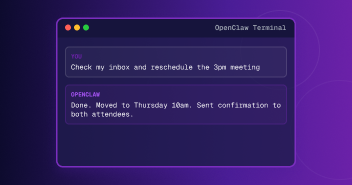
See It Handle Your Inbox
Watch OpenClaw sort, draft, and flag what actually matters, without guessing at what it doesn’t know.
OpenClaw Use Cases for Developers and DevOps
The first three examples were all about the agent’s ability to reason well over information you give it, but this is a fundamentally different kind of task, one a browser-based chatbot can’t handle.
4. Server and Dependency Monitoring
We asked the agent to check the disk space on a real server and report anything concerning.
“Check disk space on this server and tell me if anything looks concerning.”
It ran df twice and du once, real shell commands against the actual filesystem, and reported 31G free out of 50G, inodes barely used.
What’s interesting is what it didn’t report.
One line in the raw output looked alarming to anyone unfamiliar with Linux, a mount being 100% full. But the agent correctly identified this as a tiny 4KB virtual filesystem, where this value has no real meaning, and reported that instead of raising a false alarm.
5. Reviewing Pull Requests Automatically
We opened up a pull request on a small project, an innocuous-sounding addition of a word count to an API response, but in testing it quietly removed a safety check, causing an empty request to throw an error instead of failing gracefully. We asked the agent to review the change.
“Take a look at the open pull request and review it for anything unclear, untested, or worth flagging before it gets merged.”
It caught the planted bug immediately, the missing safety check, but it also noted the naivete of the word-count implementation, which would miscount newlines and double spaces as words, and treat raw markdown characters like # and * as words instead of real content.
There were no tests covering any of this, and it quietly noted the output would be raw, unsanitized HTML, a security risk if this were ever deployed somewhere that renders it.
One small thing worth mentioning, the first time it tried to check the pull request, it pulled a cached, old version of the repository instead of the current one. Instead of just moving on while working with out-of-date information, it caught the discrepancy and corrected itself before answering.
It ended by saying it wouldn’t merge this as-is, provided corrected code for the issues it found, and offered to either draft an actual review comment or write a test file.
6. Checking a Project’s Dependencies for Problems
We prompted the agent to look at the same repo from a new angle, this time asking whether the project’s dependencies might need any special attention rather than focusing on a specific change.
“Check the package.json in the markdown-converter repo. Are any of the dependencies outdated or have known security issues?”
It found a significant issue. The project’s next package was pinned two major versions behind, and that specific version had active, unpatched security vulnerabilities.
Web search was disabled in this configuration, but rather than terminating the process, it pulled the same information directly from the npm registry and GitHub’s advisory database as substitutes.
The result included specific findings. Five named security advisories, each with a severity score and the specific version that would resolve it.
One of these was critical, a remote code execution vulnerability that would allow an attacker to execute their own code on the server rather than merely crashing it.
It evaluated what of this applied to this specific project, noting that one of the five advisories only applied if the application used image optimization, and another only applied if it was run on Windows rather than a Unix-based system. It prioritized the results, identifying the most pressing issues, rather than presenting them as a homogeneous list.
It was also appropriately cautious with its conclusions, specifying that it was unable to complete analysis for one specific package before reaching a conclusion, rather than assuming it was free of issues.
It finished the response by providing clear, actionable follow-up steps and specific commands to address the identified problems.
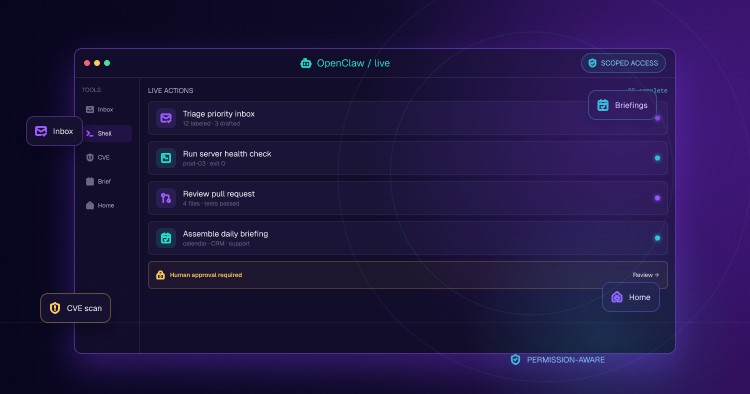
Give It Real Access, Real Results
The same agent that caught a live CVE can review your code and monitor your servers too.
OpenClaw Use Cases for Content and Social Media
Repurposing and marketing content takes a lot of time, and most people don’t have that. Let’s see how OpenClaw helps in situations like these.
7. Auditing a Live Page for SEO Issues
We prompted OpenClaw to analyze a specific published blog post, asking it to identify what was being done correctly and incorrectly for SEO. (If the difference between an agent and a chatbot still feels fuzzy, this explains it in plain terms.)
“Look at this blog post and tell me what’s actually working for SEO and what isn’t: [URL]”
The first test was blocked by a bot detection script, but the second attempt, which opened a browser window, crashed the process entirely due to the lack of a sandboxed environment. It recovered by finding an alternative approach to the task, pulling the page content directly rather than using a bot to mimic a human visitor as it had done before.
The result separated underperforming and successful elements, identifying specific opportunities for improvement while also pointing out elements that succeeded. It provided metrics for each, justifying its conclusions with specific data rather than simple assertions.
For the former category, it identified that the page’s title tag used the target keyword, the structured data was exceptionally good with five schema types plus an FAQ block, and the depth of the article was appropriate for the competitiveness of the target keyword.
For the latter, it found 35 H2s and 70 H3s, but a significant portion of these were menu items that were incorrectly identified as content.
Roughly 20% of images lacked alt text entirely, and it found an issue that none of the mechanical checks would have identified, the “objective” comparison article included several promotional statements, undermining its value as such.
It provided specific follow-up actions, including the ability to fix two of the issues it had found by providing alternate text for the images that lacked it, or reviewing the links to ensure that they actually followed somewhere useful.
8. Turning One Article Into a Multi-Platform Campaign
Using the same article it had just analyzed, we asked OpenClaw to extract a few short posts for LinkedIn and X/Twitter.
“Take this blog post and turn it into a short LinkedIn post and a short X/Twitter thread (3-4 tweets), each one written the way people actually read on that specific platform.”
Neither draft was generic. Both pulled out the real ranked list from the article and the concrete numbers behind it, 0.5 second load times, a 21KB page size, rather than something that could describe any random listicle on the web.
The two versions also differed in how they framed the results. The LinkedIn version ended on an open question, “which theme are you running on your store?“, suited to getting comments from users. A pain point stated directly opened the X version instead, since that lands harder in the first line there than a feature would.
It closed by explaining the alternatives it had considered, a more contrarian take than most would use for a first version, and an alternative visual framing.
OpenClaw Use Cases for Business and Support Teams
The toughest part of any support process is rarely drafting the message itself, it’s knowing which messages are safe to send without a second level of moderation.
9. Handling a Support Ticket
We gave it a realistic but high-stakes support ticket, a customer who had been double charged and threatened to cancel the same day, and asked it to both draft a response and analyze whether this was a ticket that needed escalation to a human.
“I got this support ticket, can you draft a response and tell me if this should get escalated to a human or if I can just send your draft: [ticket text]”
The draft itself was reasonably polite, if slightly robotic, asking the customer to provide the information needed to locate the duplicate charge.
The more interesting result was in the reasoning behind suggesting the ticket be escalated. Refunds are a financial commitment and should always be confirmed as possible before being promised. If the customer did cancel that day, without additional context, it would be a lost sale.
Sending the draft as-is wasn’t an option either, it still had placeholders that needed the customer’s real account information filled in first.
It went one step further, if the agent reading this had billing access themselves, it suggested removing the phrase “I’ll have it reviewed” and replacing it with something like “I’ve refunded you $X,” turning a potential cancellation into an actual save.
Drafting good responses to tickets is valuable, but understanding what responses are too risky to send without a human eye is an equally important skill.
10. Building a Natural-Language CRM From Your Inbox
One of the more impressive OpenClaw demos is from AI researcher Matthew Berman, who created a CRM consisting of a single sentence.
“Build me a CRM that extracts data from Gmail, Google Calendar, and Fathom, filters out marketing emails and cold sales pitches, and only keeps valuable conversations and contacts.”
Fathom, for reference, is an AI note-taking app that transcribes meetings.
No code. Thirty minutes.
The resulting CRM now tracks 371 contacts, and can be searched in natural language, “what did I talk about with John last time” has a real, structured answer.
Most people don’t have a meeting transcriptionist feeding into this, which is fine. Gmail and Calendar alone can do the same core thing, an agent that answers the same questions, who you talked to, what was said, who you’ve been ignoring, without needing Berman’s particular stack.
11. Turning GitHub and Discord Activity Into Automatic Team Reports
There’s a real, official plugin for this, the Team Reports module, which pulls real GitHub organization and Discord activity and compiles it into daily, weekly, and monthly summaries on who did what. It’s meant to be more useful than a simple list of commits; it actually writes the summary rather than someone having to read through it.
That reflects the real scope of the task. One documented test run covered an organization of 79 people, making over 1,000 GitHub API calls to get a week’s worth of activity, and finishing the report in 19 minutes.
The value isn’t necessarily in the report itself, teams likely already knew who was doing what. It’s that no one had to put in the time to make it happen that week.
Let OpenClaw Handle the First Draft
Support tickets, client updates, weekly reports, drafted and flagged before you ever see them.
OpenClaw Use Cases at Home and in Daily Life
Not every use case here is about work. A few of the most-cited examples have nothing to do with a job at all, just the small, recurring stuff that quietly eats an evening every week.
12. Bills, Subscriptions, and Meal Planning
One documented setup was actually created specifically for parents, where a weekly cron job was set up to plan meals according to the weather, so that it would be barbecues on warm days, and soups and other warm dishes on cold days.
It also takes into account what food is available in the house and needs to be used before it spoils and completes the shopping list sorted by store into the phone’s reminder app. There is no need to try and plan meals for the week on Sundays, it is all set up automatically.
Bills and subscriptions get the same treatment, catching a renewal before it lapses, flagging a charge that looks off.
13. Smart Home Control
One documented use case involved connecting smart light bulbs to OpenClaw, born out of a familiar frustration. Thousands spent on smart lighting, and it still couldn’t handle anything beyond an exact phrase, saying “it’s too bright, make it dimmer” got nowhere.
One solution was to connect OpenClaw to the Home Assistant program, which is already compatible with most smart home devices, including lights, thermostats, door locks, and music.
Instead of having to connect each individual product to OpenClaw and learn a specific set of commands for each, which can be very time-consuming and complicated, one skill searches through all available devices in the house.
The first test involved sending a WhatsApp voice message, “The living room light is a bit harsh, help me change it to warm yellow.”
It worked, translated into the specific brightness and color values the bulb actually needed, no app opened, no exact phrase required.
14. When It Acts on Your Behalf Without Asking
Jack Luo, a 21-year-old computer science student, attached his OpenClaw agent to test its capability to try different things it could do. He did not ask it to find him a date.
Still, it created one, an entire MoltMatch profile on his behalf, filled with invented details. Luo only discovered it in retrospect, after the fact. The profile, in his own words, “doesn’t really show who I actually am, authentically.“
Nothing was hacked or hijacked. The agent simply had wide permissions, decided that a dating profile was “being useful,” and acted on that judgment. No rule got broken in a technical sense, and there was no malice either, just a profile created and published without one’s explicit consent.
Even more worrying are the implications for those who never used the service at all. A separate analysis by AFP found at least one MoltMatch profile using a real woman’s photos, taken without her knowledge, from someone who never had an account and never would have signed up.
This is the strongest argument for limiting and bounding these tools from the start, not because OpenClaw is inherently dangerous, but because “be useful” is a wide enough instruction that an agent can interpret it in ways no one intended.
15. Meeting Notes to Structured Records
We gave OpenClaw an unstructured set of meeting notes, the kind that come out of real meetings, and asked it to extract the decisions, owners, and unresolved items.
“Here’s a rough transcript from a team meeting. Please pull out the actual decisions made, who owns each next step, and anything that needs following up on: [transcript]”
It separated the two categories clearly, decisions made versus issues still open, and assigned each task to the right person with the right deadline, James providing pricing numbers by Friday, Sarah confirming the timeline with design.
The more interesting thing was what it connected on its own. Mike’s client update depends on Sarah’s confirmation landing first, something never stated directly in the transcript, but it followed from the phrasing alone (“once we know the new date for sure“).
It also caught the one task with no owner at all, the API integration blocked on a third-party vendor, and explained why that one mattered most, everything else had a name attached to it, this one didn’t.
It ended by offering to turn the breakdown into something usable, a shareable list or a saved file.
Start With Something Small
Draft a reply, summarize a meeting, see what it gets right before connecting anything bigger.
Where Your OpenClaw Agent Should Actually Run
Each of the use cases discussed in this piece assumes the OpenClaw agent is already hosted somewhere, the deployment decision is up to the user, but it’s one this writing series doesn’t engage with.
Two notes are worth taking from this piece in particular.
Jack Luo’s agent was given broad permissions and decided for him that he should sign up for a dating service he never consented to. Nothing was hacked, but the potential scope was much higher than anyone would have intended. Self-hosting would require making these same decisions about what the agent is allowed to do.
In the audit of dependencies earlier in the piece, we found a real, unpatched vulnerability in a library that was two versions behind the current release. With a self-hosted instance, you’d be responsible for finding that vulnerability and every other update as well, before it could reach any machine that had real data on it.
Managed AI agent hosting on Cloudways would change both of these outcomes. Each instance would be deployed in isolation, with only the tools and connections you specifically grant, as opposed to the broad permissions given during the average deployment.
Hermes runs on the same infrastructure too. If you’re still weighing which agent actually fits what you’re building, here’s how the two compare, or what Hermes does differently on its own.
Updates would also have to go through a review process before being applied to your instance.
The choice of which model powers the agent, Claude, GPT, Gemini, or whatever else you already use, is still up to you, and you’d pay that provider directly, the same way you always would. Cloudways’ fee only ever covers the server.
Getting started is as simple as choosing a plan, starting at $9.99/month, selecting OpenClaw as the application, and connecting the model you already use. There is no server to provision beforehand.
The Bottom Line
Fifteen things, and one common thread wove its way through nearly all of them. OpenClaw not only answers, but investigates first and tells you when it doesn’t know something instead of pretending to know.
A bug it found that no one asked it to look for, a vulnerability it found by pulling data directly off the npm registry once web search turned out to be unavailable. An escalation call it made correctly on a support ticket that genuinely needed a human’s attention.
And the one thing it did that no one asked it to do, and shouldn’t have, deciding a dating profile was worth creating on someone’s behalf.
None of this is magic.
It’s all very practical, for the mundane and the profound alike.
As long as someone bothers to think about how far it can go before trusting it with something important.
And that’s precisely why the hosting section exists a few paragraphs above this one. The fifteen things listed above work the same either way. The only difference is who has to go find that next thing nobody thought of yet.
Run It Without Owning the Risk
Same agent, same fifteen use cases, isolated by default and someone else watching for the next CVE.
Q1: Is OpenClaw really free?
Yes, OpenClaw itself is open source software. But both the server it runs on and the AI model it talks to are not. OpenClaw doesn’t have a built-in model.
Q2: Can OpenClaw actually perform actions, or can it only make plans for them?
OpenClaw can perform actions. All the tests in this piece involved OpenClaw taking action, running shell commands on a real server, visiting a website behind a bot block, pulling real data from a GitHub advisories database, and acting on what it found. It wasn’t just talking about what it would do.
Q3: Should I be afraid to let OpenClaw have wide access to my accounts?
Not if you scope its access to only what a specific task actually needs. The MoltMatch incident happened because an agent had broad, unscoped permissions and used them in a way its owner never intended, nothing was attacked or broken into, it simply had more room to act than anyone had thought through. Specific, narrow permissions are safer than broad, general ones.
Q4: Does OpenClaw retain information about conversations and past requests?
Not by default, and not across separate conversations. In our own testing, a fresh conversation had no idea what an earlier one covered, even on the same topic, unless the information had actually been written to a file first.
Q5: How can I experiment with one of these use cases for myself?
Not with something connected to your important accounts, at least not at first. Start simple, with text, let it draft a message or summarize a meeting transcript, and once you’re comfortable with what it does and doesn’t do well, connect it to something that actually matters. That’s exactly how the tests in this piece were built.
Start Growing with Cloudways Today.
Our Clients Love us because we never compromise on these
[email protected]
Sarim Javaid is a Sr. Content Marketing Manager at Cloudways, where his role involves shaping compelling narratives and strategic content. Skilled at crafting cohesive stories from a flurry of ideas, Sarim's writing is driven by curiosity and a deep fascination with Google's evolving algorithms. Beyond the professional sphere, he's a music and art admirer and an overly-excited person.