Key Takeaways
- OpenClaw is an open-source AI agent that acts on its own, using a Gateway, Skills, and whatever AI model you connect.
- Self-hosting means owning the updates and security yourself, which caused a major exposure incident in 2026.
- Cloudways handles updates, backups, and isolation by default, while still giving you model choice and terminal access.
- OpenClaw and Hermes both run on the same Cloudways setup, so switching is just a plan change.
Ever received a message at an odd hour and ended up not replying on time? This happens to everyone. No matter how proactively you manage your inbox, these slippages happen.
And OpenClaw is built for situations exactly like these.
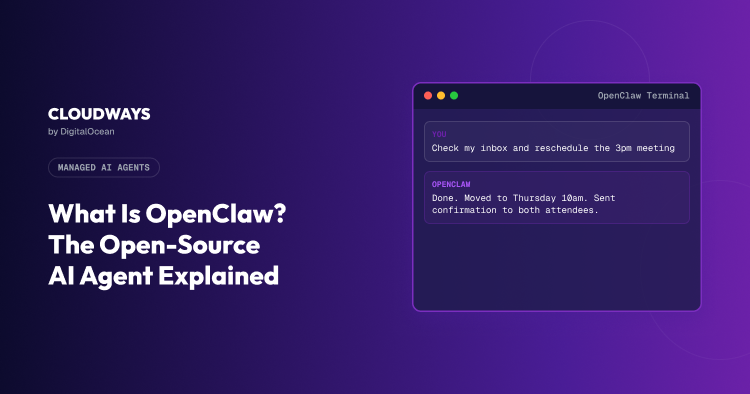
All you have to do is tell it something, whatever’s piling up, a message, a meeting that needs moving, and while you’re elsewhere, it does the task for you, checking in on its own schedule instead of waiting for you to remember.
But OpenClaw won’t necessarily do things in the order you’d expect either.
Left to its own judgment, sometimes the calendar gets sorted before the email even gets touched. Give it a specific order to follow, and it’ll stick to that instead.
Enough people have started relying on OpenClaw that it’s now sitting at 247,000 GitHub stars and 47,700 forks, per Wikipedia, a climb that took roughly six months from a standing start.
But what actually is OpenClaw, and how does it make all these calls on its own? Read on to learn that and a lot more in this blog.
- What Is OpenClaw? Definition and Core Concept
- Is OpenClaw an AI Agent or Just Another Chatbot?
- How Does OpenClaw Work?
- What Can You Use OpenClaw For?
- What It Actually Takes to Run OpenClaw Yourself
- OpenClaw’s Security and Version Management Problem
- How Managed Hosting Solves OpenClaw’s Security Problem
- What’s Included in Cloudways OpenClaw Hosting
- Final Thoughts
What Is OpenClaw? Definition and Core Concept
The name took three tries to land.
Launched as Clawdbot in late 2025, then switched to Moltbot soon after, reportedly because the original name sat too close to an existing Anthropic product. Finally, it was settled on OpenClaw by the end of Jan’26.
Apart from the naming history, OpenClaw is fairly simple to describe.
OpenClaw is an open-source AI agent. Meaning, all you have to do is connect it to an AI model and point it at the messaging apps you already use.
Is OpenClaw an AI Agent or Just Another Chatbot?
Type “remind me to call the dentist tomorrow” into ChatGPT, and it’ll suggest you to set up a reminder, may walk you through the steps of how your phone does it, or give any other instructions.
But if you type the same thing in OpenClaw, the reminder just happens.
Nobody has to go set anything. And this is what separates OpenClaw from other chatbots, making it an AI agent.
OpenClaw Runs on Its Own Schedule
OpenClaw runs on a timer. And developers call it a “heartbeat”.
It checks in on its own every so often, whether or not anyone’s said a word to it. That’s a big part of why it can catch a problem before you’ve noticed one.
There’s more to how that actually works, cron jobs, specific triggers, that’s coming up in the next section.
How Does OpenClaw Work?
Three pieces underneath it. A Gateway, a set of Skills, and whatever model gets connected.
The Gateway Connects OpenClaw to Your Messaging Apps
The Gateway listens on whatever app is connected and passes messages through to the model doing the actual thinking.
How many apps you can connect to, and how easily, depends on where you’re running OpenClaw.
On Cloudways specifically, WhatsApp and Slack work straight from the dashboard, with no need of any extra setup beyond picking a channel. Discord and Telegram work too, just through terminal access instead of a toggle.
Skills Let OpenClaw Learn New Tasks
A skill is a small set of instructions someone else has already written, covering one specific task. All you have to do is to install it once, and OpenClaw can do that task from then on without you explaining it again.
ClawHub is where most skills get published. Nobody agrees on exactly how many exist at any given time, estimates this year ranged from a couple thousand to tens of thousands, and one guide flat out refused to repeat a widely cited number because it couldn’t verify it against the registry itself.
That size cuts both ways. A recent security sweep (Jan’26) found 341 skills on ClawHub quietly stealing user data, planted as part of one coordinated push.
Worth checking who built a skill and how recently it was updated before installing anything that touches sensitive stuff, email or file access especially.
How OpenClaw Remembers Context
OpenClaw forgets everything by default. All’s gone once the session ends.
Instead, it writes things down in Markdown files and reads them back later when it needs to. One file, MEMORY.md, holds the long-term stuff, preferences, decisions, ongoing project details. A separate daily log keeps track of what’s happened that specific day.
That daily log doesn’t get pulled into every conversation automatically, either. The agent has to go looking for it, using a built-in search tool, when it actually needs something from a few days back.
There’s also a limit to how much OpenClaw can hold onto in one sitting.
Long conversations eventually hit a hard ceiling, 200,000 tokens on Claude-backed setups, per OpenClaw’s own automation docs. Right before that limit, OpenClaw runs a quiet step in the background, saving anything important to memory before the older conversation gets compressed and mostly discarded.
Also, like every AI agent & tool, it doesn’t always work cleanly.
One academic paper testing OpenClaw in practice found memory continuity across sessions was, in their words, fairly unreliable.
Cron Jobs and Triggers, Acting Without a Prompt
We touched upon heartbeat earlier; here’s the rest of it.
Heartbeat checks in roughly every 30 minutes by default, per OpenClaw’s documentation. It reads a file called HEARTBEAT.md and decides if anything needs attention. If nothing does, it quietly moves on.
Cron jobs are the other half. These handle anything with a specific time attached. Post an update every Monday at 7 AM. Check something every fifteen minutes.
Set that interval too aggressively, and the cost adds up fast. Run heartbeat checks every single minute, and that’s 1,440 paid API calls a day, just to confirm the thing hasn’t gone quiet, according to OpenClaw’s own troubleshooting guide.
Neither of these run on a laptop that goes to sleep at night.
Why OpenClaw Needs Your Own AI Model
OpenClaw doesn’t ship with a model built in. It’s a framework, essentially empty until something gets connected to it.
Claude, GPT, Gemini, whatever’s already being used elsewhere. This is BYOK, bring your own key. The provider bills directly, at their own rates, and OpenClaw just routes the thinking through whatever’s plugged in.
Nothing locks anyone into one company’s model. A better one shows up, swap it in.

See It Work in Your Own Inbox
You’ve read how OpenClaw thinks. Now watch it actually clear your backlog while you sleep.
What Can You Use OpenClaw For?
You’ve read how the Gateway, Skills, and memory pieces fit together. Here’s what that actually turns into once you’re using it.
Inbox and Calendar Management
You’ve seen this one already; it’s the example this whole post keeps coming back to. Tell OpenClaw what’s sitting in your inbox, and it drafts the reply, checks your actual calendar instead of guessing, and confirms a meeting time without you opening either app yourself.
Research and Competitor Monitoring
Say you want to know what a competitor’s been up to. You don’t have to go visit their site again and again, check their pricing, and whatever news mentioned them this week.
Tell OpenClaw to do it, and it comes back with an actual summary instead of you piecing it together from five open tabs.
Developer Tasks
If you write code, you can point OpenClaw at your Git repo and let it sit there watching.
It’ll flag a test that failed, summarize what a pull request actually changed, and catch the alert that would’ve gone off at 3 AM before you’re even awake to see it.
Routine Ops Work
Clients ask the same three questions every month without fail. Instead of typing out the same answer for the fifth time, OpenClaw can pull up their account status, summarize what changed, and send it before they’ve even followed up.
What It Actually Takes to Run OpenClaw Yourself
Getting OpenClaw running takes almost no effort. Keeping it running is where things get real.
On a Laptop
Twenty minutes, more or less. Install Node.js, download the OpenClaw files, add your API key, and it’s already replying to things. Good enough for testing.
Close the lid though, and everything stops. Messages don’t get checked, the heartbeat doesn’t fire, cron jobs sit there waiting for a machine that’s asleep. A laptop’s fine for an afternoon of curiosity. It’s not fine for anything you actually depend on.
On a VPS
This is where it ends up for anyone using it for real.
Specs vary depending on who’s giving the advice. 2 vCPUs and 4GB of RAM seems to be the floor most agree on, 8GB is what actually holds up once browser automation or a few skills are running at once, per Kilo’s VPS guide. Boxes running this comfortably start around $5 to $7 a month.
The server bill isn’t what gets people. Docker setup, SSL configuration, making sure the process restarts on its own after a reboot, watching for updates that might quietly break something. All of it sits on whoever set the thing up.
Skimp on RAM and it fails in oddly specific ways. Memory runs out mid-task, shows up as a JavaScript heap error that looks exactly like a random crash unless you already know to check RAM first. A headless browser refusing to cooperate with the server’s Chromium version can eat an entire afternoon before anyone figures out what’s actually wrong.
Skip the Server Babysitting
No Docker, no SSL setup, no wondering if your VPS has enough RAM. Just connect a key and go.
OpenClaw’s Security and Version Management Problem
Self-hosting comes with a second bill nobody mentions upfront.
In early 2026, researchers disclosed a vulnerability in OpenClaw that let someone take over a server just by getting a person to visit a webpage. A single click did it.
By the time it went public, over 135,000 exposed OpenClaw servers had already been found sitting on the internet, most with no login protection at all.
It’s since been patched, and had actually been fixed for days before most people even knew about it. Thousands of people had installed something powerful, left the default settings alone, and never checked back in. That’s what actually caused the damage.
Updates add a different kind of pressure on top of that. New versions ship constantly, some fixing exactly this kind of problem, others occasionally breaking something that took a weekend to configure.
Either way, someone has to test each release before it goes anywhere near real email and files, and that someone is whoever set the server up.
Security and version management both end up being your job the moment you self-host.
How Managed Hosting Solves OpenClaw’s Security Problem
The vulnerability from before came down to exposed servers running default settings, with nobody checking on them. That’s the actual gap a single patch was never going to close.
Managed hosts like Cloudways run each OpenClaw instance on its own dedicated, isolated setup rather than on a shared or default-configured server exposed to the internet.
The agent only gets the data and credentials you explicitly give it; nothing more sits within reach if something does go wrong.
Updates get tested before they reach your instance too, instead of you being the one deciding whether a new release is safe to trust. If something breaks, backups run through the day, so restoring to a working state takes a dashboard click, not a rebuild.
You still choose your own AI model. Terminal access is still there if you want to dig into the server yourself.
What’s different is that exposure and neglect, the two things behind that whole crisis, aren’t sitting on your plate anymore.
Run OpenClaw Without the Exposure
Isolated instances, tested updates, daily backups. The parts that went wrong for 135,000 servers, handled by default.
What’s Included in Cloudways OpenClaw Hosting
Pricing starts at $9.99 a month for Scout and goes up to $79.99 for Swarm.
Doesn’t matter which tier you’re on as the basics are the same for all plans. You get daily backups, managed SSL, SSH access, and more on all four plans.
You also get to pick where the thing actually runs. Nine regions right now, New York to Singapore to Sydney, mostly useful if data residency or latency actually matters for what you’re doing.
Billing is hourly, and there’s no annual contract sitting behind it. Stop using it, stop paying for it. You can be carefree of any renewal surprises waiting a year down the line.
Validated Updates and Security
New OpenClaw releases don’t go straight to your instance.
Cloudways tests them first, and if one turns out to break something, it gets held back rather than pushed automatically. That’s the difference between finding out about a bad update from your own broken agent versus never noticing it happened at all.
Each instance also runs separately from every other customer’s. Nothing about your setup depends on what’s happening on somebody else’s server.
How BYOK Works on Cloudways
You still bring your own model. Claude, GPT, Gemini, whatever you’re already using.
Connect the API key through the dashboard, and Cloudways routes requests through it. Your provider bills you directly, at their own rates, completely separate from whatever you’re paying for the server itself.
Nobody at Cloudways touches that key beyond passing your requests through it.
Terminal Access for Power Users
Every plan includes SSH access, even the $9.99 one. Most people never open it. Some people want to poke around, install something manually, check a log file themselves, and that door stays open the whole time.
Managed doesn’t mean locked down.
Hermes runs on the exact same setup, if you ever want an agent that builds its own skills instead of you installing them.
Final Thoughts
Anyone can get OpenClaw running in twenty minutes. Keeping it running six months from now, patched, backed up, not sitting exposed on the internet, is a different job entirely, and it’s the one most people quietly stop doing after week three.
So the actual question isn’t which agent to run. It’s whether you want to be the one on call for it.
Cloudways takes that job off your hands. Updates get tested before they reach you, backups run automatically, and your instance stays isolated from everyone else’s.
Deploy your OpenClaw agent and see what a week of not thinking about your inbox actually feels like.
Your Agent, Running in Minutes
Pick OpenClaw or Hermes, connect your key, and stop thinking about the parts that used to eat your weekends.
Q1: Is my OpenClaw agent data private?
Yes, your conversation history, agent memory, and connected API keys stay private. Cloudways staff can see infrastructure-level details, whether your server is up, how much it’s being used, but nothing inside the agent itself.
Q2: What happens during an OpenClaw update?
Nothing you have to manage. Cloudways tests every new OpenClaw release before it reaches your instance, and holds back anything that turns out to be broken. No manual approval, no scheduled downtime.
Q3: Can I use my own LLM with OpenClaw?
Yes. OpenClaw runs on BYOK, bring your own key, so you connect Claude, GPT, or Gemini through the dashboard, and your provider bills you directly at their normal rates.
Q4: Do I need to be technical to run OpenClaw?
No. Picking a plan, connecting an API key, and deploying takes a few clicks on Cloudways, no Docker or command line required, unless you want to go looking for the terminal later.
Q5: How is Cloudways different from other OpenClaw hosting providers?
Most self-hosted or bare VPS setups leave update testing, security, and backups entirely up to you. Cloudways handles all three by default, dedicated isolated instances, validated releases before they ship, and automated daily backups, without you having to manage a server at all.
Start Growing with Cloudways Today.
Our Clients Love us because we never compromise on these
[email protected]
Sarim Javaid is a Sr. Content Marketing Manager at Cloudways, where his role involves shaping compelling narratives and strategic content. Skilled at crafting cohesive stories from a flurry of ideas, Sarim's writing is driven by curiosity and a deep fascination with Google's evolving algorithms. Beyond the professional sphere, he's a music and art admirer and an overly-excited person.