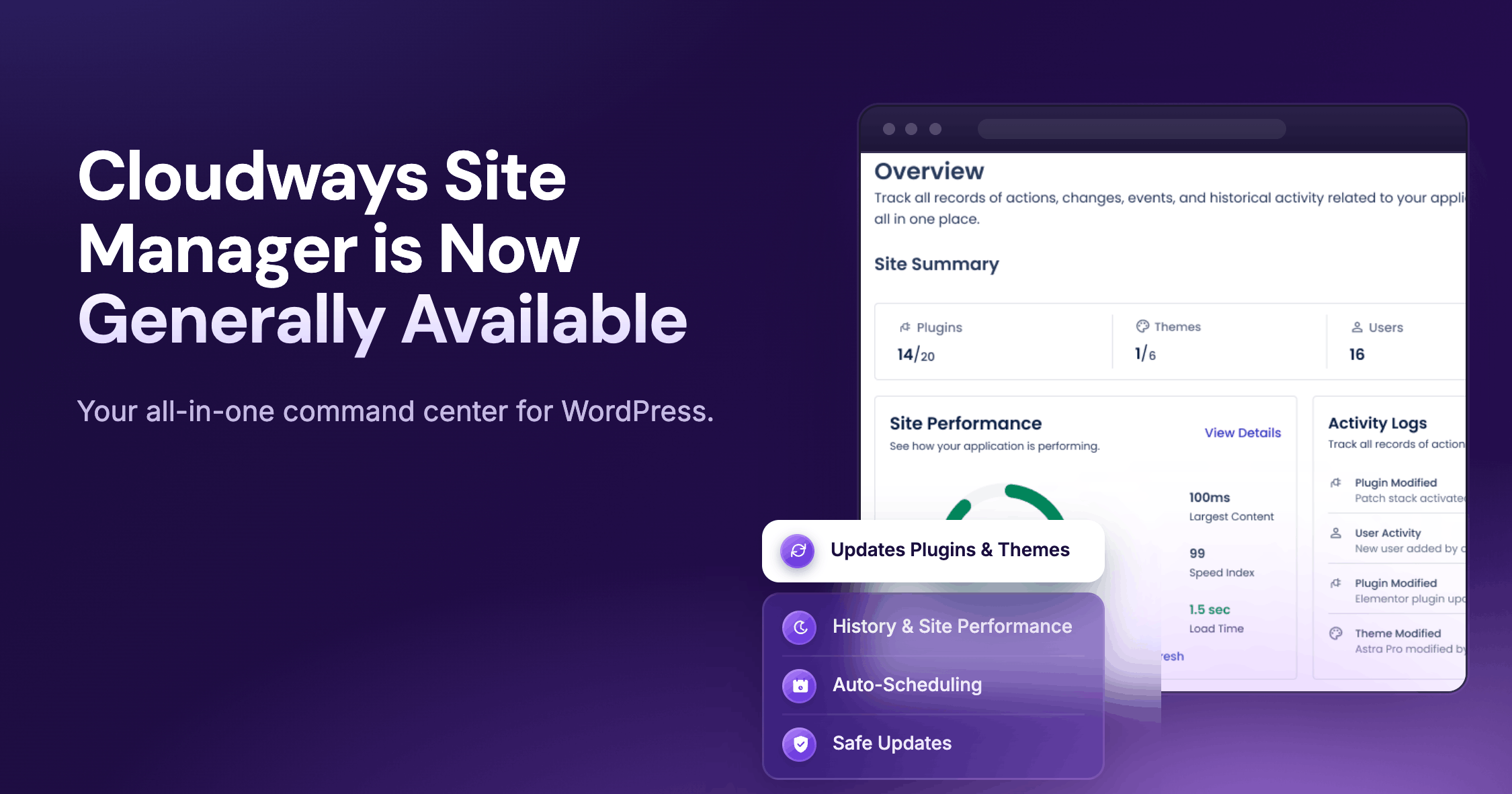
Cloudways Site Manager is now available for all users.
Cloudways Site Manager is a centralized WordPress management tool built into the Cloudways platform. It gives you a unified interface to monitor, update, and manage multiple WordPress sites without switching between dashboards and websites.
It is now available across Free (subject to terms and conditions) and Pro plans, with the Pro plan built for agencies and developers managing WordPress at scale.
Before discussing what is new in Cloudways Site Manager, let’s talk about how we got here.
From Preview to GA: Built for Real-World Usage
The transition from preview to General Availability (GA) was a collaborative process, shaped by teams managing real production workloads.
Over 3,000 users opted into the public preview. During that time, Site Manager was enabled across more than 15,000 WordPress applications deployed across our managed server infrastructure.
These were not passive sign-ups. Agencies, developers, and operators used the product to manage client sites, run updates, and monitor performance across portfolios. Feedback from these users directly shaped the general availability release.
In this release, we have expanded bulk operations, improved the centralized dashboard, and introduced deeper visibility into update history and failures. The result is a product designed to support how WordPress is actually managed in production environments.
Cloudways Site Manager also addresses the points users raised in the SafeUpdates feedback. With the general availability of Cloudways Site Manager, all SafeUpdates users will be gradually upgraded to the Pro tier automatically, at no extra charge.
Here is a closer look at what is available now.
What Is Cloudways Site Manager?
The Cloudways Site Manager add-on is a centralized command center for managing WordPress sites inside the Cloudways platform.
It brings monitoring, updates, and user management into one interface so teams can manage multiple applications without switching context or platforms.
At a high level, it covers four core areas:
- Site health and monitoring
Track performance using daily Google PageSpeed Insights scores and Core Web Vitals directly inside the platform. - Updates and maintenance
Apply WordPress core, plugin, and theme updates across sites, including bulk operations. - User and access management
Manage WordPress users and roles without logging into each site. - Operational visibility
View activity logs, update history, and site-level changes from a single dashboard.
The add-on capabilities start with visibility and scales into control. While some features are available in Free, others are designed for teams that need more structured workflows in Pro.
Free vs. Pro: Scaling Your WordPress Operations
Site Manager Free is a functional starting point for individual users or small teams managing a limited number of WordPress sites. It brings core management actions into the Cloudways platform, so you can work without logging into each WordPress admin panel.
With Free, you can:
- View all connected WordPress applications from a single dashboard
- Manage plugins and themes across sites
- Apply WordPress core, plugin, and theme updates
- Access WordPress admin via Single Sign-On (SSO)
- Run Quick Updates directly on production environments
- Manage WordPress users, including role assignment and removal
However, Free is built for simpler environments. It is best suited for low-risk updates, smaller site portfolios, and workflows that do not require auditability or scheduling.
It does not include:
- Safe Updates workflows with staging and visual regression testing
- Scheduled or recurring update automation
- Built-in performance monitoring or Core Web Vitals tracking
- Activity logs with filtering and audit history
- Global history view across all applications
- Centralized controls for managing updates and logs across multiple apps
In practice, this means updates are applied directly to production, changes are not logged in a structured way, and performance must be monitored using external tools.
Site Manager Pro Is Built for Scale
Site Manager Pro is designed for teams managing WordPress as an ongoing responsibility. It introduces structured workflows, deeper visibility, and automation across all connected applications.
With Pro, you can:
- Run Safe Updates with staging and visual validation
Each update can be executed in a staging environment first. Changes are applied to staging, visual regression tests are run on up to five defined pages, and only successful updates are deployed to production. If a test fails, the live site remains unchanged. - Schedule updates across multiple sites
Plan updates in advance using the Auto Updates tab. You can define when updates run and apply them across selected applications, which is intended to help align maintenance with client schedules or low-traffic periods. - Monitor performance across all sites
Track daily PageSpeed Insights scores and Core Web Vitals directly inside the platform. This removes the need to check performance across separate tools. - Execute bulk operations across applications
Apply WordPress core updates, plugin updates, activations, and deactivations across multiple sites in a single action. You can choose between quick execution or safe workflows depending on the risk level. - Track actions with detailed activity logs
Maintain a record of updates, user actions, and site-level changes, including timestamps and IP data. Logs show critical information items, such as site, user, action type, and status, which supports troubleshooting and operational tracking. - Use a centralized command center with global visibility
Access a unified dashboard with filtering and sorting across all applications. The Global History view shows both scheduled and on-demand actions, so you can review outcomes without tracking each site individually. - Automate cache management during updates
Updates triggered through Site Manager automatically clear relevant cache layers, including WordPress cache, object cache such as Redis or Memcached, and CDN cache where applicable. This reduces post-update inconsistencies.
For large-scale operations, these features transform manual tasks into a repeatable, automated workflow. Instead of managing sites one by one, teams can plan, execute, and verify changes across their entire portfolio from a single interface.
Pro vs Free: At a Glance
| Feature | Free | Pro |
|---|---|---|
| Centralized dashboard | Yes | Yes |
| Quick Updates | Yes | Yes |
| Bulk operations | Limited | Full |
| Safe Updates with staging | No | Yes |
| Scheduled auto updates | No | Yes |
| Performance monitoring | No | Yes |
| Activity logs | No | Yes |
| Global history view | No | Yes |
Built for WordPress Professionals
WordPress is used by different types of operators, each with distinct needs. Site Manager is designed to adapt to those needs, with Pro supporting workflows that require coordination, scale, and accountability.
For WordPress Agencies
Agencies manage multiple client sites, each with different requirements and expectations.
The challenge is not just updating sites. It is maintaining consistency, supporting the agency’s service commitments, and showing value to clients.
Site Manager Pro helps agencies:
- Manage all client sites from one dashboard
- Run bulk updates across portfolios
- Track activity for accountability
- Monitor performance without external tools
The add-on reduces context switching and gives teams a clearer view of what needs attention. For agencies, this shifts WordPress management from reactive work to a structured process.
For Solo Developers and Freelancers
Freelancers often manage multiple client projects with limited time. Switching between dashboards, running updates manually, and tracking changes can slow down delivery.
Site Manager Pro allows you to:
- Manage multiple projects from a single interface
- Apply updates across sites in one action
- Monitor performance without extra tools
- Maintain a consistent workflow across all clients
It gives individual developers the ability to operate with more structure and control, even without a larger team.
For eCommerce Store Owners
For eCommerce sites, updates carry risk because a failed plugin update or a broken checkout flow can affect revenue immediately.
Site Manager Pro reduces these risks with safer workflows:
- Test updates before applying them to production
- Monitor performance to detect slowdowns early
- Track changes across the site
This potentially reduces the risk of downtime and is designed to help the business deliver a stable shopping experience.
For Non-Technical Site Owners
Some users want a simpler way to manage their sites without dealing with technical details.
For these users, Site Manager Free provides:
- A clear overview of site status
- Simple update workflows
- Centralized access to all applications
As sites grow, Pro adds the ability to manage that growth with more structured tools.
Pricing That Scales with Your Usage
Site Manager pricing is structured to align with the number of applications you manage. Our tiered pricing ensures that as your portfolio expands, your cost per application decreases.
The Free plan is available at no additional cost for qualifying accounts (terms apply). It gives you access to core functionality and a way to get familiar with the platform.
Pro is designed for teams managing multiple sites. Here is the current price breakdown:
| Number of Applications | Cost |
|---|---|
| 1-5 Applications | $3 per month, per application |
| 6 or more Applications | $2 per month, per application |
Wrapping Up
Cloudways Site Manager is now generally available.
It brings WordPress management into a single workflow inside the Cloudways platform. For teams managing multiple sites, it changes how updates, monitoring, and operations are handled.
If you need help, Cloudways support is available to guide you through setup and usage. Your next update, your next report, and your next saved hour start here.
Disclaimers
Results in customer environments may vary depending on configuration, implementation, and usage. Results and/or savings are not guaranteed.
Any references to third-party companies, trademarks, or logos in this document are for informational purposes only and do not imply any affiliation with, sponsorship by, or endorsement of those third parties.
This information reflects our current plans and product direction and is subject to change without notice. It is provided for informational purposes only and is not a commitment to deliver any material, feature, or functionality.
[email protected]
Zafar Iqbal is a Senior Technical Writer who's spent the last decade making server products, WordPress, and SaaS platforms actually make sense to people. As someone who lives at the intersection of tech and marketing, he loves turning complicated technical concepts into insights that help people make the right business decisions. When he's not demystifying managed hosting infrastructure, he's tinkering with his hobby projects.