





Hosting for WordPress That’s Fast, Flexible and Easy to Manage
Managed cloud hosting for WordPress on the provider you choose. Staging, backups and caching are ready on day one, so you spend your time on your site, not your server. Try it free for 3 days, no credit card needed.
3-Day Free Trial
Free Migration
24/7 Expert Support
Need an autoscaling solution? Click Here.





Launch, Stage, Back Up and Scale WordPress in a Few Clicks
Every task lives in one dashboard, so you spend less time on server work and more time on your site.
Speed, Choice and Control for Your WordPress Site
Quick pages, your choice of cloud provider, and one place to manage every site you run.
Pages That Load Quickly
Caching is already set up, so your pages load fast without plugin tuning. Visitors get quick responses, and you see fewer slowdowns when traffic climbs.
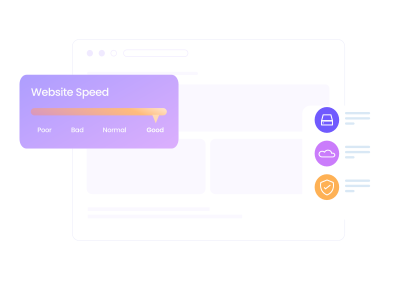
Hosting Close to Visitors
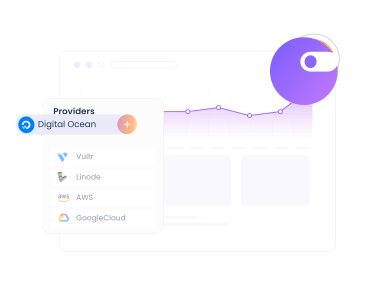
Choose DigitalOcean, Vultr, Linode, AWS or Google Cloud, across 150+ data centers in 50+ countries. A nearby location means shorter load times.
Manage All Sites Together
Host several WordPress applications on one server. Group sites into projects, invite teammates, and clone or transfer servers. One login, one bill.
Built-In Tools for Faster, Safer WordPress Sites
Performance, security, cloud choice, support and workflow tools, grouped by what they do.
SSD Hosting
SSD storage makes your WordPress site load faster for every visitor, since data transfers significantly quicker than traditional storage.
Built-in Caches
Memcached, Varnish and Redis are built in, and Object Cache Pro is free, so repeat visits skip database work and load faster.
Lightning Stack
Lightning Stack runs NGINX with PHP-FPM at no extra cost and is up to 65% faster for dynamic sites, so cart and logged-in pages respond quicker.
Current PHP and Databases
Run PHP 7.4 through 8.4 and MariaDB 10.11 or 11.4, matched to what your plugins support.
Cloudflare
Cloudflare Enterprise serves your pages from the edge, closer to every visitor, and adds a WAF, rate limiting and tiered caching.
Breeze Plugin
Breeze is our free, lightweight cache plugin that comes pre-installed on every WordPress site and keeps your pages loading fast from day one.
Dedicated Firewalls
The Imunify360 firewall blocks common attacks with WAF rules plus DoS, brute force and bot protection.
SSL Certificates
Readers and customers trust sites that feel safe. Free Let’s Encrypt SSL certificates encrypt your visitors’ data and show them your WordPress site is legitimate.
Login Security
We protect your account with 2FA and also notify you of any login attempts made from an unidentified device.
IP Whitelisting
You can create a whitelist of IP addresses for unrestricted access over regions and networks through SSH and SFTP.
Malware Protection
Free malware scanning and alerts keep watch over your apps, and Malware Protection, powered by Imunify360, cleans up infected files automatically.
Vulnerability Scanner
Spot vulnerable plugins and themes early. The Patchstack-powered scanner flags them on your WordPress apps so you can update before they cause trouble.
IaaS Providers
Need a different location later? Clone your server to another provider with the location you want.
Block Storage
Add block storage as your site grows, without changing other server settings.
Vertical Scaling
Resize RAM, CPU and storage with a slider when traffic grows, and size back down when it fades. Autonomous scales automatically.
No Contract
Change plans whenever your needs change, and the new rate shows on your invoice right away. No contract ties you in.
1-Click Actions
Our 1-click actions allow you to perform several operational tasks, such as backup/restore, website/server cloning in no time.
PHP Versions
Run your WordPress site on the PHP version that works best for you. Easily switch between PHP 7.4, 8.0, 8.1, 8.3, and 8.4 anytime.
24/7 Expert Support
Reach a support engineer by live chat at any hour, on every plan, when your WordPress site needs help.
Active Community
Our community of WordPress users and developers shares tips and answers with users around the world.
Knowledge Base
We have a centralized resource center for our customers. You can refer to the Knowledge Base for any help related to our platform.
Ticketing System
Leave your queries through our ticketing system to avoid waiting in queues. Our engineers respond promptly to every query.
Support Add-ons
Advanced adds a dedicated account manager and deeper application-level help. Premium adds a private Slack channel and phone support.
Troubleshooting
CloudwaysBot watches your servers and apps for problems. Copilot adds AI diagnostics and 1-click SmartFix, so you find and fix problems faster.
Site Manager Pro
Update with less risk. Site Manager Pro, formerly SafeUpdates, tests updates on a staging clone and rolls back on failure.
SSH and SFTP Access
SSH and SFTP allow you to securely access servers and update files for your application. You can also create SFTP credentials for your team members.
1-Click Cloning
Clone a WordPress application or a whole server in one click, handy when agencies duplicate client environments.
Team Collaboration
Easily split projects between teams and collaborate securely with a reliable hosting platform for agencies managing multiple developers and client projects.
Staging URLs
Free staging URLs and areas let you build and test changes on a copy of your site before they go live.
User Roles
You can divide work within the team and give each person full or limited access to an application or server.
Hosting for WordPress Plans That Grow With Your Traffic
Start small and upgrade when you need to. Billing is hourly, so you pay only for the resources you use, with no contract.
Managed Node.js hosting for full-stack apps, APIs & automation. No cold starts, Git-based deployments, and flat, predictable monthly pricing.
Starter
$20
$20
/Month- 2GB RAM
- 2 vCPU
- 5 Apps
- 3 TB Server Bandwidth
- 250 GB CDN Bandwidth
- 10 Gbps Network
Features Included
 Enterprise CDN
- DDoS Protection
- Malware Protection
Professional
$30
$30
/Month- 4GB RAM
- 2 vCPU
- 8 Apps
- 4 TB Server Bandwidth
- 400 GB CDN Bandwidth
- 10 Gbps Network
Features Included
- Enterprise CDN
- DDoS Protection
- Malware Protection
Growth
$50
$50
/Month- 8GB RAM
- 4 vCPU
- 14 Apps
- 5 TB Server Bandwidth
- 700 GB CDN Bandwidth
- 10 Gbps Network
Features Included
- Enterprise CDN
- DDoS Protection
- Malware Protection
Scale
$100
$100
/Month- 16GB RAM
- 8 vCPU
- 30 Apps
- 6 TB Server Bandwidth
- 1200 GB CDN Bandwidth
- 10 Gbps Network
Features Included
- Enterprise CDN
- DDoS Protection
- Malware Protection
Plus
$150
$150
/Month- 32GB RAM
- 8 vCPU
- 50 Apps
- 7 TB Server Bandwidth
- 1500 GB CDN Bandwidth
- 10 Gbps Network
Features Included
- Enterprise CDN
- DDoS Protection
- Malware Protection
Advanced
$300
$300
/Month- 48GB RAM
- 12 vCPU
- 100 Apps
- 8 TB Server Bandwidth
- 3000 GB CDN Bandwidth
- 10 Gbps Network
Features Included
- Enterprise CDN
- DDoS Protection
- Malware Protection
Business
$400
$400
/Month- 64GB RAM
- 16 vCPU
- 150 Apps
- 9 TB Server Bandwidth
- 4500 GB CDN Bandwidth
- 10 Gbps Network
Features Included
- Enterprise CDN
- DDoS Protection
- Malware Protection
Upgrade or downgrade anytime no lock-in.
A charge of $0.033/GB applies to offsite backup storage.
A charge of $0.02/GB applies to any CDN bandwidth used beyond your plan's allocation.
0%
Deploy OpenClaw or Hermes on secured and managed infrastructure in minutes. No manual setup required.
Scout
Light reconnaissance, one or two simple workflows
$9.99
$9.99
/Month
- 1 vCPU
- 2GB RAM
- 50GB Storage
- 2TB Bandwidth
Operator
Active single-purpose agent doing real work
$19.99
$19.99
/Month
- 2 vCPU
- 4GB RAM
- 80GB Storage
- 3TB Bandwidth
Recommended
Launch Your Agent
Squad
Multiple sub-agents coordinating on tasks
$39.99
$39.99
/Month
- 4 vCPU
- 8GB RAM
- 160GB Storage
- 5TB Bandwidth
Swarm
Many agents, many tools, always-on autonomy
$79.99
$79.99
/Month
- 8 vCPU
- 16GB RAM
- 320GB Storage
- 6TB Bandwidth
Select Cloud Provider
-
Fastest growing & affordable cloud provider with high-performance SSD standard and NVMe storage premium servers across 9 locations. Select the perfect fit from their Basic, General Purpose, and CPU Optimized server lineup.
DigitalOcean
-
Across 30 locations, Vultr provides standard servers featuring SSD storage and high frequency servers with NVMe storage powered by the fastest architecture available in the Vultr product lineup.
Vultr
-
Popular cloud emphasizing consistent performance across 25 datacenters. Choose Linode if you wish top quality performance at a pocket—friendly budget.
Linode
-
Flexible Amazon cloud compute (EC2) with configurable storage/bandwidth across 28 datacenters. AWS supports dynamic vertical scaling with options to both upgrade and downgrade server resources. Select the perfect fit from their Standard and Compute Optimized server lineup.
AWS
-
Google Compute Engine (GCE) is an extremely powerful cloud hosting infrastructure with the efficient performance that comes with Google's brand name. With 28 datacenters, GCE supports dynamic vertical scaling with options to both upgrade and downgrade server resources. Select the perfect fit from their Standard, Compute Optimized and High Compute server lineup.
GoogleCloud
Select Server Type
-
Basic
DigitalOcean is the fastest growing cloud provider.
-
General Purpose
DigitalOcean is the fastest growing cloud provider.
-
CPU Optimized
DigitalOcean is the fastest growing cloud provider.
-
Standard
DigitalOcean is the fastest growing cloud provider.
-
Standard
DigitalOcean Standard Droplets, powered by 2nd generation or earlier Intel CPUs and standard SSD, are perfect for general-purpose workloads and all your applications, offering networking speeds up to 2 Gbps.
-
Premium
DigitalOcean Premium Droplets are powered by 2nd or 3rd Generation Intel Xeon Scalable processors and faster NVME storage delivering higher network throughput up to 10 Gbps for your most demanding applications.
Micro
Suitable for personal websites and simple blogs.
$11
$11
USD per month
You pay $0.0357 hourly
- 2GB RAM
- 1 vCPU
- 50GB Storage
- 2TB Transfer Bandwidth
- 4 Free AI Copilot Credits
-
Lightning Stack


- Unlimited Visits
- Unlimited Websites
Small
Suitable for growing businesses & moderate traffic.
$11
$11
USD per month
You pay $0.0357 hourly
- 2GB RAM
- 1 vCPU
- 50GB Storage
- 2TB Transfer Bandwidth
- 4 Free AI Copilot Credits
-
Lightning Stack
- Unlimited Visits
- Unlimited Websites
Most Popular
Medium
Supports more demanding websites with higher traffic.
$11
$88
USD per month
You pay $0.1310 hourly
- 8GB RAM
- 4 vCPU
- 160GB Storage
- 5TB Transfer Bandwidth
- 4 Free AI Copilot Credits
-
Lightning Stack
- Unlimited Visits
- Unlimited Websites
8XL
Ideal for e-com stores and resource-intensive applications.
$11
USD per month
You pay $1.0848 hourly
- 128GB RAM
- 24 vCPU
- 2560GB Storage
- 11TB Transfer Bandwidth
-
4 Free
 AI Copilot Credits
-
Lightning Stack
- Unlimited Visits
- Unlimited Websites
$0.033/GB per server will be applied for offsite backup storage.
Fully managed hosting for WordPress for dynamic high traffic eCom and LMS sites, built to autoscale for thousands of concurrent users.
Free Trial
Try Autonomous' simplicity and autoscaling before committing.
$100
$0For 3 Days


Plan Includes
Website: 01
Baseline Autoscale Servers: 01
Bandwidth: 150 GB
Disk space: 20 GB
Visits: Unmetered
PHP Workers: 100/server
Features Included
True Autoscaling
Cloudflare Enterprise CDN
Redis Caching
Object Cache Pro + Relay
 Free Managed Migration
Growth
For applications with growing traffic needs.
$100
$99/Month
Plan Includes
Website: 01
Baseline Autoscale Servers: 01
Bandwidth: 150 GB
Disk space: 20 GB
Visits: Unmetered
PHP Workers: 100/server
Features Included
True Autoscaling
Cloudflare Enterprise CDN
Redis Caching
Object Cache Pro + Relay
Free Managed Migration
Additional Charges
- Disk Space: $1/GB
- Bandwidth: $0.04/GB
- Autoscaling: $0.07/hr/server beyond baseline
Recommended
Scale
For applications managing consistent traffic growth.
$100
$199/Month
Plan Includes
Website: 01
Baseline Autoscale Servers: 02
Bandwidth: 250 GB
Disk space: 50 GB
Visits: Unmetered
PHP Workers: 100/server
Features Included
True Autoscaling
Cloudflare Enterprise CDN
Redis Caching
Object Cache Pro + Relay
Free Managed Migration
Additional Charges
- Disk Space: $1/GB
- Bandwidth: $0.04/GB
- Autoscaling: $0.10/hr/server beyond baseline
Plus
For large scale applications with critical traffic needs.
$100
$399/Month

Plan Includes
Website: 01
Baseline Autoscale Servers: 03
Bandwidth: 1000 GB
Disk space: 100 GB
Visits: Unmetered
PHP Workers: 100/server
Features Included
True Autoscaling
Cloudflare Enterprise CDN
Redis Caching
Object Cache Pro + Relay
Free Managed Migration
Additional Charges
- Disk Space: $1/GB
- Bandwidth: $0.04/GB
- Autoscaling: $0.12/hr/server beyond baseline
Enterprise
Need more than standard plans? We’ll create a custom plan.
Custom
Optimized resources for your traffic and usage patterns.
Custom resource allocation and baseline capacity.
Expert consultation to match plan to requirements.
Cloudways Managed AI Agents
Deploy Your Agent. We'll Handle the Rest.
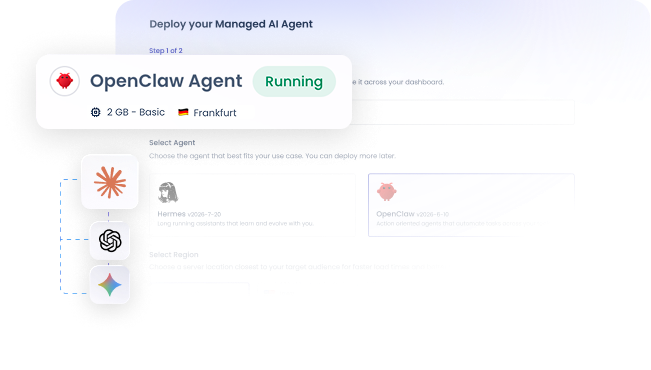
OpenClaw and Hermes, live in minutes on secure, dedicated infrastructure. Provisioned, updated, and backed up automatically.
Go Hands-off
Stay Isolated & Secure
Launch in Minutes
Full Control and Freedom. Zero Lock-In.
See how Cloudways compares with shared and managed hosting on support, flexibility, performance, automation and security.
| Shared Hosting | Managed Hosting
(Traditional managed hosts) |
|---|
| Shared Hosting | Managed Hosting
(Traditional managed hosts) |
|||
|---|---|---|---|---|
| Support | ||||
| 24/7/365 Support On All Plans | ||||
| Copilot AI diagnostics | ||||
| Flexibility | ||||
| Multiple PHP Versions | ||||
| Free Trial Without Credit Card | ||||
| Top Cloud Providers | ||||
| Unlimited Application Installation | ||||
| 150+ Data Centers | ||||
| Performance | ||||
| PHP 7.4 to 8.4 | ||||
| Cloudflare Enterprise CDN | ||||
| Lightning Stack with Redis and Varnish | ||||
| Breeze and Object Cache Pro | ||||
| NVMe options (by provider) | ||||
| Ease of use | ||||
| Launch 10+ Apps Through 1-Click | ||||
| Staging Area & URLs | ||||
| Easy DNS Management | ||||
| Automation | ||||
| 1-Click Server Cloning | ||||
| 1-Click Advanced Server Management | ||||
| Update testing with Site Manager Pro | ||||
| Automated Backups | ||||
| Vertical Scaling | ||||
| Security | ||||
| 1-Click Free SSL Installation | ||||
| Dedicated Firewalls | ||||
| Server and App Monitoring (16+ Metrics) | ||||
| IP Whitelisting | ||||
Switch your WordPress site to Cloudways.

Migrate For Free Without Any Glitches.
We’ll move your first website to Cloudways from any web host for FREE (Without breaking your site hosted on the old host).
Migrate My Website.Real Success Stories. Powered By Cloudways.
Read real-life case studies of companies that used our managed cloud server hosting to take their online businesses to the next level!


Improved site speed by 40% and increased course bookings across AU.
Mo Soltany
Business Development Manager


Cut hosting cost 80% while serving 17M+ users across 160+ countries.
Bryan Feinberg
Founder and CEO


Saw 600% growth, and our homepage achieved a perfect 100% score.
Stephan Eijer
Owner


Managed over $1M in sales and a 200% traffic spike seamlessly.
Sol Lee
Co-founder


Doubled site speed, 20% traffic growth & 50% faster load times.
Great Opomu
Chief WordPress Officer


Scaled to 140+ client sites & hit $1M ARR as performance soared.
Andrew Jackson
Founder & CEO


Streamlined operations for 60+ businesses with reliable performance.
Michelle Coe
President and Senior Creative Director


Saved 25–30% on hosting costs with 40% faster server response time.
Roberto M. Filho
Founder and CEO


30% faster, 280+ sites scaled, $10M+ revenue growth, this year.
Tristan Gatellier
CEO


Achieved 99 PageSpeed score, zero downtime and scalable growth.
Joost Rust
Director


Reduced server costs by 50% and homepage load time dropped to 1.2s.
Florence Luo
Owner and CEO


Grew monthly readership 3x from 3M to 9M after moving to Cloudways.
Simon Treulle
CEO


Improved store speed by 30%, which led to a 22% increase in conversions.
Yogita Khasturi
Co-Founder
Managed over $1M in sales and a 200% traffic spike seamlessly.
Sol Lee
Co-founder


Posted 2.6M views and earned $600K in commissions so rewarding.
Adam Connell
Founder


Handled 20x traffic spikes on 18-year-old site with 5,484 articles.
Jonathan Bailey
Founder


Resulted in a perfect 100% PageSpeed score and 600K page views.
Michael Donovan
Co-founder


Boosted monthly pageviews to 200K, leading to a 6-figure valuation.
Daniel Shuttleworth
Founder


Experienced a 3x increase in traffic and revenue, with 100% speed.
Keith Mint
Founder
Cloudways Autonomous
Handle Traffic Spikes Without Touching a Slider
Autonomous adds server capacity when traffic climbs and scales back when it drops. Cloudflare WAF and DDoS protection are built in, and every plan includes a free managed migration.
- Go Hands-off
- Scale Automatically
- Fail Over Automatically

“With an average of 450+ orders and 1,500 tickets sold daily, the ability to autoscale has been a tremendous help in keeping my client’s holiday event ticket website running smoothly during peak periods, reducing customer service requests by 50%”

Eric Kuznacic
President, Why The Fuss? Technical Solutions
“The website no longer experiences crashes or freezes, providing a smooth user experience during peak traffic periods. With the time and the extra admin saved, we hope to focus more on our strategic business goals.”

Zak Sampson
Director, Spitfire Competitions
“Long-time Cloudways user here! During early access, my site TechYorker received several traffic spikes, and with auto-scaling, I never had to worry about upgrading and downgrading servers. I couldn’t be more satisfied with the product.”

Ratnesh Kumar
Founder & CEO, Yorker Media
Frequently Asked Questions
What is WordPress?
WordPress is an open-source content management system for building and managing websites, blogs and online stores. It is written in PHP and uses a MySQL or MariaDB database.
The admin dashboard lets you publish content and manage users without writing code, so beginners can launch a site quickly. Responsive themes control how a site looks, and plugins add features such as forms, SEO tools and ecommerce. WordPress is free to use, so most of your costs are hosting and any premium themes or plugins you add.
What does hosting for WordPress mean?
Hosting for WordPress websites is a specialized web service designed to improve the performance, security, and speed of websites built on the platform. These servers are configured to optimize WordPress-specific functionality, ensuring smooth operation even for high-traffic websites. A dedicated WordPress server can further boost resource availability and efficiency.
These are some features that are typically offered by many of the hosting providers.
- WordPress-optimized servers
- Compatibility with WordPress themes and plugins
- Regular WordPress updates and compatibility with the latest version
- Enhanced WordPress-specific security features
- Dedicated support for the platform
You can enjoy these and many more with Cloudways.
What is managed hosting for WordPress, and how is it different from shared hosting?
Managed hosting for WordPress is set up for WordPress and maintained for you, while shared hosting puts many sites on one general server. On Cloudways your site runs on its own cloud server, with caching, a firewall, backups, staging and 24/7 support ready to use. Shared plans usually cost less but share resources.
Why is Cloudways the best hosting for WordPress?
Cloudways gives you a WordPress-ready server without the setup work. Caching is built in, and you choose from five cloud providers. Staging, backups and 24/7 live chat support come with every plan. Your first migration is free, so you can test it on your own site.
How much does it cost to host on Cloudways’ Hosting for WordPress?
Cost depends on the cloud provider and server size you choose. Billing is hourly, so you pay for the resources you use, with no contract. DigitalOcean, Vultr and Linode servers cost less than AWS and Google Cloud servers at the entry level. Current prices for every provider and plan are in the pricing section above. You can test a plan during the 5-day free trial, which does not need a credit card.
Does Cloudways provide a secure hosting server for WordPress websites?
Yes, Cloudways protects WordPress servers in layers. Free Let's Encrypt SSL, firewall protection, IP whitelisting and a 2FA-protected account come first. The Imunify360 firewall adds DoS, brute force and bot protection, free malware scanning and alerts keep watch over your apps, and a Patchstack-powered scanner flags vulnerable plugins and themes. Autonomous plans add Cloudflare WAF and DDoS protection. Keeping plugins updated adds one more layer.
How does Cloudways help speed up your WordPress site?
Cloudways speeds up WordPress with the Lightning Stack (NGINX with PHP-FPM), which is up to 65% faster for dynamic sites. Redis, Varnish, Memcached, Object Cache Pro and the Breeze plugin cut database load. Cloudflare Enterprise can serve pages from the edge, and a data center near your visitors lowers latency.
Which WordPress themes and plugins are supported by Cloudways hosting?
Cloudways supports the themes and plugins in the WordPress repository, and you manage them from your WordPress dashboard as usual. Test new plugins and updates on a staging copy first, so conflicts show up before your visitors see them.
How to migrate my WordPress site to the Cloudways WordPress server?
Cloudways offers one free migration to all its users, where Cloudways professionals handle all the migration complexities. Also, WordPress users can use the Cloudways WordPress migrator plugin to help you quickly migrate your websites to Cloudways for free.
You can migrate WordPress sites to Cloudways in just 3 simple steps:
- Install the Cloudways WordPress Migrator plugin on your current hosting server.
- Enter the required credentials.
- Click Migrate.
Is it easy to scale up my WordPress site in case of traffic spikes?
Yes, you can easily scale your server anytime on our web hosting platform. Simply log in to your Cloudways account and use the slider in the Vertical Scaling menu to scale your server manually as per your needs.
Automatic vertical scaling is available with Cloudways Autonomous. It detects high traffic and automatically scales up the server accordingly. So your websites keep on running smoothly even in the case of heavy traffic spikes.How to choose a hosting plan for your WordPress site?
Consider the following factors when choosing a hosting plan for your WordPress site:
- Understand your website’s needs.
- Opt for a provider that guarantees 99% uptime.
- Check the subscription validity for the hosting contracts.
- Research if your hosting provider is priced fine.
- Check the hosting provider's refund policy.
- Check what upgrade options you're being offered.
- Check the features offered by the hosting provider.
Can I test WordPress changes on a staging site before they go live?
Yes, every Cloudways plan includes staging, so you can copy a live site, test changes and push them back. Clone an application or a whole server in one click. Backups run on a schedule you set and restore in one click. Site Manager Pro tests updates on a staging clone and rolls back if tests fail.

