
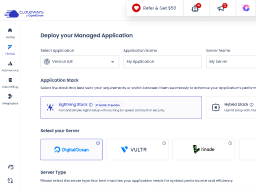





The Best Symfony Hosting on Managed Cloud
Benefit from our powerful yet simplified managed Symfony hosting.
Get started freeDiscover Possibilities, Not Hosting Worries.
Reaching new heights and unlocking your business’s true potential has never been easier
because hosting worries are our problem.

CloudwaysCDN
Our powerful CDN improves the response times for your websites for faster performance. You can integrate it in just a few clicks.

Optimized Stack
Apache and Nginx as web servers, PHP-FPM, and MySQL/MariaDB offer faster website speed on Cloudways.

Free SSL
We have a free Let’s Encrypt SSL certificate that ensures security and is easily installed with just a few clicks.

Automated Backups
With Cloudways, you can schedule automatic backups at regular intervals (every 1 hour to every 7 days) without worrying about losing data.

Dedicated Security
Some of the security measures that Cloudways employs include robust firewalls, regular OS patches, auto-healing servers, and TFA.

IaaS Providers
We partner with renowned cloud infrastructure providers: AWS, GCE and DigitalOcean.

24×7 Caring & Expert Support
We have an active community of experts, a centralized Knowledge Base, and 24×7 support via live chat and a ticketing system.

1-Click Operations
Our innovative platform makes all operations seamless. You can clone servers, scale RAM and storage, and launch 10+ apps with just one click.

We’ll Migrate Your Symfony App for Free!
We’ll migrate your first Symfony site for free so that you don’t have to take care of the technicalities.
SIGN UP NOWSetting Benchmarks for the Joomla Hosting Industry
Industry opinions that define our managed Joomla hosting performance.

It was a near perfect run with 100% uptime and 0 errors on both load tests. This great performance earned Cloudways its’ first Top Tier WordPress Hosting Performance award. I like to see companies compete year after year and improve. Congratulations to Cloudways.
Kevin Ohashi
www.reviewsignal.com

Cloudways is the leader, with SiteGround and Kinsta close behind. Users with more hosting experience seem to love SiteGround and Cloudways the most.
Karol K
www.codeinwp.com

There’s a lot to like about Cloudways. The Web host has flexible plans, killer Web-based customer support, and excellent uptime. It’s a company that you can count on to keep your site up and running.
Jeffrey L. Wilson
www.pcmag.com

The company offers managed cloud hosting which is powered by your choice of the top providers – Amazon, Google, DigitalOcean, Linode or Vultr are supported – and comes packed with features, yet is configured from a simple web console which is just as easy to use as the more basic competition. It’s an impressive platform.
Mike Williams
www.techradar.com


Hosting Symfony Websites on Cloud Made Simple. For Everyone.
Whether you’re an individual or an agency, you get to focus on your operations and revenue
with our simple managed Symfony web hosting solution!

Hosting for
Individuals
Our Symfony web hosting arms the self-employed & freelancers with everything they need, from server to website launch.

Hosting for
Ecommerce
Designed for ecommerce stores that need a powerful and feature-rich web hosting platform with built-in scalability for growth.

Hosting for
Agencies
Our managed Symfony hosting is built to complement your agency’s workflows, from monitoring to cloning websites.

Hosting for
SMBs
No technical skills? No worries. Host your small or midsize business Symfony websites without any hosting technicalities.
Our Customers. Our Values.
Here’s why Symfony users trust Cloudways.

Digital Agency
The ability for a digital agency like us to have lots of servers, from different providers, depending on the need, in one place.
John Falzon
Managing Director at Keen

SMB
Ability to have customer feedback as basis for improvement, literally using this for development, cleaner dashboard, security -dont use ftp instead push for sftp for example.
Adam McWilliams
CTO at Pacific Community

Digital Agency
We are grateful to have found an ideal managed cloud hosting platform for our customers, and look to grow our hosting business through Cloudways.
Robert Theodorow
CEO at SFP

Digital Agency
The ability to scale and clone sites ourselves and install SSL certificates gives us more control.
Edward Bull
Director at Limesharp

SMB
Cloudways has fulfilled our expectations.It is a great service and keeps our website up and running nicely.
Amit Kothari
Founder at Tallyfy

Digital Agency
We gave Cloudways a try and we saw our client sites have page load time decreased from an average of 5.4 seconds to just over 1 second.
Jeff Weese
Founder at Joslex Studios

Blogger
The support is excellent. I have needed their help and they always come through. I have no technical brain and the back end of my website is all confusing so I need the engineer help when something breaks.
Letty Flatt
Owner at Letty’s Kitchen

SMB
We love being part of the Cloudways family! We encourage all startups to switch to Cloudways managed hosting platform for a hassle-free hosting experience.
Gabriel Marcolongo
Founder at Incluyeme
Frequently Asked Questions
How can I Install Symfony?
You can install Symfony standard edition on any of the five providers including DigitalOcean and AWS through Composer. Check out the complete guide on how to install Symfony on Cloud
Does your Symfony hosting comes with automatic deployment tools?
Yes! You can use automatic deployment tools. The only requirement is that the tool should support Git over SSH. You can use the following auto deployment tools: Envoyer, DeployBot, Deploy HQ, Deployer etc.
How can I set/reset permissions for Symfony folders?
If you are facing issues with resetting permissions for Symfony application, just go to the application settings where you can reset permissions by clicking relevant buttons.
How many database I will get with a Symfony application?
Cloudways provide one database with each application. However, if you want multiple databases for your application, simply launch multiple applications, and then use their database with your application by using the provided credentials.
What services are available in the PHP Stack?
The platform loads every server with the ThunderStack technology. We make sure that all applications on our Cloud Platform are optimized for performance.
ThunderStack is the basis of all PHP cloud servers and comes with features including Varnish, Memcached, Apache, and Nginx. Because of the unique combination, the load times could be improved up to 100%.
What PHP versions are available at Cloudways?
Cloudways provides PHP 7 as the default PHP version for your applications. However, you can also downgrade it to PHP 5.6 in just a click.
Can I use Symfony Installer?
No, At this time you can’t use Symfony Installer. Instead use Composer to install standard editions.
How can I map webroot for Symfony applications?
After successfully installing Symfony application, you need to map a webroot at Cloudways for accessing Symfony app’s /web URL. Move to the Application Settings and enter the URL in webroot input box.
Our Partners








Quit Worrying About Hosting Hassles
Host phenomenal websites on a managed platform built for digital agencies, developers, and ecommerce businesses, all backed by 24/7/365 support.