
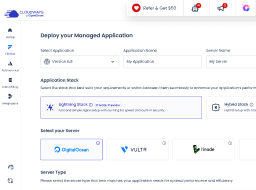





Created for Exceptional Experiences
Managed Cloud Hosting Platform
Focus on your business and avoid all the web hosting hassles. Our managed hosting guarantees unmatched performance, reliability and choice with 24/7 support that acts as your extended team, making Cloudways an ultimate choice for growing agencies and ecommerce businesses.
No credit card required
- Exclusive Discount for Hosting Advice Fans
- Get 25% Off for 3 Months
- Use Promo Code HOSTINGADVICE
Affordable WordPress Multisite Hosting Platform Built for Agile Teams
Pick a multisite cloud hosting plan that you can scale up/down to optimize your operational costs.
 Premium

Note: $0.033/GB per server will be applied for offsite backup storage.
Note: $0.033/GB per server will be applied for offsite backup storage.
Note: $0.033/GB per server will be applied for offsite backup storage.
 High Frequency
 Standard
Note: $0.033/GB per server will be applied for offsite backup storage.
Note: $0.033/GB per server will be applied for offsite backup storage.
Notes:
- Free trial is not available for Amazon Web Services. You need to upgrade your account to launch and access AWS servers.
- With Amazon (AWS), Disk Sizes are configurable and Bandwidth is on pay as you go basis.
- Note: $0.033/GB per server will be applied for offsite backup storage.
Notes:
- Free trial is not available for Google Compute Engine. You need to upgrade your account to launch and access GCE servers.
- With Google (GCE), Disk Sizes are configurable and Bandwidth is on pay as you go basis.
- Note: $0.033/GB per server will be applied for offsite backup storage.
All Plans Come With
- 24/7/365 Support
- Free SSL Certificates
- Free Migration
- Team Management
- Dedicated Firewalls
- 24/7 Real-time Monitoring
- Automated Backups
- Staging Environment
- Auto Healing
- Regular Security Patching
- HTTP/2 Enabled Servers
- SSH and SFTP Access
- Optimized With Advanced Caches
- Cloudflare Add-on NEW
- Unlimited Application Installation
- Free Object Cache Pro (2GB & above)
We Are Your Partner In Success
Managed hosting that empowers businesses with to unleash their full potential for growth.
Get Started Free
Reliable & Hassle-free

Focus More On Business

24/7 Expert Support

Fast & Convenient

Pay As You Go

Flexibility & Choice


We're Here For You 24/7 With Expert Support
You're in expert hands 24/7, 365 days a year, should you run into a problem. You can even choose the Advanced Support add-on for a closer support partnership or the Premium Support add-on, which gives you access to our Senior Support engineers who work as your extended in-house team!
Learn MoreFrom Performance to 24/7 Support, You Get Everything!
Our platform is fully equipped with the features you’ll need so you never have to worry about speed, security, and support for your WordPress websites.
SSD Hosting
SSD disks offer maximum speed and reliability than traditional disks while accommodating modern websites’ demands.
Built-in Cache
Our built-in cache mechanism includes Varnish, Memcached, and Redis that enhance the speed of your WordPress websites.
Optimized Stack
Our stack includes Apache and NGINX as web servers, PHP-FPM and MySQL/MariaDB as databases for better performance.
PHP Versions
We support PHP 5.6.x and the latest versions of PHP 8.x so you can test compatibility and switch versions accordingly.
Cloudflare Enterprise
Reduce latency and improve response times with the Cloudflare enterprise when serving a WordPress website worldwide.
Breeze Plugin
Breeze is our in-house developed cache plugin that comes pre-installed with WordPress websites for better performance.
Dedicated Firewalls
We regularly perform firmware upgrades and patches so your WordPress websites remain secure from potential threats.
SSL Certificates
SSL certificate gains visitors’ trust and ensures that their data is transmitted encrypted. Deploy it in just a click for free.
Login Security
We provide two-factor authentication, detect the suspicious login attempts, and send notifications to keep your account and server secure.
IP Whitelisting
You can create a list of whitelisted IPs to block or allow IP addresses for SSH/SFTP access to your account or database.
Multi-App Hosting
Host multiple WordPress sites on a single server, each neatly organized with its own separate database.
Database Security
Our built-in database security system prevents unauthorized access to your data and protects it from vulnerabilities.
IaaS Providers
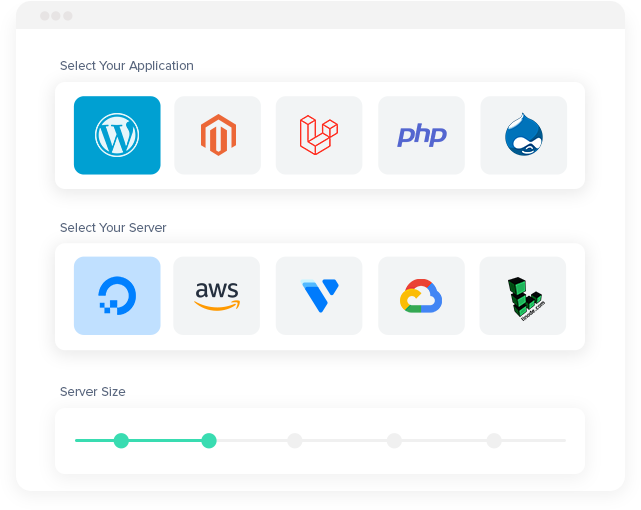
You can host WordPress websites on five industry-leading IaaS providers such as DigitalOcean, Amazon, Google, Linode, and Vultr.
Block Storage
Block Storage offers you additional storage capacity that you can replace with your existing server storage without altering other server parameters.
Vertical Scaling
Scale up your server resources in just a click when required so your WordPress website remains up and running 24/7.
No Contract
We never restrict our customers to sign in any contract or to pay a fixed amount for the hosting resources they don’t use.
1-Click Actions
Whether you’re a beginner or an advanced user, every operational task from the server launch to SSL installation is available in a few clicks.
Unlimited WordPress Websites
We charge only for the server resources you consume so that you can enjoy hosting unlimited WordPress websites on a single server.
Expert Support
Our team of experts is available 24/7; You just have to type your query and the live chat support team would love to serve you.
Active Community
Our active community comprises of customers and experts who constantly share their knowledge and skills with the WordPress community.
Knowledge Base
We’ve written an extensive series of knowledge-base guides that you can refer to get help related to our platform.
Ticketing System
You can always open a ticket to keep track of your specific query; our support team will respond to it accordingly.
Support Add-ons
Besides Standard support, you can opt for Advanced or Premium support add-on where our Senior Support Engineers work as an extension of your in-house team.
Troubleshooting
We’ve integrated server and website monitoring tools for troubleshooting. You can also contact us and our team will take care of it.
Git Integration
Every hosting account comes with pre-installed Git so you can commit, change, and deploy your source code easily.
SSH/SFTP Access
SSH/SFTP offers a high level of security and allows you to access your server/website to perform operational tasks.
1-Click Cloning
Clone your entire server or specific WordPress websites in just a click to test compatibility or perform updates safely.
Team Collaboration
Our built-in team collaboration feature helps you share limited to full access to your server or application among team members for better productivity.
Staging URLs
Get unlimited staging URLs for development changes and plugins/themes compatibility before making your website live.
User Roles
Assign your team members specific roles so they can access your server/website regardless of the geographical locations.
Our Customers, Our Success

Digital Agency
The ability for a digital agency like us to have lots of servers, from different providers, depending on the need, in one place.
John Falzon
Managing Director at Keen

SMB
Cloudways made it easy for us to extend our web application infrastructure into the cloud.
Adam McWilliams
CTO at Pacific Community

Digital Agency
We are grateful to have found an ideal managed cloud hosting platform for our customers, and look to grow our hosting business through Cloudways.
Robert Theodorow
CEO at SFP

Digital Agency
The ability to scale and clone sites ourselves and install SSL certificates gives us more control.
Edward Bull
Director at Limesharp

SMB
Cloudways has fulfilled our expectations. It is a great service and keeps our website up and running nicely.
Amit Kothari
Founder at Tallyfy

Digital Agency
We gave Cloudways a try and we saw our client sites have page load time decreased from an average of 5.4 seconds to just over 1 second.
Jeff Weese
Founder at Joslex Studios

Blogger
The support is excellent. I have needed their help and they always come through. I have no technical brain and the back end of my website is all confusing so I need the engineer help when something breaks.
Letty Flatt
Owner at Letty’s Kitchen

SMB
We love being part of the Cloudways family! We encourage all startups to switch to Cloudways managed hosting platform for a hassle-free hosting experience.
Gabriel Marcolongo
Founder at Incluyeme
Frequently Asked Questions
How can I contact Cloudways?
Depending on the nature of your query, you can reach Cloudways via live chat, a support ticket, or the Contact Us page. For questions regarding Cloudways services, pricing, or hosting plans, use the Send Us a Message form on the Contact Us page to reach the Sales team.
For technical and billing queries, customers can log in to their Cloudways account and use live chat or submit a support ticket.
Can I contact Cloudways by phone?
Cloudways has 24/7 direct phone support available via the Premium Support add-on.
Should you wish to speak with Sales about your hosting plans or services, go to the Contact Us page on Cloudways and submit a call request under Schedule a Call.
For Standard Support, assistance is provided via live chat and support tickets.
Can I contact Cloudways by email?
Yes. For any help needed with your hosting account, you may reach the Cloudways Support team at [email protected].
For sales queries, go to the Contact Us page on Cloudways and submit your details via the Send Us a Message form; you will get an email in response. As a customer, you are also welcome to use live chat or submit a support ticket from the Cloudways platform.
How do I contact the Cloudways sales team?
Head over to the Cloudways Contact Us page and select Send Us a Message. Put your contact information, hosting needs, and any questions you have about Cloudways services in the form. A representative from the Sales team will be in touch to go over your options.
Can I schedule a call with the Cloudways sales team?
Yes, you can request a call with the Cloudways Sales team from the Contact Us page. Choose Schedule a Call, enter your contact information, and include details about what you want to talk about. The team is on hand to answer questions and walk you through Cloudways services and hosting options prior to getting started.
How can I get help choosing the right Cloudways hosting plan?
The Cloudways Sales team can advise you on the right plan given your budget, application needs, and the traffic your site receives. Share details about your website or online store and any performance or scaling you anticipate. The Cloudways team can help you compare Cloudways Flexible and Autonomous and choose a configuration that fits your needs.
Can I contact Cloudways support during my free trial?
Yes, you can submit a request to Cloudways Support via live chat or a ticket while on your free trial. The Cloudways team can assist with server setup, application deployment, account access, and questions about using the Cloudways Platform.
How can I contact Cloudways for billing or payment issues?
If you have a billing question, sign in to your Cloudways account and contact support via chat or ticket. You can also send an email to [email protected] for invoice issues, an unexpected charge, or a failed payment. Include the invoice and a description of the problem so the team can look into it.
Can I contact Cloudways for help migrating my website?
Cloudways provides expert assistance to move your site from another host. Eligible paid accounts get unlimited free migrations for WordPress and WooCommerce sites. Other application types may incur a fee. To request a migration, log in to the Cloudways Platform and under Integrations > Application Migration, submit your site’s particulars.
How do I cancel my Cloudways subscription?
There is no long-term contract required to be with Cloudways, so you can cancel at will. First, back up your data. Then remove any active Flexible servers or Autonomous instances, and turn off any paid add-ons. Then navigate to Profile > Account > Cancel My Account on the platform. A final invoice may be issued for what was used prior to cancellation.
Our Partners


Let Us Help You Grow
We help agencies and businesses to build and manage web apps.