Managing edge security at scale has always come with an invisible tax: the time lost between identifying a configuration issue and actually resolving it.
A traffic spike trips rate limiting during a flash sale. A hostname falls out of sync mid-migration. In each of these moments, the technical fix is often straightforward. What made it slow was the process required to get there. The only path forward was a support ticket and a waiting game.
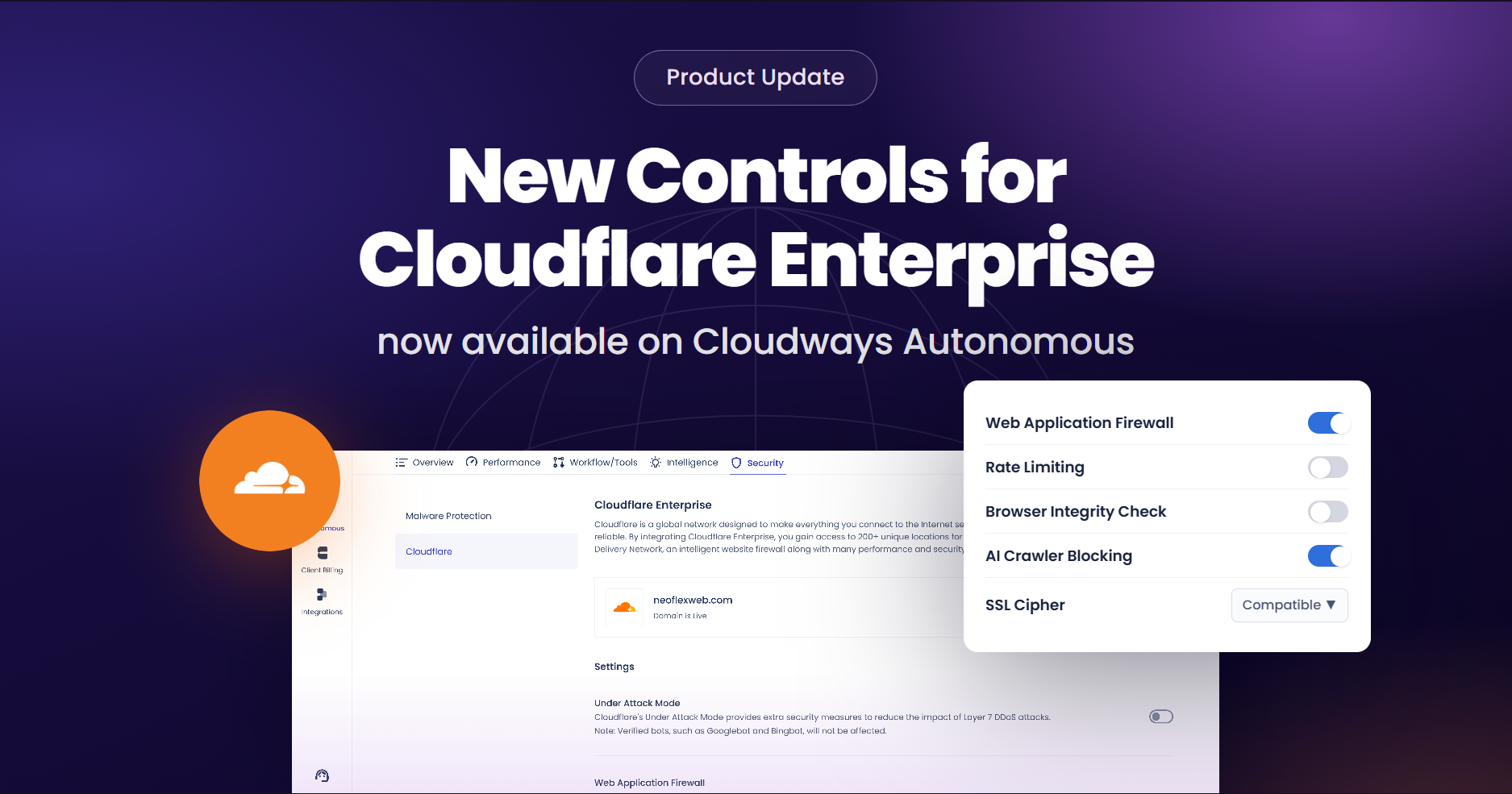
Cloudways Autonomous is built to help reduce that gap. Cloudflare Enterprise controls are now available as direct, self-service settings within the Autonomous dashboard, putting edge security, traffic management, and encryption configuration in the hands of the teams who need them most.
Cloudflare Was Already Working on Autonomous and Now You Control It
Cloudways Autonomous has always included Cloudflare integration as part of its core infrastructure. Applications have been running behind Cloudflare’s edge network for security, performance, and traffic handling from day one.
This launch hands over critical Cloudflare controls to the users. Where key settings were previously locked to defaults or required support intervention to change, teams can now manage them directly through simple toggles and dropdown selections in the Autonomous dashboard. The managed hosting simplicity stays intact. What changes is the speed at which real operational situations can be addressed.
What’s Now Available
Six controls are now available for self-service configuration on Cloudways Autonomous. Here’s what each one does, why it matters, and where to find it.

Web Application Firewall (WAF)
The Cloudflare WAF is active by default, and filters incoming traffic against global threat intelligence, blocking patterns associated with common web exploits. For most traffic, most of the time, it works exactly as intended.
The problem surfaces at the edges. Custom PHP endpoints, webhook callbacks, API integrations, and complex query structures can resemble attack patterns closely enough to trigger false positives. This usually results in blocking legitimate requests and interrupting workflows that have nothing to do with a security threat.
With direct WAF control, edge-level filtering can be temporarily disabled during troubleshooting or integration testing, then re-enabled once the issue is resolved. This turns a multi-hour support cycle into a much faster resolution process.
Note that disabling WAF on the Cloudflare edge does not affect server-level security within Cloudways Autonomous. As such, the baseline platform protection remains active.
Rate Limiting
Rate Limiting caps the number of requests a single IP address can make within a predefined time window. When that threshold is crossed, Cloudflare applies managed challenges to that IP. Verified bots, static content, and cached content are excluded from the count.
In steady-state conditions, this is a useful safeguard against abusive traffic and volumetric attacks. But in production environments, legitimate high-volume activity can look identical to abuse:
- Flash sales driving rapid, concurrent checkout requests
- ERP or CRM systems polling APIs on tight intervals
- Marketing campaigns generating sudden traffic bursts
- Automated performance testing and audits
Rate limiting can now be disabled ahead of an expected spike and re-enabled once traffic normalizes.
Browser Integrity Check (BIC)
Browser Integrity Check evaluates the HTTP headers of incoming requests, looking for characteristics associated with abusive bots (particularly requests that lack standard browser user agents). Suspicious requests are challenged or blocked at the edge before they reach the application.
For most web traffic, this works cleanly. The friction appears when legitimate systems use non-standard headers. Legacy enterprise software, internal tooling, and older integrations often fall into this category. In these cases, a blocked internal system can become a business-critical issue quickly.
Direct BIC control allows this protection to be aligned with the actual traffic each application sees. Developers maintaining legacy integrations can ensure continuity. Agencies supporting enterprise clients can help mitigate internal system disruptions without escalating to support.
AI Crawler Blocking
AI companies deploy automated crawlers to collect web content for training large language models and powering AI-driven search products. Whether that activity is welcome depends entirely on who owns the content and what they intend to do with it.
Some businesses actively want their content indexed by AI search tools for visibility. Others, particularly those with proprietary data, licensed content, or contractual obligations, prefer to restrict automated access entirely.
Autonomous now makes that decision configurable. Enable AI crawler blocking to restrict access, or leave it off to allow indexing. Agencies can align this setting with client contracts or content licensing terms. Businesses can help secure proprietary data from automated collection.
This control operates at the edge level. It is part of a structured content governance approach, not a complete guarantee against all forms of scraping.
SSL Cipher Modes
SSL/TLS encryption secures the connection between visitors and Cloudflare’s edge. The cipher suite determines which cryptographic algorithms are used in that process, with different applications having different requirements.
Autonomous now offers two selectable modes:
Modern Mode
- Uses current high-security cryptographic algorithms
- Supports stricter encryption standards
- Best suited for applications in regulated industries such as healthcare, fintech, and ecommerce
- May not support older browsers or legacy devices
Compatible Mode
- Supports a broader range of algorithms
- Maintains accessibility for older devices and browsers
- Balances encryption strength with compatibility requirements
This control matters most for teams operating under compliance frameworks that specify minimum encryption standards, or those supporting a user base that includes older devices. Rather than a one-size-fits-all default, the mode can now be matched to the application.
Hostname Status Refresh
Domain management is rarely a one-time task. Agencies migrate client domains. Developers push staging environments live. SMBs update DNS records when onboarding third-party services. Each of these scenarios creates a window where hostname status between Cloudflare and Autonomous can fall out of sync, leaving teams manually validating records or waiting on backend confirmation.
Autonomous now offers two ways to stay in sync:
On-demand refresh: Trigger a manual hostname status update instantly during deployments, migrations, or troubleshooting sessions
Scheduled sync: Automated background synchronization keeps the dashboard aligned with Cloudflare’s current state without repeated manual checks
This removes the uncertainty that typically stalls launches and complicates audits. For agencies, it means smoother client handoffs. For developers, it cuts diagnostic time. For SMBs, it means confidence that DNS changes are reflected accurately.
How These Changes Elevate Your Autonomous Experience
Cloudways Autonomous is designed for production-grade applications that don’t tolerate slow responses to operational problems. These controls are built to match that standard.
The shift isn’t just about convenience. It’s about compressing the time between identifying a problem and resolving it in a significantly shorter time window.
- Agencies can adjust security and traffic settings per client application without waiting on support, making troubleshooting faster and client handoffs smoother.
- eCommerce businesses can manage rate limiting and WAF behavior around peak events without risking checkout disruption.
- SMBs get enterprise-level Cloudflare controls through a simple, centralized interface, without needing direct Cloudflare expertise or a dedicated infrastructure team.
Across all of these, the value is the same: more control, faster response, and no added complexity. Everything lives in the same Autonomous dashboard already used to manage applications and infrastructure.
Start Configuring Cloudflare Controls
These controls are available now for all Cloudways Autonomous users with Cloudflare-enabled applications.
Cloudways Autonomous will continue expanding platform controls to match how real production applications are built and managed. This is the next step in that direction.
DISCLAIMER: Any references to third-party companies, trademarks, or logos in this document (including Cloudflare) are for informational purposes only and do not imply any affiliation with, sponsorship by, or endorsement of those third parties. Results in customer environments may vary depending on configuration, implementation, and usage. Results and/or savings are not guaranteed.
[email protected]
Zafar Iqbal is a Senior Technical Writer who's spent the last decade making server products, WordPress, and SaaS platforms actually make sense to people. As someone who lives at the intersection of tech and marketing, he loves turning complicated technical concepts into insights that help people make the right business decisions. When he's not demystifying managed hosting infrastructure, he's tinkering with his hobby projects.