Cloudways users have always leaned on our support team when something breaks. That trust has been earned response by response, over years of late-night tickets and urgent chat windows. Cloudways Copilot was built to extend that reliability, not to replace the people behind it, but to help you get answers faster when every minute counts. Since launch, Cloudways Copilot has been watching your servers around the clock. Today, it starts watching your websites too.
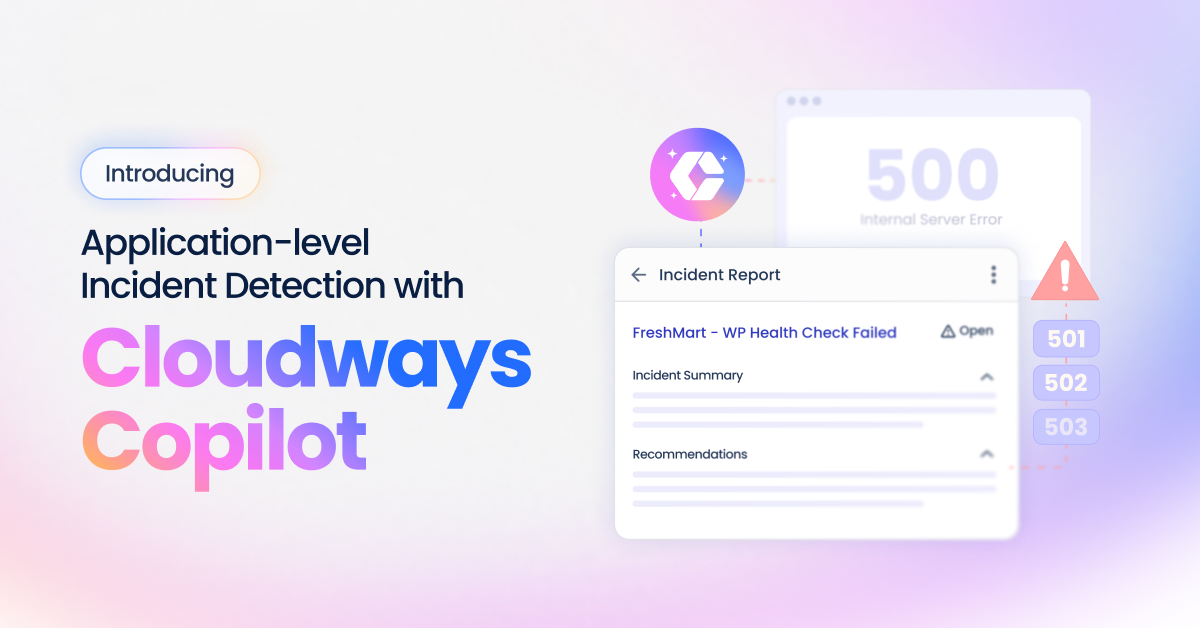
Cloudways Copilot can now detect 5xx errors caused by application-level conflicts on your hosted websites, investigate the root cause, and is designed to deliver an actionable Insight, helping minimize the time to troubleshoot and resolve issues without the need to open a support ticket or wait in a queue.
Most Website Outages Start in the Application, Not the Server
The majority of website outages do not originate from the server. They originate in the application, in plugins, themes, and configurations that interact in ways that cause the site to return 500-series HTTP errors. When that happens, visitors see a broken page because the site is effectively down.
Until now, diagnosing a 5xx error stemming from application-level issues meant doing it yourself. This tedious process involved scanning logs, deactivating plugins one by one, and working backward to find what broke. Or it meant opening a support ticket and waiting. The average resolution time through support could reach up to 40 minutes*.
For developers managing dozens of sites and agencies managing hundreds, that window of uncertainty adds up fast.
The problem was not just the time it took to fix the issue. It was the time it took to even understand what the issue was. That is the gap this release is built to close.
* Results in customer environments may vary depending on configuration, implementation, and usage. Results and/or savings are not guaranteed.
From Error to Insight, Without Opening a Ticket
Understanding the value of this capability is easier when you see the full sequence. Here is what happens from the moment an error occurs to the moment you have the information to resolve it.
Step #1: Your Sites Are Automatically Monitored Every Six Hours
Cloudways Copilot automatically checks the home page of your WordPress and WooCommerce applications every six hours (we plan to reduce this error detection interval in the upcoming releases) for errors. When an issue is detected, it begins an automated investigation to identify the root cause.

Step #2: View AI Insights with Investigation Summary and Fix Recommendations
You receive an Insight containing an Investigation Summary within minutes, explaining what caused the issue and why, along with clear recommendations to resolve the critical issue causing downtime on your site.
You can view all incidents and insights (with included Investigation reports, and fix recommendations) in the Cloudways Copilot history and access the complete history of Insights by clicking the Cloudways Copilot button in the upper right of the navigation bar.
In addition, you also get Cloudways Copilot’s Insight reports via email.
Insights generated for application-level issues follow the same structure as server-level Insights: an Investigation Summary explaining what broke and why, and a Recommendations section with clear steps to resolve it. SmartFix is currently not available for application-level insights. However, it is in the works and may be available in a future release.
Cloudways Copilot also highlights identified application-level issues in the main Applications listing screen to help streamline issue resolution.
By default, Cloudways Copilot incident detection and troubleshooting is enabled for all your hosted applications. However, you get the choice of disabling this capability by selecting the application in the Copilot Settings >> Applications tab.
A key benefit of this capability is that it is available to all Cloudways Copilot users (subject to applicable credit usage and plan terms), regardless of their number of servers and applications. For many hosting providers, this range of diagnosis and resolution capabilities are usually locked behind paywalls/additional fees or premium support tiers.
What This Release Covers
This initial release detects 5xx errors caused by plugin & theme conflicts, database, and other WordPress and WooCommerce-specific issues.
In particular, Cloudways Copilot can detect the following errors:
Cloudways Copilot Error Categories
Cloudways Copilot Insights simplifies the reporting of these errors by classifying these errors into the following classifications:
plugin: A WordPress plugin is the root cause (fatal error, conflict, version incompatibility, memory leak, malfunctioning background job).
theme: The active theme is the root cause (fatal error, broken template, version incompatibility).
core: WordPress core files or a core feature (WP-Cron, admin dashboard, updates) is the root cause.
database: The site’s database is the root cause (connection failures, corruption, lock contention, table or data bloat).
availability:The site is unreachable or returning errors to visitors (500/502/503/504, white screen, WordPress fails to start).
caching: The caching layer is the root cause (stale or broken object cache or page cache, Redis or caching plugin issues).
server management: The underlying server is the root cause (disk or inodes full, memory exhausted, CPU saturated, a managed service such as PHP-FPM or the web server stopped).
network: A networking issue is the root cause (DNS, SSL/TLS, upstream/CDN, connectivity loss).
unknown: A problem likely exists but the root cause could not be identified within investigation limits.
SmartFix is not available for application-level Insights in this release. The Recommendations section will walk you through the resolution manually. We intend to introduce SmartFix support in a future update.
Built for the People Managing a Multitude of Sites
The real value of detection depends on your situation. For some users, catching one plugin conflict early saves an afternoon. For others, it transforms how an entire operation runs.
Agencies
Agencies typically manage sites on behalf of clients. When a client site goes down, the assigned account manager often finds out after the client does, through a frustrated message rather than a system alert. By then, the conversation is already reactive, and the pressure to fix it fast is coming from two directions at once.
Cloudways Copilot is designed to identify issues proactively, helping you address them before they impact your clients. For teams managing dozens or hundreds of client sites, that shift is not just a convenience. It is a meaningful change in how they manage client relationships under pressure.
Developers
Developers are often the first call when something breaks on a site. A 500 error appears, and the process starts from the beginning: pulling up logs, isolating variables, disabling plugins one at a time. The error itself might take five minutes to fix once identified. Finding it can take an hour.
The Cloudways Copilot runs that investigation automatically. When a plugin conflict triggers a 5xx error, the root cause is identified and waiting in the dashboard before the developer has opened a terminal window.
SMBs and Independent Site Owners
For smaller businesses and independent site owners, a broken website is an immediate business problem. And unlike agencies or developers, most SMB owners do not have a technical team to call. Application-level troubleshooting has traditionally sat behind premium support tiers, out of reach for users on standard plans.
Cloudways Copilot is built to change that equation. When a plugin conflict brings a site down, the same root cause analysis that would previously require an escalation can now be delivered automatically . The resolution steps are clear and written for action. No support tier upgrade required.
More Control Over How Cloudways Copilot Reaches You
Alongside application-level monitoring, this release also brings an updated Notification Settings section to Cloudways Copilot. It is a small but meaningful addition that gives you direct control over how and where Cloudways Copilot alerts reach you.
From Notification Settings, you can independently toggle server-level and application-level Insight notifications on or off. If you manage a high volume of sites and want application alerts routed separately from server alerts, the controls are now there to do that.
Notifications can be delivered across three channels: Email, Slack, and Webhooks. Multiple channels can be configured simultaneously, and each can be activated or paused independently without affecting the others. For teams where incidents need to reach a specific person or workflow, Webhooks support direct integration with external tools.
All notification preferences are managed from the Copilot Settings section in your Cloudways dashboard. For a full walkthrough, refer to the Copilot Notification Settings guide.
What Comes Next
Application-level monitoring is live and running automatically for all Cloudways Copilot users. There is nothing to enable and nothing to configure. If a plugin conflict takes down one of your sites, Cloudways Copilot can automatically detect and investigate the issue, helping provide the information you need to fix it and minimizing the need to open a support ticket .
This release is the first step in a broader direction for Cloudways Copilot: expanding coverage from server infrastructure to the application layer where most real-world outages actually begin. SmartFix for application-level Insights is in development.
Our vision for Cloudways Copilot is to not only identify conflicts but to help resolve them, expanding upon the automated fix capabilities currently available for server-level issues. As we continue to develop this feature, our goal is to steadily expand its coverage. What changes today is that your websites now have a layer of detection they did not have yesterday.*
*Note: Product roadmaps and future capabilities are subject to change based on development cycle
DISCLAIMER: Any references to third-party companies (including WordPress, WooCommerce, and Cloudflare), trademarks, or logos in this document are for informational purposes only and do not imply any affiliation with, sponsorship by, or endorsement of those third parties.
FAQ
How is this different from the Cloudways Copilot Insights I already receive?
The Insights you have seen so far cover server-level incidents: disk space, backups, webstack, host health, and inodes. Those originate in your server infrastructure. This new Insight type is different. It originates in your website application. The Insight format is familiar, but what triggered it is a separate and more common category of downtime.
Does SmartFix work for these new Insights?
Not in this release. SmartFix is available for server-level Insights, but automated fix execution for application-level Insights is still in development. The Insight you receive includes clear manual steps to resolve the conflict. SmartFix support for application-level Insights is planned for a future update.
Do I need to configure anything to enable this?
No. If you have Cloudways Copilot enabled on your Cloudways account, application-level monitoring is already active across all your hosted websites. The monitoring runs daily in the background. There is nothing to turn on and nothing to install.
I do not have Cloudways Copilot enabled on my account. How do I start?
If you do not see Cloudways Copilot on your account and you want immediate access, contact Cloudways Support or your Customer Success representative to have it enabled on demand.
How much does it cost?
Cloudways Copilot Application-level Insights uses 1 credit per Insights. Additionally, a credit is only used when a qualifying issue is detected and an Insight is produced. If Cloudways Copilot monitors your site and finds no qualifying errors, no credit is charged.
Does this work for all applications hosted on Cloudways?
At the moment, Cloudways Copilot application-level insights works with WordPress and WooCommerce applications hosted on our servers.
[email protected]
Zafar Iqbal is a Senior Technical Writer who's spent the last decade making server products, WordPress, and SaaS platforms actually make sense to people. As someone who lives at the intersection of tech and marketing, he loves turning complicated technical concepts into insights that help people make the right business decisions. When he's not demystifying managed hosting infrastructure, he's tinkering with his hobby projects.