






WordPress Performance that’s Better than the
Market’s Best!
Breeze, WordPress Cache Plugin applies smart defaults the moment you activate it, so your site is faster before you’ve even closed the plugin screen.
- 2.6.4 Current Version
- 300K+ Active Installs
- 6.0+ WordPress Compatibility
Speed You Can Actually Measure
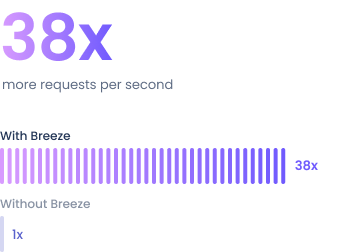
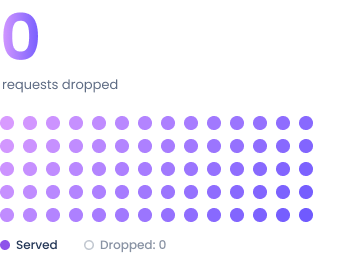
We stress-tested WordPress under massive concurrent spikes.
Here is what happens when Breeze takes the wheel.
Response Time
Peak-Load
Response Time
Down from 20+ seconds without Breeze caching enabled. We stress-tested WordPress under massive concurrent spikes.
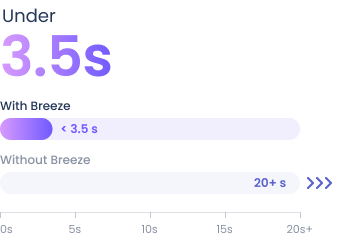
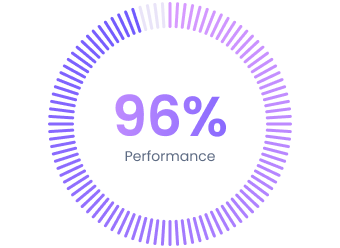
Tested on Cloudways infrastructure, where Breeze works alongside Varnish, the server-level cache is already running in the background.
Everything Your WordPress
Site Needs to Run Fast
Complete caching, database pruning, asset minification,
and CDN delivery in a single cohesive engine.
Spotlight Feature
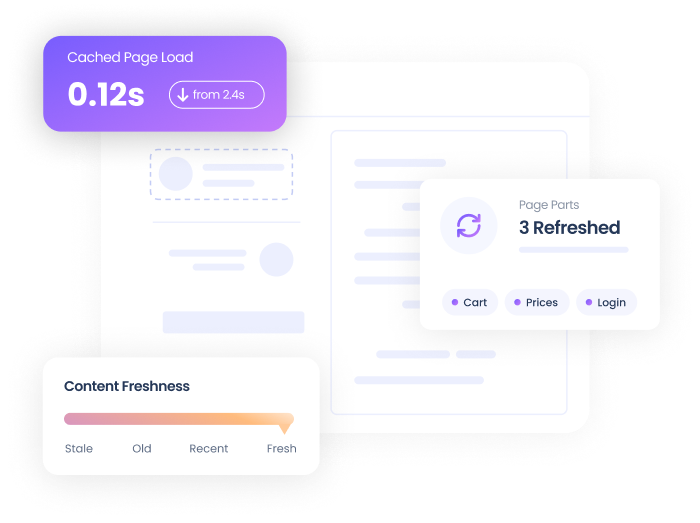
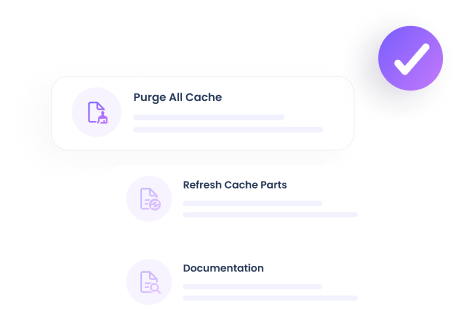
Always-Fresh Page Sections
Mark specific sections, a cart total, a stock count, a live price, to refresh automatically after a cached page loads, so visitors never see stale numbers.
Varnish Cache Integration
Breeze detects Varnish automatically and serves pages from memory, falling back to its own engine when it’s not available.
Instant Page Caching
Generates static HTML for every page, so visitors get a fully rendered page without a single database query on repeat visits.
CDN Integration
Works with MaxCDN, KeyCDN, and Amazon CloudFront, delivering your images, CSS, and JS from servers closer to every visitor.
Database Optimization
Clears post revisions, spam comments, and expired transients in one click, keeping your WordPress database fast and lean.
Cloudflare Compatibility
Works alongside Cloudflare’s caching layer automatically, with zero extra configuration needed to keep both systems in sync.
Granular Cache Control
Exclude specific URLs, JS files, or CSS files from the cache, ideal for pages with dynamic or user-specific content.
Minification & Combining
Combines and minifies your HTML, CSS, and JS files, including inline scripts and styles, to reduce overall page weight.
Smart Preloading
Preloads fonts, prefetches DNS lookups, and speeds up link clicks in advance, shaving time off nearly every page load.
Made for People Who Just Want a Faster Site
The ultimate WordPress caching plugin that delivers instant results, convenience, and resource optimization for your website.
Faster Out of the Box
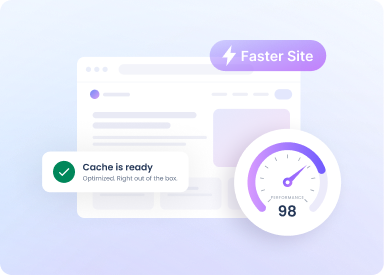
Every default in Breeze is already tuned for speed, so your site improves the instant you activate it without additional adjustments.
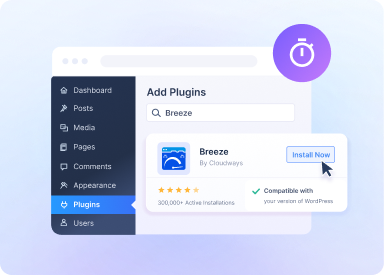
Set Up in Minutes
Download it, activate it, and you’re finished. Breeze doesn’t require a lengthy setup before it starts making your site faster.
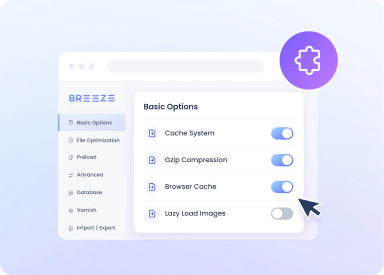
No Learning Curve
Breeze’s interface stays simple and direct, so you’re never confused by settings or stuck guessing what any option actually does.




Make the Switch to Effortless Speed
Every optimization is already switched on the moment you install it, so your site improves from the first click.
Frequently Asked Questions
Do I need to be on Cloudways hosting to use Breeze?
No. Breeze is a free WordPress cache plugin available on WordPress.org and works on any host. It's built by the Cloudways team, but Cloudways hosting isn't required to install or use it.
Will Breeze work with Varnish if my host doesn’t run it?
Yes. Breeze detects Varnish automatically if it's available on your server. If it isn't, Breeze automatically switches to its own built-in caching engine instead, no manual setup either way.
Do I need to remove my current caching plugin first?
Yes. Running two caching plugins at the same time can cause conflicts, so disable any other caching plugin before activating Breeze.
Does Breeze work with WooCommerce and Multisite?
Yes, both are fully supported out of the box with no special configuration needed. Multisite settings are managed at the network level.
What does the database optimization feature actually clean up?
Post revisions, spam comments, trashed content, and expired transients, the kind of data that quietly bloats a WordPress database over time. It's a one-click cleanup inside Breeze's settings.
Does Breeze support CDN integration?
Yes, Breeze connects directly to MaxCDN, KeyCDN, and Amazon CloudFront, so static assets like images, CSS, and JS get served from a CDN.
How do I check that Breeze is actually making my site faster?
Run your site through a speed-testing tool like Google PageSpeed Insights, WebPagetest, or Pingdom before and after activating Breeze. Most sites see a noticeable difference right away.
Is Breeze really free, with no paid upgrade later?
Yes. Breeze is a completely free WordPress cache plugin, with no premium tier or feature paywall.
What is Varnish, and do I need to set it up myself?
Varnish is a caching layer that serves pages straight from server memory instead of rebuilding them on every visit, which is what makes page loads feel near-instant. Breeze detects and connects to it automatically, there's nothing to configure yourself.
Do I need my own CDN account for the CDN integration to work?
Yes, Breeze connects to a CDN account you already have, it doesn't include a CDN service of its own. Once you have an account, connecting it takes just a few clicks.
Is database optimization safe? Could it delete something I need?
It only clears things WordPress itself treats as disposable, old revisions, spam comments, trashed content, and expired transients. It never touches your actual posts, pages, users, or plugin settings.
I already use Cloudflare’s own caching, won’t running both conflict?
No, Breeze is built to work alongside Cloudflare's caching layer without extra configuration, the two stay in sync automatically.
How do I know which pages to exclude from caching?
Most sites won't need to touch this at all. The exclusion settings are there for edge cases, letting you manually exclude a specific URL, JS file, or CSS file if you ever need to.
Will minifying my CSS and JS break my site’s design or functionality?
It's uncommon, and if a specific file ever causes an issue after minification, Breeze lets you exclude that file individually rather than turning the feature off entirely.
Does preloading use extra bandwidth or slow down my server?
No, preloading is lightweight and runs in the background. It's designed to save your visitors' load time, not add meaningful load to your server.
If I update a page, does the cache update automatically, or do I have to clear it myself?
Automatically. Breeze purges only the specific page you changed rather than your entire site cache, so edits go live right away without a manual clear.
What makes Breeze one of the best free cache plugins for WordPress?
Breeze combines Varnish-level caching, database cleanup, CDN support, and more in one plugin, with no paid tier and no configuration required to get results.