Key Takeaways
- WordPress 7.0 “Armstrong” is the first major release of 2026 and the start of Gutenberg Phase 3.
- Native AI is now built into WordPress core, with OpenAI, Google Gemini, and Anthropic Claude supported out of the box.
- The WordPress admin dashboard gets its first visual overhaul since 2013, powered by DataViews.
- Real-Time Collaboration was pulled from 7.0 and is now expected in WordPress 7.1 (August 2026).
WordPress 7.0 is out today, i.e., 20th May, 2026. It’s not a minor patch or a routine update and marks this year’s first major release. After an unusually quiet 2025, 7.0 arrives with a lot packed into it.
The last major release was 6.9, back in December 2025, which focused on block-level commenting, better template management, and new developer APIs. It was a solid but incremental update.
WordPress 7.0 is a whole different story. It introduces native AI into the core, rebuilds the admin dashboard from scratch, and launches the biggest phase of the Gutenberg project yet. More on that later in the blog.
So, we’ll be covering all you need to know about 7.0: what changed, how it will affect your site, a proper breakdown of all major features, and a look at what did not make it into this release. Also, we’ll detail the easy steps to upgrading to it on Cloudways.
With 7.0 already live, there is no better time to get up to speed.
- What is WordPress 7.0?
- Release Date & Timeline for WordPress 7.0
- Why Was WordPress 7.0 Delayed?
- What’s New in WordPress 7.0?
- Native AI Integration
- Modernized Admin Dashboard (DataViews)
- Enhanced Notes & Asynchronous Collaboration
- Responsive Block Visibility (Hide/Show Blocks by Device)
- New Blocks — Breadcrumbs & Icons
- Command Palette — Now Accessible Everywhere in wp-admin
- PHP-Only Block Registration
- Pattern Editing — Spotlight & Isolated Editor Mode
- Block Design Tools & Typography Controls
- Gallery, Grid & Cover Block Improvements
- Client-Side Media Processing
- Visual Revisions Interface
- Font Management for All Themes
- Customizable Navigation Overlays
- What Was Removed or Deferred from WordPress 7.0?
- How to Upgrade to WordPress 7.0 Safely (Step by Step)
- WordPress 7.0 vs 6.9 vs 6.8 (Comparison Table)
- Getting the Most Out of WordPress 7.0 on Cloudways
- Final Thoughts & What’s Next After WordPress 7.0
What is WordPress 7.0?
Last year (2025) was quite a dramatic year in the WordPress ecosystem. Legal battles and the divide in community slowed the releases and as a result the usual three-release-per-year cadence was broken and only one major version got out in 2025. [WordPress.org release archive]
Going into 2026, there was pressure on 7.0 to signal that WordPress was back on track.
With this release, WordPress officially enters Phase 3 of Gutenberg. Gutenberg plugin is like a testing ground where all new features are tried before officially being added to WordPress.
A brief recap of the Gutenberg phases:
- Phase 1 gave us a better word processor.
- Then came Phase 2 that let you design your entire website with it.
- Now Phase 3 essentially highlights the growth of WordPress from a solo writing tool into a team platform by turning it into a shared workspace where your whole team can collaborate. It’s like going from Microsoft Word to Google Docs.
WordPress 7.0 merges Gutenberg plugin versions 22.0 through 22.6 into core, representing roughly six months of work focused on AI infrastructure, admin modernization, and collaboration tools. [WordPress.org Field Guide]
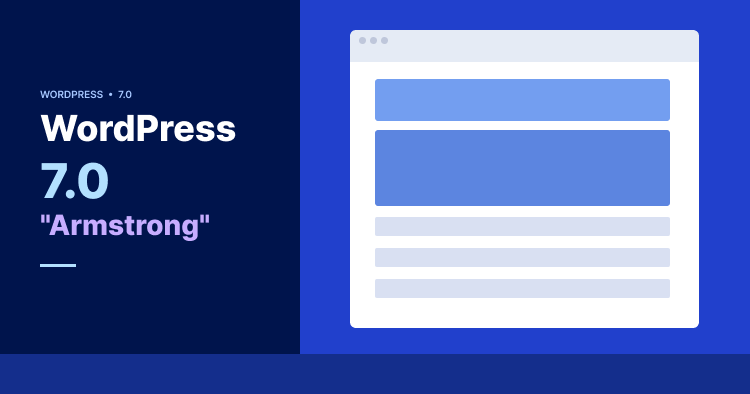
And the core theme for 7.0 is “Workflows”. WordPress 7.0 has also been officially named ‘Armstrong’, in honor of jazz legend and trumpet virtuoso Louis Armstrong.
The focus is on how teams get work done inside WordPress, not just how individuals publish content. Worth noting: WordPress currently powers 43% of all websites on the internet, holding a 62.8% CMS market share as of 2026. [W3Techs]
Host WordPress 7.0 the Right Way
Get a performance-optimized environment built for the latest WordPress, right out of the box.
Release Date & Timeline for WordPress 7.0
7.0’s release has an interesting story behind its timing. It was supposed to come out six weeks earlier. The original release date was April 9, 2026, which also coincided with WordCamp Asia in Mumbai.
WordCamp Asia is among the biggest WordPress community events worldwide, and the core team had decided to debut 7.0 there. But it couldn’t happen for reasons we’ll cover in the next section.
The good thing is that it’s out now, and the team won’t be doing it like last year and have announced three major releases for 2026:
- WordPress 7.0: May 20, 2026
- WordPress 7.1: August 2026
- WordPress 7.2: December 2026
| Milestone | Date |
| Alpha Begins | November 12, 2025 |
| Beta 1 | February 19, 2026 |
| Beta 2 | February 26, 2026 |
| Beta 3 | March 5, 2026 |
| Beta 4 | March 12, 2026 |
| RC1 | March 19, 2026 |
| RC2 | March 26, 2026 |
| RC3 | May 8, 2026 |
| RC4 | May 14, 2026 |
| RC5 | May 19, 2026 |
| Dry Run / Code Freeze | May 19, 2026 |
| Final Release | May 20, 2026 |
You may notice the 43-day gap between RC2 and RC3. That is exactly where the delay happened.
Since 7.0 is already live, the table is not about “when to expect it” but about understanding how thoroughly it was tested. More release candidates than usual means more rounds of bug fixing.
Why Was WordPress 7.0 Delayed?
WordPress 7.0’s most anticipated feature was RTC (Real-Time Collaboration). So, what is RTC? It’s simple. Think of it as multiple people editing the same post simultaneously AND seeing each other’s changes live, just like how it works on Google Docs.
RTC was the main focus of the core team and they had been building towards this for years as a part of Gutenberg’s Phase 3.
But what went wrong?
WordPress developers found themselves in a crisis. RTC was saving the synced data using “post meta”. Post meta is a storage system that WordPress uses to save extra information about posts.
The problem was that every time the block editor was opened, it was turning off WordPress’s query cache sitewide. In simple words, it was slowing down every single page and post on the site just by having the editor open.
The only proper solution was to build a brand new dedicated database table from scratch, which is a significant architectural change that takes time to design, test, and safely roll out.
Rather than delay the entire release indefinitely, the core team decided to remove RTC from 7.0 completely. The reasoning was that they preferred shipping a stable & powerful release without one feature than to keep pushing the date back. Also, they wanted to avoid the risk of shipping something that breaks site performance.
But the six extra weeks were not wasted.
The team used the extra time well. WordPress 7.0 was delivered by 875+ contributors worldwide, including 200+ first-time contributors, resulting in 420+ enhancements and fixes.
RTC is not abandoned. It is currently being reworked and is expected to ship in WordPress 7.1 (August 2026).
Sure, you’re not getting RTC in 7.0, but there are loads of exciting features covered in the next section.
What’s New in WordPress 7.0?
Let’s get into the new and exciting features of the latest version.
1. Native AI Integration
For the first time in the history of WordPress, AI is not just another plugin add-on. It is baked right into the core.
You’re not getting an AI writer or a chatbot, but a brand new infrastructure that allows AI to work inside WordPress in a standardized way.
Think of it like WordPress installing the electrical wiring in a house. The appliances (plugins and themes) can now plug in and use that power without each one needing to wire itself separately.
This is all thanks to the WP AI Client, the central interface inside WordPress core responsible for handling all communication between WordPress and any AI model. Instead of plugins building their own AI connection from scratch, they will now talk through this one client, keeping things consistent, secure, and easily manageable.
You also get the Abilities API, a registry where plugins, themes, and core declare what they are capable of doing in a way that AI can understand.
For example, a plugin can register an ability like “generate alt text for images.” The AI assistant can then discover that ability, ask for permission, and execute it within defined boundaries. It works with something called the Model Context Protocol (MCP), which is essentially a universal language that AI assistants use to communicate with software.
WordPress 7.0 also adds a brand new screen at Settings > Connectors.

Here you just have to enter your API keys once. Three AI platforms are available out of the box:
- OpenAI (ChatGPT)
- Google (Gemini)
- Anthropic (Claude)
As a site owner, you will not notice AI doing anything automatically after updating to 7.0. Just go to Connectors, add an API key from the available AI platforms, and then opt into the features you want. It is entirely opt-in.
Lastly, there is the AI Experiments screen. To access it, first install the official AI plugin by WordPress from the plugin directory.
Once installed, it appears under Settings > AI.
Click it to open the experiments screen which says: “Configure AI features and experiments for your WordPress site.”
From here you can opt into specific AI-powered features such as:
- Image generation and editing
- Excerpt generation
- Alt text generation
- Meta description generation
- Content summarization
- Content resizing
- Content classification
- Editorial notes and updates
- Title generation
Nothing is turned on automatically. You choose exactly what you want AI to do on your site. The list of available features will also depend on which AI connector you have configured and what models it supports.
2. Modernized Admin Dashboard (DataViews)
If you look at the WordPress admin dashboard, you’ll notice that it has been the same for years. Actually, the dashboard hasn’t had a meaningful visual update since 2013. That’s more than a decade of the same interface.
And if you spend a lot of time managing posts, pages, or media, you’ll feel this change immediately.
The traditional content list screens for Posts, Pages, and Media are being replaced by DataViews, a modern React-based system. You won’t be seeing the old table-style list anymore. Instead, managing content in WordPress will now feel like using a modern SaaS application.
Here are some of the changes:
- Content lists now have inline filtering without page reloads
- Multiple layout options: table view, grid view, or list view
- You can save your preferred views (for example: “show me all drafts from the last 14 days”)
- Bulk operations are more flexible than the old single-action dropdown
- Consistent spacing, cleaner typography, and visual alignment with the block editor
Beyond DataViews, the overall admin will also get a visual upgrade with:
- A new color scheme called “Modern”
- Animated page transitions powered by the View Transitions API
- Smoother dropdown interactions
- Unified form elements
- A consistent design token system for colors, spacing, and typography
3. Enhanced Notes & Asynchronous Collaboration
If you work in content, you’d know the frustration of scattered feedback across emails, Slack messages, and endless back and forth.
Before 7.0, content feedback lived outside WordPress. Someone would take a screenshot, paste it into an email or Slack, and the writer would have to guess which paragraph the feedback referred to.
WordPress 6.9 introduced basic block-level commenting. WordPress 7.0 expands it further into a full feedback system called Notes.
Users can now leave feedback directly on specific blocks or text fragments, tag teammates with @ mentions, and they’ll be notified automatically via email or dashboard.
The entire content review conversation will now happen inside the editor, exactly where the content lives.
4. Responsive Block Visibility (Hide/Show Blocks by Device)
One of the challenges with building a WordPress site was making things look right on mobile versus desktop.
Before 7.0, if you wanted to show a different layout on mobile, you either needed custom CSS, a plugin, or a developer to manually do it.
WordPress 7.0 changes that.
It lets you directly control the blocks and select how they appear on desktop, tablet, or mobile. It’s very simple. Just go to any block’s options and click “Hide” for the device type you want to hide it on.
Non-tech-savvy editors can now control mobile layouts directly from the block editor, without writing a single line of code.
5. New Blocks — Breadcrumbs & Icons
In all versions older than 7.0, you needed plugins to use breadcrumbs and icons. WordPress 7.0 changes that by making both native blocks.
Breadcrumbs Block
Breadcrumbs are the navigation trail you see at the top of a page, something like Home > Blog > Post Title.
With 7.0, you get a native Breadcrumbs block that integrates cleanly with the Site Editor. You get improved navigation, strengthened site structure, and better SEO, all without installing any plugin.
Icons Block
Icons, a.k.a SVG (Scalable Vector Graphics) icons, are image files that stay sharp and crisp at any size, unlike regular images that can get blurry when scaled up.
WordPress 7.0 introduces a new Icons block that lets you add scalable SVG icons directly into your content or layouts.
You can also customize the color, size, margins, and borders directly from the block settings. The default icon library is limited at launch but will be expanded in the future to support third party icon sets.
The introduction of both Breadcrumbs and Icons in 7.0 means two less plugins to install and maintain. Nobody wants to clutter their site with countless plugins, so any such optimization is a welcome addition.
6. Command Palette — Now Accessible Everywhere in wp-admin
The command palette is not a new feature in WordPress but the 7.0 version lets you access it everywhere across the entire wp-admin, not just inside the block editor.
You can open it with Cmd + K on Mac or Ctrl + K on Windows. You’ll also notice a ⌘K symbol button in the toolbar at the top of any screen that does the same thing.
So, now you can instantly navigate between content, jump to settings, or perform actions without clicking through multiple menus.
This feature is a real time saver for anyone managing a content heavy site or working in wp-admin daily. With this, one shortcut will replace dozens of clicks.
7. PHP-Only Block Registration
In the past, building custom blocks in WordPress required JavaScript knowledge (using Node, npm, and React) and a complex build setup. Not just non-technical users, but even a lot of PHP developers stayed away from block development entirely because of this.
WordPress 7.0 introduces PHP-only block registration. Developers can now build simple custom blocks using only PHP and WordPress automatically generates the inspector controls (the settings you see in the right sidebar when you click on a block) for them.
This also means lighter and faster plugin development for blocks that do not need complex interactivity.
Build and Test WordPress 7.0 Features Safely
Cloudways gives developers a fast, flexible environment to build and test without touching production.
8. Pattern Editing — Spotlight & Isolated Editor Mode
Synced patterns are reusable block groups used across multiple pages. Think of announcement banners, CTAs, or footer content that appears on several pages at once. Edit the pattern once and it updates everywhere.
Before 7.0, editing a synced pattern meant leaving your current editor, opening the pattern separately, making changes, and then navigating back. Way too time-consuming and quite confusing for non-technical users.
WordPress 7.0 introduces two new modes:
- Isolated Editor Mode: Edit synced patterns inline, right where you are, without losing the context of the page you were working on
- Spotlight Mode: Dims everything else in the editor and focuses your view on a single pattern at a time. Useful when a page is complex and you need to concentrate on one section
9. Block Design Tools & Typography Controls
WordPress users previously turned to page builders like Elementor or Divi to get these features. These are the kind of controls that were previously locked behind premium page builder plugins, often costing $50 to $100 a year.
With 7.0, WordPress has closed that gap and offers them built right into the block editor. Less plugin dependency, cleaner sites.
You get:
- Text line indent: Add indentation to paragraphs without writing CSS
- Text column support: Flow a single paragraph across multiple columns like a newspaper layout, without any plugin
- Aspect ratio controls: Lock images to a specific ratio so they never look stretched
- Dimension presets: Predefined spacing values that keep your layout consistent across the whole site
- Custom CSS at the block level: Add CSS directly to a specific block via the Advanced field without affecting other elements
10. Gallery, Grid & Cover Block Improvements
You get upgraded versions of the Gallery, Grid, and Cover blocks with 7.0. These aren’t new blocks but quite meaningful upgrades as they eliminate common plugin dependencies.
Here’s how they’ve improved:
Gallery Block: Now supports a lightbox mode. When you click an image, it opens in an overlay instead of a new page. To activate it, click the link icon in the Gallery block toolbar and select ‘Enlarge on click’.
Grid Block: Now has responsive layout support. Your grid adjusts intelligently to different screen sizes without custom breakpoints or CSS. Previously, getting a clean responsive grid required either a page builder or custom code.
Cover Block: Video backgrounds can now use embedded videos rather than requiring a direct file URL, giving you more flexibility for how you add video content to your pages.
11. Client-Side Media Processing
If you’ve ever uploaded images to WordPress, especially from a phone, you know it has many limitations and can be incredibly frustrating at times. For example, HEIC files from iPhones would often fail or upload incorrectly. But it has changed with 7.0.
Client-side media processing is now built into WordPress core. Images are processed and optimized in the browser before they are uploaded to the server. An excellent feature for any image-rich site.
HEIC files (the default image format on iPhones) are now automatically converted to JPEG with the correct .jpg extension before uploading.
With this, you’ll experience less server load, faster uploads, and won’t ever have to worry about file format compatibility. Especially useful for site owners who manage their content from a phone.
12. Visual Revisions Interface
Ever gone through the revision history of a post or page on WordPress? Comparing two versions to see what changed was a struggle because it required reading raw HTML files. For non-technical users, it was practically unusable.
WordPress 7.0 introduces a clearer Visual Revisions Interface inside the block editor itself with:
- Highlighted changes with clear color coding (additions in green, deletions in red)
- Block level previews that look close to the final rendered result
- One click restore to any previous version
Now anyone on your team can compare and restore versions without needing a developer to interpret HTML diffs.
13. Font Management for All Themes
The Font Library was introduced in WordPress 6.5 but was only available for block themes. So, if you were using a classic PHP based theme, you had no access to it and had to rely on a plugin to manage fonts.
WordPress 7.0 makes the Font Library available for all themes, including classic themes.
You can now manage installed fonts, upload new ones, or connect Google Fonts, all from Appearance > Fonts, without any plugin.
Again, this decreases the dependency on yet one more plugin. With 7.0’s new features, your site will be using a lot fewer plugins.
14. Customizable Navigation Overlays
Before 7.0, if you wanted to fix anything in the mobile navigation menu you either needed a developer or a plugin for proper customization. That’s why site owners had very little control over how their mobile menus looked and behaved.
WordPress 7.0 introduces customizable Navigation Overlays. You can now build your entire mobile menu experience using blocks and patterns directly in the Site Editor.
You can also add a close button anywhere in the overlay using the new Navigation Overlay Close block. Now you’ll have complete control over your mobile navigation without touching a single line of code or installing a plugin.
We’ve covered all 14 new features in WordPress 7.0. Now let’s look at what was promised but didn’t make the cut.
Ready to Explore 7.0’s New Features?
Test every new feature safely on a Cloudways staging site before touching your live site.
What Was Removed or Deferred from WordPress 7.0?
We’ve already touched on RTC (Real-Time Collaboration) not being a part of 7.0 as it needed more time to be done right.
And if your agency or team was specifically waiting for live co-editing to move to WordPress, that wait continues until August 2026, which is the expected release date of WordPress 7.1.
No Twenty Twenty-Six Theme
Unlike previous major versions, WordPress 7.0 hasn’t introduced any new default theme. Instead the team has focused on making existing block themes like Twenty Twenty-Five more powerful through the Site Editor and Phase 3 tools.
What’s Coming in WordPress 7.1?
Real-Time Collaboration is the headline. Beyond that, the team will continue building on the AI infrastructure and collaboration tools introduced in 7.0. With WordPress back to a three release per year cadence, August 2026 is not far off.
How to Upgrade to WordPress 7.0 Safely (Step by Step)
With all these revolutionary new features, you may get too excited and directly upgrade to WordPress 7.0. But don’t do that. Never upgrade to a newer version without testing it first. And with 7.0 it could pose a real risk, especially given the DataViews admin overhaul and AI infrastructure changes.
We’ll be detailing the steps of upgrading on Cloudways, because it’s simpler and safer. If you’re on a different host, the same steps apply but the process will vary slightly.
Step 1: Back Up Your Site
Cloudways offers daily automated backups running in the background. But before a major upgrade like this, it’s recommended to trigger a manual backup just to be safe. Here is how:
- Log in to your Cloudways account
- Go to your Application
- Click on Backup & Restore
- Click Take Backup Now
Doing so will give you a clean restore point in case anything goes wrong after upgrading.
Step 2: Check Your PHP Version
WordPress 7.0 requires PHP 7.4 as the minimum but PHP 8.3 or 8.4 is strongly recommended for best performance and security.
- Select your server
- Click Settings & Packages and then Packages
- Select PHP 8.3 or 8.4 from the dropdown under php
- Save changes
Step 3: Create a Staging Site
Even after creating a manual backup, don’t upgrade your live site directly. We’ll be using Cloudways’ free one-click staging feature for this:
- Go to your Application
- Click the three dot menu
- Click Clone App/Create Staging
- And Cloudways will create an exact copy of your live site
Now do everything on staging first before touching your live site.
One-Click Staging on Cloudways
Create a free staging environment in seconds and upgrade WordPress 7.0 without any risk.
Step 4: Upgrade to WordPress 7.0 on Staging
- Go to your staging site’s WordPress dashboard
- Navigate to Dashboard > Updates
- Click Update to WordPress 7.0
- Wait for the update to complete
- And your version will be updated in less than a minute.
Step 5: Audit and Test Your Plugins
Once upgraded on staging, check everything carefully. Especially check your plugins, because they’re most at risk. Check for:
- Any plugin that modifies Posts, Pages, or Media list views due to the DataViews overhaul
- Page builders like Elementor or Divi
- WooCommerce extensions
- Any plugin that hooks into the classic admin interface
Also, don’t forget to check if:
- Admin dashboard looks and works correctly
- Mobile layouts are rendering correctly
- Content editing works as expected
- Theme displays correctly
Step 6: Push to Live
Once everything checks out on staging, it is time to push to your live site. Here is how:
- Go to your staging application on Cloudways
- Under Application Management, click Staging Management
- Click Push
- A dialog box will appear asking for your preferences. You can choose to push Web Application Files, Database, or both
- Check the Backup option before proceeding. This creates a restore point of your live site just in case
- Click Proceed
Cloudways will handle the rest. The time it takes depends on the size of your application.
And that’s it. You’ll be upgraded to 7.0 and can start making the most of its new features.
WordPress 7.0 vs 6.9 vs 6.8 (Comparison Table)
Refer to the table below to see the quick comparison between 6.8, 6.9, and 7.0
| Feature | WordPress 7.0 | WordPress 6.9 | WordPress 6.8 |
| Release Date | May 20, 2026 | December 2, 2025 | April 15, 2025 |
| Gutenberg Phase | Phase 3 | Phase 2 | Phase 2 |
| AI Integration | Native WP AI Client, Abilities API, Connectors | Basic Abilities API | None |
| Admin Dashboard | Full DataViews overhaul | Minor UI improvements | Basic updates |
| Collaboration | Full Notes system, @ mentions | Basic block-level commenting | None |
| Real-Time Editing | Deferred to 7.1 | Not available | Not available |
| New Blocks | Breadcrumbs, Icons | None | None |
| Developer Tools | PHP-only block registration, Connectors API, MCP Adapter | Interactivity API, Abilities API | Basic APIs |
| Font Management | All themes including classic | Block themes only | Block themes only |
| Mobile Navigation | Customizable Navigation Overlays | Basic | Limited |
| Media Processing | Client-side processing, HEIC support | Server-side only | Server-side only |
| PHP Requirement | 7.4 minimum, 8.3+ recommended | 8.4 recommended | 8.3 compatible |
| Default Theme | No new theme | No new theme | No new theme |
| Performance | View Transitions API, iframed editor | Faster load times, better caching | Minor updates |
| Block Design Tools | Text columns, line indent, aspect ratio, per-block CSS | Standard tools | Standard tools |
Now that you know what changed across versions, let’s explore why Cloudways is the best place to run WordPress 7.0.
Getting the Most Out of WordPress 7.0 on Cloudways
Switching to the latest version is one thing, but a smooth experience requires more. It requires a performance-optimized host that meets 7.0’s specific requirements out of the box. Cloudways is built exactly for that.
Let’s explore why Cloudways is the best place to run WordPress 7.0.
How Cloudways Aligns With 7.0’s Requirements
You get everything on Cloudways that aligns perfectly with 7.0’s requirements.
1. PHP Support
WordPress 7.0 recommends PHP 8.3 or PHP 8.4. Cloudways supports both with one-click switching. You can upgrade or downgrade to any PHP version from 7.4, 8.0, 8.1, 8.3, and 8.4 with a single click. No server configuration needed.
2. Performance
7.0 introduces client-side media processing and the View Transitions API. Cloudways’ built-in caching plugin Breeze (a free WordPress caching plugin built by Cloudways) and CDN support ensure your site performs well with these new features running.
3. AI Infrastructure
The new AI Connectors framework makes API calls to external services like OpenAI, Google, and Anthropic. Cloudways’ server environments are fully compatible with these outbound API connections.
Benefits for Agencies and Managed Site Owners
If you own an agency and manage multiple clients, Cloudways has everything you need and more.
1. Managing Multiple Sites
Agencies managing multiple WordPress sites will benefit from Cloudways’ ability to handle upgrades, staging, and testing across multiple applications from one agency dashboard.
2. The Notes System and Collaboration
7.0’s Notes system means content teams are doing more work inside WordPress. Cloudways ensures the platform stays fast and reliable even with more concurrent users in the editor.
3. SafeUpdates
Cloudways offers a SafeUpdates feature that automates plugin, theme, and core updates with visual regression testing. Paired with 7.0’s significant changes, this is a valuable safety net for agencies.
Run WordPress 7.0 on Cloudways
Fast servers, free staging, automated backups, and 24/7 support. Everything your site needs.
Final Thoughts & What’s Next After WordPress 7.0
After a turbulent 2025, WordPress 7.0 delivers. Native AI infrastructure, a modernized admin, better collaboration tools, and a cleaner developer experience. The platform has grown up and it shows.
For site owners, the changes are immediately felt. The admin feels faster and more modern. Font management, responsive block visibility, and client-side media processing are the kind of quality of life improvements that make daily use noticeably better.
For developers and agencies, the Abilities API, PHP-only block registration, and the AI Connectors framework open up a whole new way of building on WordPress. Less complexity, more control.
And the best is arguably still to come. WordPress 7.1 is expected in August 2026 with Real-Time Collaboration reworked and ready. WordPress 7.2 follows in December 2026. The three release cadence is back and WordPress is moving with purpose again.
If you haven’t already, now is the time to set up a staging site, test your plugins and themes, and get your live site ready for 7.0. With Cloudways, the whole process takes a few clicks.
[email protected]
Sarim Javaid is a Sr. Content Marketing Manager at Cloudways, where his role involves shaping compelling narratives and strategic content. Skilled at crafting cohesive stories from a flurry of ideas, Sarim's writing is driven by curiosity and a deep fascination with Google's evolving algorithms. Beyond the professional sphere, he's a music and art admirer and an overly-excited person.