Disclaimer: This is a guest blog submitted by Srinivasa R. Atta and Goutham Bandapati
Let’s be honest. For years, “security” for many of us web professionals has been a last-minute checklist item.
You build the app, you test the features, and right before launch, you have a mild panic. “Oh, right. We need security.” So you bolt on a firewall, install a security plugin, add an SSL, and call it a day.
That’s like building an entire skyscraper and then, just as you’re about to open it, hiring a guy to check the front door lock.
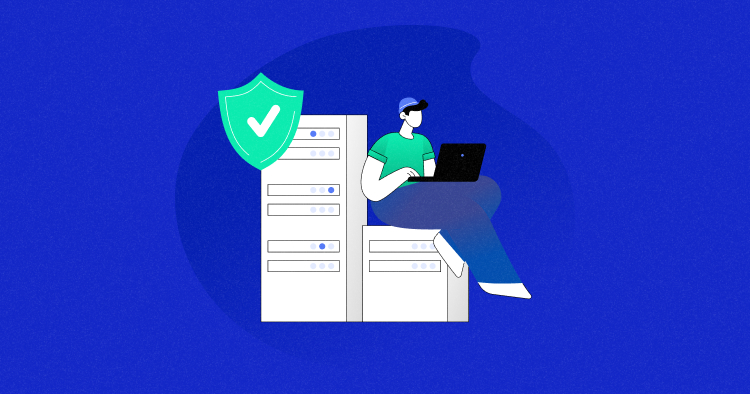
The major cloud providers and enterprise companies realized this “bolt-on” model was completely broken. The result? The rise of DevSecOps Cloud Security.
It sounds like another intimidating enterprise buzzword, but the core idea is simple: Security isn’t a final step. It’s a shared responsibility, built into every single part of the development lifecycle.
It’s not just “Dev” and “Ops” anymore. It’s “Development,” “Security,” and “Operations” working together, all the time. And in the cloud, this has evolved from a nice idea to a non-negotiable reality.
Here’s what that evolution looks like and how you can apply these same big-league concepts to the apps you run on Cloudways.
The Big Shift: From “Gatekeeper” to “Guardrail”
The old model was a “security gate.” You’d finish your code and throw it over the wall to a separate security team, who would spend two weeks testing it before either approving or (more likely) rejecting it. This was slow, frustrating, and everyone hated it.
The new model is all about automated guardrails. Instead of a gate at the end, security is a set of automated checks that happen constantly.
- Writing code? A tool in your editor warns you about a potential vulnerability as you type it.
- Committing code? An automated process scans your code for hard-coded passwords or leaky permissions.
- Building your app? A tool scans all your dependencies (like a WordPress plugin or a PHP library) for known issues.
- Deploying your app? The platform itself double-checks that your server is configured correctly.
The goal is to move security “to the left”—as early in the process as possible (this is what they call “Shift-Left”).
Why?
Because fixing a bug in your code editor takes 5 minutes. Fixing that same bug after it’s been deployed to production and discovered by a hacker is a 5-alarm fire.
How the “Big 3” Public Clouds Handle DevSecOps
To see this in action, just look at the toolchains the hyperscalers have built. They don’t sell “a security tool”; they sell a whole factory line of integrated services.
1. Amazon Web Services (AWS)
AWS provides a tight loop of services that automate the entire “code-to-cloud” pipeline.
- Code: Developers write code in AWS Cloud9 (their IDE) and store it in AWS CodeCommit (a private Git repo).
- Build & Test: AWS CodePipeline spots a new commit, grabs the code, and uses AWS CodeBuild to run tests. This is where “Sec” kicks in: CodeBuild can run a static analysis scan to check for flaws.
- Deploy: If scans pass, the pipeline deploys the app.
- Monitor: Once live, Amazon Inspector continuously scans the running application and server for new vulnerabilities, while AWS Secrets Manager handles all the API keys and database passwords so they’re never hard-coded in the first place.
2. Microsoft Azure
Azure is all-in on integrating its cloud platform with GitHub, which it owns.
- Code: A developer pushes code to a GitHub Repository.
- Build & Test: This push automatically triggers a GitHub Action. This is the DevSecOps workhorse. The workflow can use GitHub Advanced Security to scan the code (CodeQL), find vulnerabilities in dependencies, and check for leaked secrets.
- Deploy: If the scans pass, the same GitHub Action workflow can deploy the app to an Azure App Service.
- Monitor: Once running, Microsoft Defender for Cloud acts as the “boss,” monitoring everything—servers, databases, and containers—for misconfigurations and threats, while Azure Key Vault secures all the secrets.
3. Google Cloud Platform (GCP)
GCP is laser-focused on securing the “software supply chain,” which is a fancy way of asking, “Is the code running in production exactly the code you think it is?”
- Code: A developer uses Gemini Code Assist in their IDE, which uses AI to spot security flaws in real-time.
- Build & Test: They commit to Cloud Source Repositories. This triggers Cloud Build, which builds the code in a secure, temporary environment and generates a “birth certificate” for the app (called SLSA provenance). Simultaneously, Artifact Analysis scans the app for vulnerabilities.
- Deploy: Here’s the magic. A developer tries to deploy to Google Kubernetes Engine (GKE). A service called Binary Authorization steps in and says, “Halt! Show me your papers.” It checks for a valid “birth certificate” from Cloud Build and a clean vulnerability scan from Artifact Analysis. If either is missing, the deployment is automatically blocked.
- Monitor: The Security Command Center gives a single dashboard for all vulnerabilities, threats, and misconfigurations across the entire organization.
Bringing It Home: Practical Cloud DevSecOps on Cloudways
“That’s great for giant corporations,” you’re thinking, “but I’m a small agency running a dozen WordPress sites on Cloudways. What does this have to do with me?”
Everything. You can apply the exact same principles using the tools Cloudways provides and the CI/CD tools you already use.
DevSecOps on Cloudways is a partnership:
- Cloudways handles the “Sec” and “Ops” for the Infrastructure: Server-level firewalls, OS security patching, SSH/SFTP access, and IP whitelisting.
- You handle the “Dev” and “Sec” for the Application: Your code, your plugins, your themes, and your deployment workflow.
Here’s how you can build your own simple, practical DevSecOps pipeline.
Use Case 1: The Secure, Automated Deployment (Your CI/CD Pipeline)
Instead of the old “cowboy coding” method (editing live files over SFTP… we’ve all done it), you can automate your deployment from Git.
- Code & Commit (Dev): You fix a bug in a custom WordPress plugin. You test it locally and then git push your main branch to your GitHub (or GitLab/Bitbucket) repository.
- Scan & Test (Sec): This push automatically triggers a GitHub Action. You can find pre-built actions in the Marketplace that:
- Scan for PHP vulnerabilities.
- Check your JavaScript dependencies (npm audit).
- Lint your code for obvious errors.
- Deploy (Ops): Here’s the integration point. Only if those scans pass does the final step of your GitHub Action run. This step uses the Cloudways API (via a community-built GitHub Action) to trigger the “Deployment via Git” feature on your server. Your Cloudways server then pulls the clean, scanned code from your repo.
You’ve just created an automated guardrail. No more “oops, I pushed a typo that broke the site.” If the automated scans fail, the deployment to Cloudways never even starts.
Use Case 2: Layered Application Security (The “Ops” Part)
The “Ops” in DevSecOps also means monitoring and protecting the live app. Cloudways provides the server-level security, but you’re responsible for the application layer.
- Managed Server Security (Cloudways): Cloudways is already doing a huge part of the “Ops” for you. Their regular security patching means the underlying OS and packages (like PHP and Nginx) are kept up-to-date, closing vulnerabilities. This is a core DevSecOps principle (vulnerability management) that you get automatically.
- Managed App Security (Cloudways): Use the built-in security features. The Bot Protection add-on (powered by MalCare) is your application-level firewall (WAF), blocking bad bots before they can even hit your WordPress login page. Check out this video on the Cloudways Bot Protection feature, which is a great example of building security directly into your hosting platform. A Look at the Cloudways Bot Protection Feature This video is a helpful walkthrough of the built-in bot protection feature on Cloudways, which is a key part of the “Sec” and “Ops” puzzle we discussed.
- Managed Vulnerability Scanning (Cloudways): For WordPress sites, the Patchstack collaboration provides vulnerability scanning. It alerts you in the Cloudways panel if a plugin or theme you’re using has a known vulnerability. This is your “Amazon Inspector” for WordPress.
- Third-Party WAF (You): You can go even further by layering a service like Sucuri. Cloudways protects your server’s perimeter, while Sucuri protects your application’s “front door,” offering advanced WAF rules and malware cleanup.
Security Isn’t a Product, It’s a Process
DevSecOps isn’t about buying one magic tool. It’s a cultural shift. It’s about asking “How can we build security in?” instead of “How can we bolt security on?”
By combining the managed security and automated deployment triggers from Cloudways with the power of CI/CD pipelines in platforms like GitHub, you can stop being a “security gatekeeper” and start building “security guardrails.” Your clients will be safer, your deployments will be smoother, and you’ll sleep a whole lot better at night.
Authors
Abdul Rehman
Abdul is a tech-savvy, coffee-fuelled, and creatively driven marketer who loves keeping up with the latest software updates and tech gadgets. He's also a skilled technical writer who can explain complex concepts simply for a broad audience. Abdul enjoys sharing his knowledge of the Cloud industry through user manuals, documentation, and blog posts.