Key Takeaways
- Traditional scaling adds resources to one server, which creates a single point of failure and charges you for peak capacity around the clock.
- Autoscaling distributes traffic across multiple pods that spin up automatically during spikes and shut down when traffic drops.
- Upgrading CPU and RAM will not fix a slow site if PHP workers are capped, since requests queue up regardless of available power.
- Autoscaling solves for unpredictability, not just capacity, which makes it a structurally better fit for sites with bursty or seasonal traffic.
Ever gotten worried by an influx of traffic on your site? But everyone wants more of it, so why should it even be concerning? It is, for those whose site crashes. And then they upgrade their servers, pay more, and the same thing happens again.
Doing so puts a dent in the bank as you’re paying for peak capacity all month JUST for a spike that lasts a few hours.
Your site or store should always be ready to welcome these spikes and never go down. Autoscaling does that by adding more servers only when traffic demands it, and scaling back down when it doesn’t.
But some site owners stay away from it because they think it’s too complex, expensive, and more of an enterprise thing.
However, that’s not true.
There is a cheaper and more reliable way. And this blog covers everything about it, and why autoscaling is a smarter fix than just upgrading your server.
There’s a Smarter Way to Handle Traffic Spikes
Cloudways Autonomous scales your WordPress site automatically, so you never have to guess how much server you need.
What Is Traditional Scaling for WordPress
Traditional scaling works by running your site on one server. And when it can’t bear the load, you strengthen it by adding more CPU, RAM, and storage.
Usually, you’ll see a slider or a button on your hosting dashboard that you can pull to add more resources. It’s easy, doesn’t require any technical prowess, and can be done by everyone.
But the catch is that it doesn’t work every time.

It works if your traffic is predictable and grows steadily. But it has its downsides.
You’re paying for a bigger server that charges you the same at all times. Even when nobody’s visiting your site, say a random Tuesday at 3AM, you’re still paying.
One machine also means one point of failure. If it goes down, everything goes down with it.
There’s also a limit to how much you can add to a single server. And when you do resize, your site experiences brief downtime. You don’t want that, especially during a spike.
And What Is Autoscaling in WordPress?
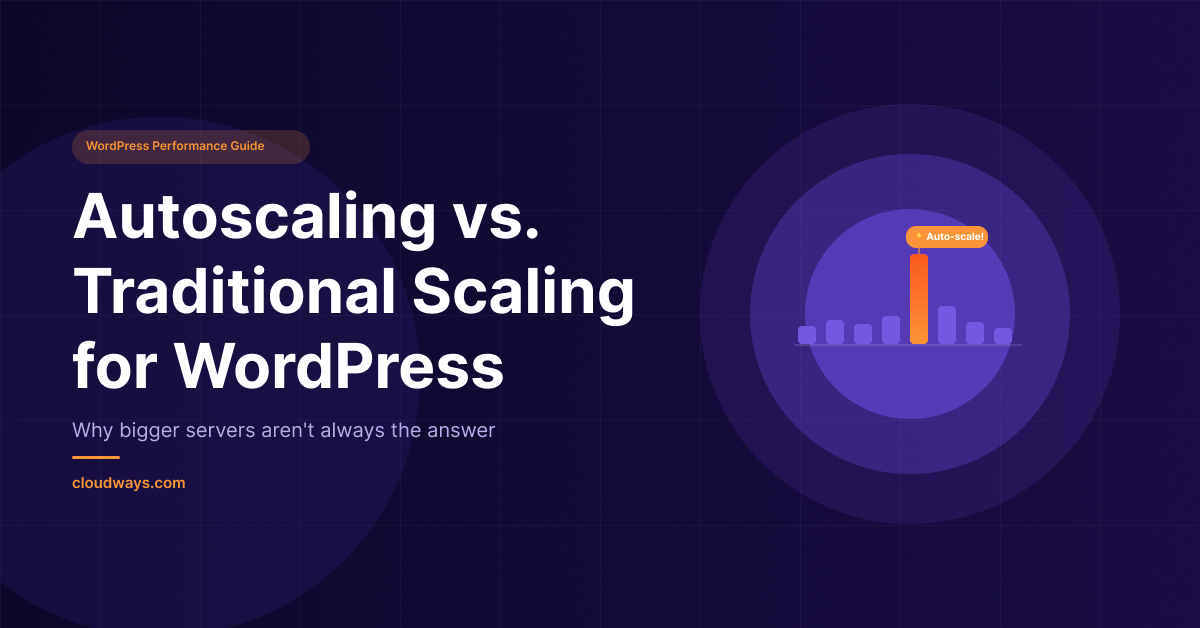
Autoscaling, as the name suggests, scales your server automatically based on traffic and adjusts it up and down on its own without any manual intervention.
Traditional scaling makes one server stronger, autoscaling adds more servers instead.
Say you’re standing in a long checkout queue at a supermarket. Rather than making one cashier work faster, autoscaling opens more checkout lanes. And when the traffic decreases, those extra servers disappear and you stop paying for them.
Here’s how it actually works. Your site runs across multiple pods, each pod is like a complete copy of your site running independently.
When traffic climbs, new pods spin up in seconds to share the load. A load balancer sits in front of all of them and directs each visitor to whichever pod is free. When traffic settles, extra pods shut down automatically.
Autoscaling doesn’t care about how many visitors you have. It reacts to how hard your server is actually working. That’s the important distinction.
Another thing worth noting is that a well optimized site hits those thresholds less often, a bloated one with heavy plugins hits them faster and scales more frequently.
How Autoscaling Handles What Traditional Scaling Cannot
During Black Friday or when something goes viral on your site, or even when there’s an online sale, you can’t really predict how much traffic you’re gonna get. Hence, you can’t accurately size your server for that.
With traditional scaling you have to predict (whatever you can), act on it, and hope you got it right. But autoscaling just handles it on its own.
And even after upgrading their CPU and RAM, most people wonder why their site is still slow. The answer to this is “PHP workers.”
A PHP worker is basically a process that handles a single request on your site at a time. When someone visits a page, a PHP worker picks it up and serves it. And when all workers are busy, the next request waits in line.
So, if you have 10 PHP workers and 50 people come to your site at the same time, 40 of them are waiting. That wait shows up as a slow site or a timeout. More CPU and RAM doesn’t fix that because the bottleneck isn’t power, it’s the number of workers available to handle requests.
On a traditional server PHP workers are capped. So, when they run out, requests queue up regardless of how much CPU and RAM you have. But with autoscaling, each new pod adds 100 PHP workers automatically. And this is what actually keeps WooCommerce checkouts and dynamic pages moving under load.
Since your site runs across multiple pods, if one pod has an issue the others keep serving without missing a beat. That’s what makes a 99.9% uptime SLA actually achievable, and not just a number on a pricing page.
Now, is traditional scaling really cheaper than autoscaling? Let’s find out.
Traditional scaling charges you the same rate all month, regardless of you needing that upgrade or not. Autoscaling only charges for burst capacity when it’s actually running.
Take Cloudways Autonomous for example.
Say your site spikes during Black Friday for 4 hours.
On the Growth plan, 2 extra pods running for those 4 hours costs you $0.56 on top of your $100 base. Your total bill that month is $100.56.
Upgrading to the Scale plan to handle that same spike costs $200 for the entire month, whether the spike lasted 4 hours or 4 days. That’s a $99.44 difference for 4 hours of extra capacity.
When your traffic is unpredictable, autoscaling doesn’t just keep your site up. It keeps your costs honest too.
Stop Paying for Traffic Spikes You Haven’t Had Yet
With Cloudways Autonomous, you only pay for the extra capacity when your site actually needs it.
When Traditional Scaling Still Makes Sense
In some cases, traditional scaling still works. If your traffic grows gradually month over month and you can see it coming, vertical scaling keeps up just fine.
The same goes if you’re running a high traffic site with consistent, predictable volume and no real spikes.
You can upgrade when the need arises and don’t have to pay for infrastructure built for spikes you never get. Autoscaling solves for unpredictability, so if that’s not your problem, you don’t need it.
And if you’re just starting out, it’s fine to begin with vertical scaling, optimize the site, and revisit autoscaling when the traffic patterns actually demand it.
Autoscaling WordPress With Cloudways Autonomous
Now if you deal with unpredictable traffic, you need an infrastructure that is built differently from the ground up. Something that autoscales up and down as the need arises.
Autonomous by Cloudways is one such solution that isn’t just autoscaling bolted onto traditional hosting. It was built from scratch on Kubernetes specifically for this problem.
What is Kubernetes, you may think?
Kubernetes is the system that manages when pods come and go. It’s the same technology that powers Google and Spotify at scale. Cloudways took that enterprise grade infrastructure and packaged it so you never have to touch it or understand it.
So, with Autonomous, your site doesn’t live on one server. It lives across multiple pods, each one a complete running instance of your site. Kubernetes watches all of them constantly. And when traffic spikes, Kubernetes spins up a new pod in seconds. The load balancer in front of your site immediately starts sending traffic to it. While the whole thing happens, your visitors never experience any downtime.
And when traffic drops, Kubernetes quietly shuts the extra pod down. You stop paying for it the moment it stops running, so you only pay for what you actually use.
If one pod develops an issue, Kubernetes replaces it automatically without any downtime. Your site keeps serving from the other pods while the replacement spins up. That’s what self healing infrastructure means in practice.
The minimum baseline servers depend on your plan. One for Growth, two for Scale, and three for Plus. So even at your lowest traffic point, you have redundancy built in across Scale and Plus plans. No single point of failure, ever.
Everything is pre-configured. The PHP version, the Redis or Relay setup, the Cloudflare connection, the Object Cache Pro integration. None of it requires you to make a decision or touch a config file. For new users, Relay is set as the default caching option. You add your site and it works.
Imagine a restaurant that can instantly open more tables and seat more staff the moment a lunch rush hits, and quietly close them again when it quiets down. You’re only paying for the tables that are actually in use. And if one waiter calls in sick, the others cover without the customer noticing.
What’s Included in Every Cloudways Autonomous Plan
With Autonomous, you get enterprise grade Kubernetes infrastructure, but that’s not all of it. The rest of the stack matches that level too and is all included in every Autonomous plan without requiring you to pay anything extra.
Here’s what you get:
Cloudflare Enterprise
Built into every Autonomous plan for free, otherwise worth $250+ a month. With Cloudflare active, you get full page caching, DDoS protection at layers 3, 4, and 7, WAF, and global CDN. Combined, these features give your site enterprise grade protection and improve caching at the edge before a request even reaches your server.
Object Cache Pro
Every time a logged in user visits your site, WordPress goes to the database to fetch their data. Cart contents, product details, settings. On a busy store, that’s hundreds of requests hitting the database at the same time, over and over. Object Cache Pro remembers the answers so the database doesn’t have to keep looking them up.
You’ll notice the difference on WooCommerce stores where the cart and checkout pages slow down under load. Object Cache Pro keeps those pages fast and keeps the WordPress admin responsive. Worth $95 a month standalone, included in every Autonomous plan for free.
Redis
Redis is where Object Cache Pro actually stores those remembered answers. Think of it as the memory bank. Without it, object caching has nowhere to save anything. On most hosts you’d have to set it up yourself. On Autonomous, it’s available if you choose it.
Relay
Relay is the default caching option for new Autonomous users, and it goes a step further than Redis. Instead of storing cached data on disk, Relay keeps it directly in PHP memory. That means faster reads and less overhead on every single request.
The paid Business plan of Relay is worth $147 a month. On Autonomous, you get it for free.
Automated Backups & Staging
We all know the pain of not backing up our servers. And as humans we forget to do it on time. Autonomous takes care of that with offsite backups that run automatically every 12 hours. They are unlimited and free, so you never have to worry about storage costs eating into your plan.
You can also trigger an on-demand offsite backup anytime before pushing a big update or making a risky change. And restoring is a one click process. Pick the date, confirm, and it’s done.
Local backups are also available if you prefer them, though they do count against your server storage.
You also get advanced staging & cloning features (worth $20) with one click push and pull. Test changes, plugins, or updates on a copy of your live site before pushing them. Nothing goes live until you say so.
Free Managed Migrations
Moving a WordPress site without breaking something is more work than it sounds. Redirects, database connections, DNS, SSL, file permissions, it can get quite hectic.
Thankfully, Cloudways handles all of that for you as part of the migration. You don’t have to touch anything, they move the site, you check it looks right. Available to all Autonomous subscribers within their current plan limits, at no extra charge.
And that’s just what comes included.
Free Cloudflare Enterprise worth $250 a month, Object Cache Pro and Relay worth $242 a month, advanced staging and cloning, SSL, built-in firewall and DDoS protection, malware protection, managed migration, and unlimited offsite backups. All of it, without paying a cent extra. The performance numbers are what make the real case.
Enterprise-Grade Stack. No Extra Charges.
Cloudflare Enterprise, Object Cache Pro, Redis, and free managed migrations are all included in every Autonomous plan.
Cloudways Autonomous Performance Benchmarks
Claims are easy to make. Numbers are harder to argue with.
According to 12 months of independent, third party monitoring by Hostingstep, Autonomous delivered 20ms load handling, 358ms TTFB, and 100% uptime. Not a single outage. For context, anything under 600ms TTFB is considered good. 358ms is excellent.
But the numbers that really tell the story come from a WooCommerce stress test run by Koddr.io. They simulated real shoppers on a real store, adding to cart, checking out, and browsing under load. The kind of traffic a flash sale or a Black Friday event actually generates.
At 100 concurrent users, Autonomous handled 6.9 add to cart actions per second. The closest competitor managed 1.49. At 1,000 concurrent users, Autonomous was still processing 12.5 add to carts per second. The competitors? Zero. They couldn’t complete a single transaction.
~ Source: Koddr
Checkouts tell the same story. At 1,000 concurrent users, Autonomous processed 8.60 checkouts per second. Competitors processed none.
Now apply these numbers to your own store. During your biggest sale of the year, when a thousand people are shopping at the same time, your checkout works. Theirs didn’t. Every failed checkout is a lost sale. Every timeout is a customer who doesn’t come back.
The error rate at 200 concurrent users was 0.10% on Autonomous. Competitors were hitting 100% error rates at the same load. Meaning every single request was failing.
That’s not a small difference. That’s the difference between a sale and a crash.
Autoscaling Analytics and Budget Control
The biggest reason people hesitate with autoscaling isn’t the technology. It’s the bill anxiety. What if it just keeps scaling and I end up with a surprise charge at the end of the month?
With Autonomous, that’s not an issue.
First, set a monthly spending cap on autoscaling directly from your dashboard. So, you get alerted when you’re approaching the limit.
And when you finally hit it, autoscaling pauses. You stay in control of what you spend without having to monitor anything manually.
Second, the Autoscaling Analytics dashboard shows you exactly when your site scaled, how many pods ran, for how long, and what it cost.
You can see exactly which traffic event caused which scaling spike and spot patterns over time. So you’d know what your final bill would look like.
And if you ever detect suspicious traffic or a DDoS attempt, Cloudflare Under Attack Mode lets you add an extra verification layer from your app settings with a single toggle.
Bots can flood your server with thousands of fake requests, and without protection, your infrastructure scales to handle them just like real traffic. Under Attack Mode filters that out before it reaches your server, so you’re never paying for traffic that was never real.
Between the spending cap, the analytics, and the attack protection, the three things that make most people nervous about autoscaling are covered before you even have to think about them.
Cloudways Autonomous Plans and Pricing
Autonomous comes in three plans.
- Growth at $100 a month gives you one baseline server, 150GB bandwidth, and 20GB disk.
- Scale at $200 gives you two baseline servers, 250GB bandwidth, and 50GB disk.
- Plus at $400 gives you three baseline servers, 1TB bandwidth, and 100GB disk.
Need something bigger? There’s a custom Enterprise plan too. See the details here.
Every plan bills hourly, so you only pay for what you actually use. When autoscaling kicks in, extra pods are charged at $0.07, $0.10, or $0.12 per hour depending on your plan.
When traffic drops and the pods shut down, the charges stop. Visits are unmetered across all plans, meaning you never get billed for traffic volume, only for the resources actually running.
The Bottom Line
Traditional scaling and autoscaling aren’t competing solutions. They solve different problems.
If your traffic is steady and predictable, traditional scaling works fine. Upgrade when you need to, pay for what you use, move on.
But if your traffic spikes without warning, a bigger server doesn’t fix that. It just means you’re paying more when the site goes down. The problem was never the size of your server. It was that one server was never built to handle the kind of traffic that shows up unannounced.
That’s what autoscaling solves. Not capacity. Unpredictability.
So before you hit that upgrade button next time, ask yourself one question. Is my traffic predictable enough that a bigger server will actually help? If yes, upgrade. If not, you already know the answer.
[email protected]
Sarim Javaid is a Sr. Content Marketing Manager at Cloudways, where his role involves shaping compelling narratives and strategic content. Skilled at crafting cohesive stories from a flurry of ideas, Sarim's writing is driven by curiosity and a deep fascination with Google's evolving algorithms. Beyond the professional sphere, he's a music and art admirer and an overly-excited person.