EXPLORE CLOUDWAYS
Experience lightning-fast loading times and seamless platform
View Demo >PRODUCTS
CLOUD PROVIDERS
SUPPORTED APPS
WHO WE SERVE
PARTNERSHIP PROGRAMS
Lifetime deal: 75% OFF
Advanced Support
POWERFUL FEATURES
DISCOVER
WHY CLOUDWAYS
 Read Case Study >
 Jesse Tutt
Founder & CEO

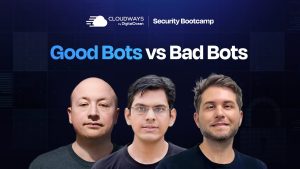
A Cloudways Security Bootcamp session on the biggest bug bounty hunt in WordPress history, where over 1,500 vulnerabilities were found across 1,000+ plugins in a single month.
🎙️ Speakers
▸ Oliver Sild — CEO, Patchstack
▸ Maciek Palmowski — Security Community Manager, Patchstack
▸ Host: Moeez — Community Lead, Cloudways
✨ Key Takeaways
✦ A one-month October event opened rules to older, smaller plugins and produced over 1,500 valid vulnerability reports.
✦ Almost 8,000 WordPress vulnerabilities were published in 2024, and about a third never got a patch.
✦ Keeping a site updated is no longer enough, hackers exploit disclosed flaws within hours.
✦ AI is a double-edged sword: it generates insecure plugins but also helps find vulnerabilities faster.
✦ Vet plugins by their history and whether they run a real vulnerability disclosure process.
✦ Cross-site scripting was the dominant flaw at about 67%, often from skipping basic input sanitization.
✦ Prioritize 2FA, device hygiene, and virtual patching, and run malware scanning server-side rather than as a plugin.
Moeez: As you may already know, or you may not know, Patchstack recently conducted a bug bounty where they analyzed more than a thousand plugins to see what security threats, what loopholes they have, and they came up with a very interesting report. And to discuss that we have with us Oliver Sild. You might know Oliver Sild from Patchstack, from different WordCamps and events. Oliver has been a huge contributor towards WordPress. He and his team have been contributing towards WordPress and WordPress security over the past so many years. And I’m so excited to have Oliver. Oliver, how are you, and if you can just give a short introduction about yourself to our audience?
Oliver Sild: Hello everyone. Happy to be here. Yeah, I’m Oliver, I’m the co-founder and CEO of Patchstack. So indeed we’ve been working on WordPress security since a very long time, I think over 10 years already, like personally over 10 years already. So what we do at Patchstack is we provide vulnerability management and mitigation. So if we look into security vulnerabilities in the WordPress ecosystem, more than half of them are essentially disclosed and published by Patchstack. So that’s something that we really really focus on.
Moeez: Awesome. Along with Oliver we have Maciek Palmowski. I hope I’m pronouncing his name right. So we have Maciek with us today in a panel discussion. So let me just give a brief introduction of Maciek. Maciek has been with Patchstack along with Oliver. He’s a web security enthusiast. He’s a seasoned web developer and he has been working with Oliver and Patchstack over the past few years to make sure that we have a safer online environment. So Maciek, thank you so much for being here. We are so excited to have you here to present this, to have this panel discussion with us. Maciek, would you like to give a short introduction about yourself? I may have missed something, but if you’d like to add anything to it.
Maciek Palmowski: So yeah, for most of my career I was a developer, but at some point I decided to switch to more people-related roles like DevRel, community management. So this is my role right now. I’m a security community manager at Patchstack. So I’m managing our lovely group of researchers that we have, and it’s fun. It’s really fun.
Moeez: I’m sure it is, Maciek. I think Patchstack is an amazing team. I have a few friends who work at Patchstack as well and they have really nice things to say about you folks. So let’s move on with the first question of this panel discussion. So you conducted this bug bounty and it seems like a lot of work. I’m sure it had a lot of man-hours go into this, a lot of money invested into this. So what was your motivation behind conducting this bug bounty? What came to your minds when you thought that, okay, so this is something that we have to do, and what was the motivation behind targeting WordPress plugins at that magnitude, at that scale? Oliver, if you’d like to start us off.
Oliver Sild: I think actually it would be even better if Maciek starts with that, because he was very much involved with setting this whole thing up and I think it would be better if it comes directly from the source.
Maciek Palmowski: Okay. Sure. So in short, we run a bug bounty every month. We just have a usual event that is quite simple. Researchers try to find vulnerabilities inside of WordPress themes, plugins or core, they gain experience points, and at the end of the month, based on the leaderboard, they earn money. It’s as simple as that. But once in a while we run some special events, and back in October, because October is cybersecurity month, together with Darius we decided, yeah, it would be really cool to clean up the repository a bit.
So we changed our bug bounty rules for that month and we allowed smaller and older plugins to take part in it. In short, because, if I remember correctly, back then a plugin had to have 10,000 installs and be updated in the last three years. And let’s remember WordPress is 25 years old already. So there are a lot of plugins that are much older and still weren’t used on more than 1,000 sites. So yeah, we changed those rules, and that’s how it started, and it ended up with 1,500 something valid reports. So it was huge, and as you mentioned it was a lot of work hours. Our triage team, how to put it mildly, they were tired, they were very tired at the end of the month.
Oliver Sild: I think maybe a good addition to have here is that, if you compare, before we created the Patchstack Alliance program, which is ethical hackers, kind of like an open bug bounty program around the WordPress ecosystem, in 2022 the total number of security vulnerabilities found in the WordPress ecosystem was 500 in the entire year. So now, during this program, inside of a single month we did three times the volume of an entire year of 2022. So the internal processes that our triage team has, and the whole setup of how we can even validate that many vulnerabilities, it’s incredible.
Moeez: Awesome. That’s awesome work. Again I would like to acknowledge the fact that a lot of work and time and money has gone into making sure that you analyze these plugins and you address this issue to the larger audience. And that would lead me to my next question. What does that tell us about the overall security of the WordPress landscape? You conduct this activity every month. You find loopholes every month. You turn out reports every month. So what does that tell you? Is WordPress really safe for people? Is the landscape really safe for users nowadays, or should people think about something else?
Oliver Sild: Funny thing is that I just gave a talk at CloudFest like one hour ago, on stage here in person. I’m on the call right now from the hotel here. But when we look into 2024 for example, the total number of security vulnerabilities found in the WordPress ecosystem was almost 8,000. So 8,000 vulnerabilities published in a single year. That’s quite a crazy number, right? What we need to think about is that these vulnerabilities have existed in the WordPress ecosystem for years, for many many years. It’s not that these are new vulnerabilities that are now being introduced into the ecosystem. These are vulnerabilities that have been sitting there, being available to hackers to just take over websites.
So what we have started to do at Patchstack is just to put a lot more attention into like, okay, we need to find those vulnerabilities before the hackers can and make sure that these are getting properly patched, that they are getting correctly disclosed, we coordinate the CVEs for them and all these kind of things. But something to maybe keep in mind is like, 33% of all those vulnerabilities never received a patch. So if you’re a developer and you are thinking that, oh, my websites are secure, I’m just going to keep my website updated and things like that, then this is today not a realistic security measure anymore.
Like, first of all, hackers are exploiting vulnerabilities in a matter of hours. So if a vulnerability is being disclosed at 2 am in the morning, you’re most likely not waking up at 4:00 a.m. to start patching things up. And in 33% of the cases you don’t even have an update. So I think the security measures need to really change in terms of, if we want to have an effect in protection against WordPress.
And maybe something I could add here additionally, for what we see happening already and what I see happening when we go into 2025, is AI. And specifically the, it’s like a double-edged sword, because what we see is that WordPress as an ecosystem has always been a platform where a little bit less technical people can set up very functional websites. So in the past they’ve been using plugins for that, where they can just choose whatever plugin, install, click install and go forward with their life, and all they care about is whether it’s visually functional. Right now, additionally to plugins, they have AI, which basically does the same thing, where they ask the AI to, hey, can you create me this functionality, and then if it visually looks functional, they just deploy it.
And we already see people generating plugins and uploading those plugins to WordPress.org, which are completely AI generated, and they are just riddled with vulnerabilities. So we are now seeing this situation where those AI generated plugins don’t have any supervision of whether they are secure or not, because the people that created those plugins don’t necessarily have the technical knowledge to look into that. And then there’s this second half, or the other end of the sword, where AI can also be very effectively used to find new vulnerabilities. We have an internal tool that we’ve built over a year already, which we are slowly kind of making public information, but we are soon releasing this as a new product, which already finds security vulnerabilities in the plugins automatically.
So we need to take into account that this is not only Patchstack that has capabilities such as this, but over time hackers will have tools like that as well, which will make finding vulnerabilities a lot easier, but also exploiting them even quicker. So that’s kind of the direction where I see. Plus compliance, but I think this is a separate topic on its own.
Moeez: Yeah. Maciek, anything that you would like to add to Oliver’s response?
Maciek Palmowski: No, I’m really happy that Oliver mentioned about the AI, because even now we can see on social media there is one guy getting viral because of how he nicely called it, vibe coded an application, and suddenly everyone is hacking it from everywhere, and it was a paid application. So this is even a level higher, right? And he was very surprised that this is happening, because it turns out that people really trust AI. And for me it’s quite scary that we kind of learn to trust AI that quickly, without thinking about potential consequences, or the fact that yeah, AI still can’t think about everything.
I mean, how it was nicely put once, that AI is garbage in, garbage out. So if someone doesn’t know a lot about programming, about some consequences, the prompt he will create will be probably correct in terms of functionality, but there won’t be any security measures there because the person doesn’t have a clue about this. So without asking AI with the proper prompt and asking it to add those security measures, because it would probably help a bit, or at least it would be a great starting point, yeah, now we will be flooded with a lot of code like this. And I think that next year we might have even more vulnerabilities than we had this year.
Moeez: It’s only going to get more vulnerabilities and more insecure for users out there, that’s what the data tells us, right? And before I move on to the next question I just want to jump into the comments. I think there are a few questions from our audience over here for you guys. So I will start off with Ralph who has a question, what’s the process to evaluate a plugin for security and stability? I think the answer to this will be a bit longer, but if you can just briefly share what the process looks like when you are evaluating a plugin for security and stability, for anyone to evaluate a plugin.
Oliver Sild: For the security and stability I would look into their security processes, like do they have a vulnerability disclosure program? And that puts it into the compliance piece, because we have a Cyber Resilience Act in the EU which is like a GDPR for software security. So if you’re using a plugin you have to look into whether they have a vulnerability disclosure program in place. If they don’t, then it kind of tells already that probably other things security related are not getting attention either. So that’s I think one of the easiest ways at this point to look into it.
Maciek Palmowski: I would start with the vulnerability database. For example we have one, WordFence at Wordfence has them too, and kind of checking a plugin that you want to install. There you will find this plugin’s history of vulnerabilities and status of those vulnerabilities. So if you see that a plugin had vulnerabilities but all of them were fixed quickly, it’s a good sign, because it’s normal that we make mistakes, but it’s very important how they handle the problem. If they fix a problem very swiftly, they were open about it, it’s a great sign.
But if you see in the history that there were vulnerabilities, but you cross-check the changelog and there won’t be any word about this, that’s a huge red flag, because it means that they are hiding some things. So there are a lot of those small little things you have to take into account. But in general, as Oliver mentioned, if this plugin has some security related processes, it’s already a great sign, and together with connecting it with the plugin history, it should give quite a good opinion about if it’s a good solution, at least in terms of security.
Moeez: Awesome. My next question is, you can talk about plugins and how plugins have these security vulnerabilities and loopholes, but apart from plugins, where do you see the biggest security gaps in WordPress? Is it the core, is it the hosting environments, the third party integrations that many users opt for? Apart from plugins, where do you see users getting security threats coming from?
Oliver Sild: Well if we look into our data set, then it’s like 99.9% of the vulnerabilities are coming from plugins, and out of the 7,000, was it like 7,966 vulnerabilities I think it was last year, seven of them were from WordPress core, and none of those in the WordPress core were actually critical vulnerabilities that were ever exploited. So it’s 100% about plugins and everything that you are installing on top of this.
Honestly, this discussion about like, okay, to keep your WordPress website secure you need to use a secure hosting company, I think this is something that is like 10 years old kind of recommendation, where hosting companies had really bad configurations, everything was in a shared environment and config files were publicly available and things like that. We’re not in this world anymore, right? Web hosting infrastructure is pretty secure. But what is not secure is the way how people are actually building and putting together those applications that they are hosting in those environments.
If we look into how websites are getting hacked, there’s three main core reasons. One is essentially everything related to the cyber hygiene of that user who has access to the WordPress admin panel, and that’s where they have just a very poor password policy where they use weak passwords, usernames, maybe their username and password is stolen because they are reusing it on multiple websites and some website got hacked, and there’s also session hijacking, where the devices, we see malware that is essentially faking browser updates and asking you to install fake widgets, and then it will steal all the session cookies from your browser and then get in.
So it also boils down a lot into like, what is your everyday security posture, right? And then there is the second half really of why all the WordPress websites are getting hacked, and that’s plugin vulnerabilities. So to solve WordPress security, basically what you need to have is make sure that nobody’s getting access to your admin panel because of your password, username, and your stolen sessions, and the second half is literally just vulnerabilities. That is the two main avenues where most of the attention should go.
Moeez: Yeah. All right. Maciek, anything you would like to add?
Maciek Palmowski: I remember, during one WordCamp that I was in, I think in Wroclaw, there was one guy who did an experiment. He prepared a server with WordPress that was kind of open for hacking. He wanted to check what will be the approaches of how the hacking will happen, and he observed the logs and he saw, the first phase, and it was really a matter of minutes since the website was up, so the thing that Oliver mentioned before about how quickly the vulnerabilities can be used. So first phase was kind of detecting what is happening on this website. What CMS is it, is it Laravel, is it WordPress? Okay, it’s WordPress, great. So they started with a brute force attack.
So having a weak password can be a huge huge problem. I mean not using two-factor authentication right now, wow, it’s like asking yourself for having some additional problems. And so in his case at least, he saw that the first wave was, let’s call it quite primitive, because those brute force attacks, some very obvious ways of checking if there is some password shown, like for example maybe someone left a backup of the WP config file, things like this. But very quickly, when the brute force wasn’t enough, when he changed the password to something stronger and when the brute force phase ended, they started scanning more deeply to check what plugins there are. So this would be another phase, vulnerability.
Moeez: Awesome. Coming back to the bug bounty, we do have a lot of questions regarding that, and my next question is, what were the most common security flaws that you found out in this bug bounty hunt, and how can developers avoid making the same mistakes again? Because I understand that there must be a trend that you may have noticed when you were doing this bug bounty, when you were analyzing the reports. There must have been a trend where you can see, okay, these are the security flaws that are present in most of these plugins. And I think people here would love to know what those trends were so that they can avoid those in the future.
Maciek Palmowski: So I think that the biggest trend was cross-site scripting, always. So if I remember, let me just check because I have this article right now with the stats. So cross-site scripting was 67% of the vulnerabilities we found during this bug bounty, and from what I remember from our white paper it was also a number similar to this in a scale of year. So yeah, cross-site scripting is like the most popular way, because it’s both the simplest to have and it’s quite simple to detect by researchers. We also see this. So it goes in both ways. And well, validation, sanitizing data, things like this, let’s be honest, the basics. We have the functions already in WordPress for this, but very often we just forget to use it.
Moeez: Yeah. And before I move on to the next question we have a question from the audience, and Afkar asks that if you can just explain briefly what cross-site scripting is to our audience.
Maciek Palmowski: So in short, it goes about planting this vulnerable, let’s say, link or payload somewhere on the website, and at some point this will be executed by someone with, for example, admin privileges. So this might just give access, for example it can create another user, and we can plant things like this thanks to the fact that someone didn’t sanitize the data somewhere, and we could insert this link that would launch a script.
Oliver Sild: A real life example would be, imagine your website has a commenting form, and then I submit a comment in there, but my comment is actually HTML code that includes also JavaScript that is saving the session file from the browser, or sending it into a fake file or somewhere third party. So now I submit that comment, and if the comment form doesn’t sanitize the input of what the comment should look like in real life, then it basically loads that script into the site, now tries to show that comment to the users, but while it tries to show that comment it’s actually loading that script as part of the website, and then doing whatever action the hacker wanted to do. So that’s kind of a simple example of that.
Maciek Palmowski: Yeah, the comments, the search engine, this is also another very obvious vector that often happens.
Moeez: All right. I hope this answers your question. If you still have any confusion please feel free to comment and Oliver and Maciek will definitely answer your question in the comments. So the next question is around behavior and attitude. We all know that when you tell a developer that this is something that is wrong with your product, they don’t normally react in a very pleasant way. This is what we have observed in the past, when we talk to a developer who has worked very hard on a plugin and we tell them that this is something that is wrong with your product, this security loophole that we found out. How do they react? Are they cooperative, or have you faced resistance, like, our plugin is fine and we won’t change anything, or are they normally very cooperative?
Oliver Sild: Classical, it depends. We had all groups, from those very resistant, maybe it’s good to start with the good ones. So during WordCamp US at the end of last year we launched what is called the Managed Vulnerability Disclosure platform. So it’s essentially for plugin developers to have a single dashboard where all security reports will be streamlined into, and then Patchstack helps to validate them in the proper way and make sure that vulnerabilities are getting properly disclosed. So for example we have over 600 plugins in the WordPress ecosystem that have signed up to the Patchstack MVDP. And these include some of the biggest and most popular plugins like, for example, Elementor.
So if any security researcher finds a vulnerability in Elementor, then Elementor is actually sending them to report that vulnerability to Patchstack, and then we make sure that this is getting properly fixed before disclosure. We reward the security researcher, and that also allows us to provide the fastest protection to all Elementor users, because as Patchstack is providing virtual patching and vulnerability mitigation, this allows us to protect users before anyone else as well. And these are the plugin developers that are very proactive, and they also want to be compliant with the upcoming Cyber Resilience Act, which is actually making this mandatory.
But then I would say there’s plugins where you try to report vulnerabilities to, and then you try to send a report and they say like, hey, send it to our customer support ticket, and then you start sending it to customer support ticket and it turns out that, oh, but we only have customer support tickets for premium customers who have a paid license, and then you cannot send them a security report. And then, the biggest issue is that they’re just missing that information, they don’t have a system at all where to report vulnerabilities, and they just miss it, and then we need to escalate that to WordPress.org.
And WordPress.org, we work with the plugin review team. They then have the direct connections to the plugin owners and then they reach out to them. But that very often goes into a direction where those plugins are just getting temporarily closed or permanently closed, dependent on whether they are abandoned or not. And if your plugin is getting closed for security reasons, obviously the plugin developers are not super happy about it. But every time we get this kind of negative outburst from a developer saying like, hey what the hell, why didn’t you report it to us, and we’re like, we did.
And that’s one of the reasons why we are actually making screenshots of every single time when we are reporting vulnerabilities through contact forms, and when there’s no other way to report vulnerabilities. And then they eventually come back and say sorry, and, oh yeah, they really need to improve their processes. I think it’s starting to get a little bit better. I think it’s maybe also because Patchstack is very known in the ecosystem already and they know that we’re actually out there doing good. But yeah, some try to hide information about vulnerabilities because they think that it might affect their reputation, but actually the worst thing that you can do in terms of your reputation is try to hide that information, because then it’s going to come out, your users are not protected, and this is the kind of plugin that developers should avoid at all costs.
Maciek Palmowski: Yeah, although during this bug bounty in October, we had almost 74% of reports we had to go through WordPress review teams, because we did not get any answers, or there was just no contact point, because some, if I remember, the oldest plugin we found with a vulnerability back then was 17 years old. So that company probably doesn’t exist anymore. Those emails were just, yeah.
Oliver Sild: They still have active installations, like there’s still websites still running with those plugins. That’s even worse.
Maciek Palmowski: Yeah.
Moeez: So I would like to extend on this a bit as well and ask, how long do you chase after a developer or a plugin provider before you say that, okay, it’s not worth it anymore? Because obviously it’s time consuming, chasing after people telling them there is something wrong with your plugin and not getting a response. So how long do you normally chase after these people and try to communicate this issue with them, until you decide, okay, it’s not worth it, we should focus on something else?
Oliver Sild: Do you remember the numbers? Yeah, because I believe our default policy is 30 days. So we are either waiting, so the default is 30 days. If the plugin is getting updated to a fixed version, then we are obviously disclosing it as soon as it gets updated, because the users need to know that they need to update to that version. And honestly this is information that there’s no point in hiding away anyway, because hackers are actually monitoring the changelog. So they are seeing all the security updates. We have internal systems that in real time are scanning every plugin update in the WordPress ecosystem, and we see immediately when there is a security update being released. So hackers do the same thing, so they could weaponize those vulnerabilities as quickly as possible.
But when the plugin developer is not responding at all, or we have trouble, then we wait 30 days, and if after that they still don’t respond to us, we just publish the vulnerability and let our users know that there’s a security vulnerability that they need to eliminate, essentially, because most likely the developer isn’t fixing it and it could very easily be an abandoned plugin.
Moeez: Awesome. Yeah, I would again like to stroll into the comments before I move on to the next question. I think Ralph has a question where he asks that, what guidelines do you recommend and use for your own sites in determining a safe or risky plugin, and do you have a scale that you classify, for example A for a trustworthy plugin, B for it’s okay but use with caution, and C for don’t use at all? Do you sort of grade these plugins in these categories, like when you use plugins for yourselves?
Oliver Sild: We don’t necessarily score them based on that, but we do look into their history. It’s a bit hard to have a standardized scoring system like that because all of the plugins are very different. The code quality is different. Like, we obviously, half of our team is basically threat intelligence and security researchers, so we have the capability of figuring out whether there’s vulnerabilities in any of the stuff that we are using internally as well. And in fact we are probably the biggest pentesting company for WordPress plugins out there. So many of the companies who are building WordPress plugins, they come to us and we actually do security auditing as a service as well.
But in most cases what we look into is literally the source code, and we go like, just pure technical, is that code well written, are there security vulnerabilities in there? And the second part is, how does the developer react to security issues, what is their background of how they dealt with security vulnerabilities in the past, how they are communicating this to the users, because some of them are just like, okay we fixed the vulnerability but we don’t let anyone know, because the correct way is that you need to actually let your users know that there was a security fix. And actually if you look into our blog, we have a series where we have analyses on different categories of plugins. I believe there’s like form plugins and things like that, which is kind of what the question is about actually, where we’ve analyzed all the available form plugins and we look into those different categories and which ones are a safer option in that sense, where the developers are taking security seriously.
Moeez: Yeah. All right. Moving on to the next question. You conduct this bug bounty and you find out a lot of issues and vulnerabilities and threats, but do you think on top of that it sort of exposes a bigger problem of having the need for stricter plugin development standards for WordPress? You do this every month, and every month you find out new issues and new vulnerabilities. So don’t you think that there has to be a need for stricter plugin development standards, like there are with other platforms? We know other platforms that have their own marketplaces and they vet the plugins themselves and they make sure that the plugins that are listed on the marketplace are safe and with zero vulnerabilities. But with WordPress that’s not the case. So do you think that there has to be a better check and balance for these plugins before they get listed on the repository?
Maciek Palmowski: I mean, in theory, to get into the repository your code is being reviewed. So this is the only review that your plugin gets, and this is kind of the problem, because that’s the only review. So I think that what we are lacking is having even some quite simple automated tests running on every update. It wouldn’t solve everything, it would probably report quite a lot of false positives, but maybe it would open eyes for some developers. And maybe they would say, okay, maybe I will take a look at this update again, maybe I really made a mistake.
And let’s also remember that WordPress.org is mostly run by volunteers, or, we all know what is right now happening with some situations, but, what I want to say right now, it’s probably impossible to think about making the WordPress security team bigger so it could work in a more proactive way. So we should probably start thinking about using some simple ways in which we could at least remove a part of the problem.
Also another problem is, okay, that’s great, we discovered during that one month and we kind of closed even almost 10,000 plugins, that’s great, but most of the users won’t even know about it, because WordPress still misses the mechanisms for informing the users that, hey, this plugin is closed because of security reasons. I mean, you can go into plugins, you have to click in one place, but that’s not enough. If you can go into the admin panel and see, hey, there is an update for this plugin, there should also be, hey, this plugin is closed, think what to do with this, maybe you should find an alternative, something like this.
Because right now I think the ecosystem is kind of failing with those quite simpler and easier things that we could really change, like for example those notifications, because this would make the work of every WordPress security company much more meaningful, because users would know better what to do with those plugins. But yeah, like I said, those volunteers have limited time so they can’t be more proactive, and that’s also a big problem.
Moeez: Now, Oliver, would you like to add anything to this?
Oliver Sild: Good thing is that we’re from Europe and what we do the best is regulations, right? So ultimately the plugin developers need to comply, because we had the law, the law was already passed, this is going to affect both WordPress core and plugins. For example you would need to start releasing functional updates separately from the security updates, and things like that. So this is all going to be mandatory starting from 2026 already. So plugins that are currently lagging behind, they’re not setting those things up, they are just going to have a lot of trouble. The Cyber Resilience Act has the same fine structure that GDPR has, and nobody wants to get fined for not having security processes in place when they are shipping software that is being used by thousands of companies around the world. So the positive side of it is, regulations are pushing some of the people into it, even whether they like it or not, and this is the very short-term future already.
Moeez: All right, awesome. I think we have another question in the comments I sort of missed earlier. So, how can we identify high-risk plugins before installing them? Are there any signs, any checkpoints that we should cover before installing plugins on our websites?
Oliver Sild: I think we kind of covered it already, the history.
Maciek Palmowski: Yeah.
Oliver Sild: Like Maciek said as well, look into the historic, go to patchstack.com database and look into, search the plugin there, and basically figure out are there any historical vulnerabilities present that have not been fixed. Important note here is that if a plugin does not have any vulnerabilities found, this can be also bad. That could just mean that, first of all, there’s no information whether they actually have a proper security process in place, and this could just also mean that nobody has looked into it. So yeah, I would again look into signs that they have security processes in place, that they have a vulnerability disclosure program, that they have a clear way how to report vulnerabilities to them, and so forth.
Moeez: Awesome. So the next question is around top three actions that people could take today if they want to improve their WordPress security. On the top of your head, what are those top three actions?
Oliver Sild: I would literally have just top two. One is, basically setting up two-factor authentication and making sure that your own devices are secure. And the second one is to have virtual patching and vulnerability management. Like today, virtual patching is the most essential security thing that you can have, because as I mentioned we have almost 8,000 vulnerabilities found in a year, 33% of them are not patched at all. So even if you have auto updates enabled, you are not protected. So to have that kind of exposure covered, that you won’t get hacked while you’re waiting for the official developer to release a patch, or there’s no patch coming at all, then you need something that is capable of basically holding back those vulnerabilities while you figure out what to do next. So I would say, everything like two-factor authentication and personal cybersecurity hygiene, and the second part is really hard focus on vulnerability management and virtual patching.
Maciek Palmowski: I see that you also took my proposals, but okay, if there should be three, I would add one more thing, because we have this thing in WordPress, we have this saying, there is a plugin for that. And we kind of got used to it and everything in WordPress should be simple, right? You want to have a faster website, hey there is a caching plugin. Do you want an accessible website, hey there is a plugin for this. You want a secure website, hey you should install a plugin. And that’s kind of a problem, because we are very often changing processes that should always run in the background into plugins.
And while those plugins very often should be part of the process, because using a security plugin as part of the whole security process is a must, because we can’t sit all the time in front of the computer just looking at vulnerabilities, it’s impossible, but we should also think about more things. So for example creating your own framework of how to decide which plugin is safe, which not. Evaluating all the plugins that you use from time to time and checking if it’s still a good idea to use them. Also being prepared if something goes wrong. Make sure, do you have backups? Make sure if you are ready with the formal parts. So for example informing your users that, hey, there is a chance that part of our data was compromised, because the moment when you are in the situation you have much less time to think. So you should prepare for things like those before. So kind of, instead of looking for just one-click solutions, processes are processes. Sadly they have to run in the background.
Oliver Sild: Maybe even add a little bit on top of it. So three days ago, or two days ago, I had a talk here in CloudFest where I was talking about WordPress security and layers, and I think it’s also very important to say that you should cover security on all of the layers, but you should also do the right things at the right layers. So for example malware scanning and backups, you should never use plugins for that. You should basically use a server-side solution, because if you look into our white paper, you will see also that there is very widespread malware that is just the first thing that it checks when it injects the website, it basically looks whether the site has WordFence and other security plugins installed, and then it would just whitelist itself in there.
So then you get a very false sense of security, because you think that you’re secure because you have a security plugin that scans for malware, but then the malware is injecting itself in there and basically deleting the malware scanner plugins from understanding that it is malware. So you never should run a malware scanner as a WordPress plugin, because you cannot have that kind of functionality be in the same place where the compromisation can happen. It’s a very logical flaw, right? Like you can’t rely on a malware scanner that is controlled by the same environment that is infected with malware.
So these kind of things are also important, like for example virtual patching, you need to run it on the application. So this is something that you need to do inside of the WordPress site as a plugin, because this is the only place where you have full visibility into the plugins, you have full visibility into the sessions, so you can reduce the amount of false positives and make developer patches as effective as possible. And then if you want to protect the website from traffic and things like that, a very generic kind of traffic filtering, you should do that on the network layer, which is more like Cloudflare and things like that, and you should have all those layers covered and have solutions in there.
Moeez: Awesome. Last question guys, on this panel discussion, and that is, one golden rule that you can share for WordPress security in 2025? What would that be, the first thing that you would like to share with people who want to secure their websites this year?
Maciek Palmowski: I think with all the things, especially related with AI, trust less in everything. We already talked about how easy it is to generate code, and if this code will be a plugin, there will be a bigger chance that someone will install it without checking what’s inside. So I think that for many years we were already trying to explain very often to a lot of people, hey, don’t click on suspicious emails, on links and stuff. So now I think it will be even more difficult, because AI makes everything much more real. So that’s why really I think we should have much more trust issues with everything, and we should always check whatever we can.
Oliver Sild: Yeah, for sure. I mean we already know, based on the statistics, if you look into the white paper that I shared a link to as well, this was done in collaboration with Sucuri. Sucuri is another security company in the WordPress space that is owned by GoDaddy, and they gave us statistics about how many WordPress websites were hacked, and it was like 500,000 WordPress websites that were hacked last year. So we need to really think and look into what are the main ways how those websites are getting hacked, and then we have the statistics of like, it’s literally half of them because of vulnerabilities, and half of them because of session hijacking and very poor usernames and passwords.
The session hijacking and username, password is actually the easiest to solve, because you have full control over it at all times. But the vulnerabilities is something that is much harder to do, because there’s so much more volume of information coming that you need to react on. So I would definitely recommend people to turn vulnerability management and vulnerability mitigation into an essential, because this is going to be the hardest part of that 50% of the reasons why your website would get hacked. And not only that, vulnerability management and mitigation is actually also now mandatory if you want to have PCI DSS v4 compliance. So basically for all e-commerce websites that are accepting credit card payments, vulnerability management is already mandatory. So I hope really that 2025 will show us that this is going to become an essential thing that is being deployed across all possible factors.
Moeez: Yeah. Maciek, your golden rule?
Maciek Palmowski: Like I said, trust less. That’s it.
Moeez: All right. Perfect. Guys, this was it from this panel discussion. I think this was amazing. A lot of people in the comment section really appreciate your time and your knowledge and wisdom around security and vulnerability. I think this is a topic that needs to be discussed more, that needs to have deeper conversations around plugins and plugin loopholes and vulnerabilities. But I think this session covered up a lot of things that people would want to hear, especially coming from you guys. So thank you so much Maciek, thank you Oliver, for being here. It was a pleasure having you on this event, and on this note I would also like to thank Patchstack, who are our partners for this event as well. So thank you guys, and I wish you best of luck.
Answer a few questions, and we'll present you with a personalized tour of the Cloudways platform based on your answers.