EXPLORE CLOUDWAYS
Experience lightning-fast loading times and seamless platform
View Demo > Read Case Study >
 Jesse Tutt
Founder & CEO

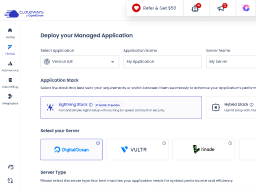
In this session, Danish Hameed (Senior Director & Engineer, Cloudways) introduces the Lightning Stack—a new performance-focused architecture designed to deliver faster load times, higher concurrency, and improved efficiency for WordPress and dynamic applications. He explains the limitations of the legacy Apache-based stack and how the new NGINX + PHP-FPM powered architecture simplifies request handling.
I think the activity was was amazing. I think it was very engaging and a lot of you guys did very well answering those those myths myths and fact. Now we have a session on the new lightning stack for for clouds and to present that that session we have with us uh in in this session Danish Hamid the brains the minds behind the lightning stack the people who the team who has worked in the background to make sure that we deliver the lightning stack for our customers. Uh he’s a senior director and engineer at at cloudways and I would like to welcome him on stage. Uh Danish, it is it’s a pleasure having you on stage and uh without any further ado, I would I would just uh put the spotlight on you. I would ask you to start your presentation because uh our audience just can’t wait. All right. Awesome. Thanks, Mo. And and I hope you guys can all hear me fine. Awesome. All right. So, thank you for an amazing activity, Mo. I’ll uh jump uh very quickly on to uh sharing with our folks what this new lightning stack is and what are the uh breakthrough changes we have made into the legacy cloudways uh stack and uh introduce the new lightning stack for better performance. So I’ll just quickly share my screen. Uh there you go. Just give me one second. Uh folks while Danish is sharing his screen I would also encourage everyone to drop your questions in the comment section. If you have anything that you want to ask around the lightning stack around the cloud platform Danish is here to answer your questions by the end of the session. Awesome. So uh back in u uh mid of uh 2025 uh we launched our new stack which is called the lightning stack. This is entirely uh a new. So earlier we used to provide uh the Apache stack and as you know that uh the Apache stack has been there for for some time and we have been having a lot of feedback around that stack. While you know there are pros and cons with each of these stacks. So we are not you know bringing down the existing you know Apachi stack that a lot of our customers almost you know 50 60% of the customers are using now uh but uh it is just to provide uh the more performant experience to the customers who are looking for uh better performance getting out of their servers. So the lightning stack uh the journey of the lightning stack starts uh from early 2025 when we realize that a lot of customers especially the e-commerce one and the ones who are running heavy sites on WordPress are looking for more performance out of their existing servers and this is where all the the the idea of coming up with the lightning stack start started uh back then uh we uh did a lot of studies uh on to which stack we should provide and what are the features that are going part and parcel of that stack. So, uh uh with that research and all of the customer feedback, we came up with the new engineic stacks which you might have already either experienced or you might have already heard about. Now, the reason behind that is that a lot of e-commerce websites, a lot of learning management websites and a lot of uh community feedbacks were already there for the engineering stack. uh a lot of competitions were already leaping towards providing their customers the engineix stack and uh cloudways couldn’t stay behind in the game. So we realized the need of it and then we launched a private preview uh somewhere in the mid of 2025 uh with a selected group of customers to experience the lightning stack. The reason for providing the the private preview was to get the customer feedback with the initial launch of the new stack and optimize it further to provide the breakthrough performance experience to the customers when it goes live. So if you look at I’ll just quickly go back and share a bit about the legacy cloud with stack. So earlier I talked about the pros and cons. I’m going to slightly go a little deeper onto what that mean that means. So the Apache stack as you know provides a lot of flexibility onto our existing stack. So you can go in and you can play with the HDXS file. You can you know optimize a lot of Apache uh settings. You can tune a lot of things. You can you know have a uh HDXS at the directory level. So a lot of customizations are there with the Apache stank while you know the architecture of the engineext is not that flexible. You don’t have the liberty to make a lot of customization. and you don’t have a liberty to add a lot of configuration into the core engine configuration files. So u so when we were discussing about whether to either optimize the existing Apache stack or provide a new stack we realized the fact that no matter how much we would optimize we wouldn’t really get the kind of performance that we are looking to provide to to our customers. So that’s when we realized that okay now so we have a challenge where we want our customers to have the flexibility but we also want our customers to have the performance. Now some of the customers prefer flexibility over you know the kind of performance uh lightning stack is offering. So they would go for the Apache stack and while rest of the customers who already think that you know they need performance that they have enough customizations available in the uh new lightning stack they can go for the lightning stack. So, so in the so if you look at the the the high level overview of how the old stack used to work and why we thought that no matter how we optimize it, no matter how we fine-tune it, it’s not going to deliver the performance. You will see that there is a layer of varnish caching that is there to serve the static or the cache traffic or the page content. And then there is a bunch of you know sophisticated components working together to make sure you know all of the login users all of the live checkouts all of the dynamic content on the page are being you know um served uh in in uh in a faster way possible with the existing Apache stack. So there are a lot of layers and there are a lot of components with the Apache stack that that are in play and as we know that if we introduce more components, more layers, more complexity, the performance is the first thing that gets compromised. So that’s a little bit of a background on the Apache stack. A little bit more onto that to give you guys a better visibility. What it means is that whenever a request is made on to the existing Apache stack, you see a bunch of things happening here. You know, either the content is ser served through the wireless cache or the content is being served from the Apache web server. So that itself has has uh a little bit of a you know a communication hop there and then where the you know images are being served from the engine proxy and then there is an application PHP application running which is getting interpreted on runtime and then the application is talking to the database layer. So imagine a request coming in and then going through all of these layers and then eventually you are getting the response uh uh on on the web browser. It means a lot of you know computation and performance bottleneck. If you look at your right side there is a lightning stack. So in the lightning stack your engineext is bypassing all of these layers because everything is baked into the engineext and the php fpm and tightly integrated with with within these two layers. So as soon as your request comes in on and lands on the engineic server, it is directly redirected to the PHP FPM for processing and sent back to your customer’s browser. So everything in between has been eliminated and been made part and parcel of these two layers. What that means for our customers eventually it means high concurrency. It means low latency and time to first bite. Now this some of these things may be you know very technical for some of our customers. So what it means is that now you have with the lighting staff stack now you have the ability to serve more users from a single server than you would with the hybrid existing uh legacy stack. So this means high concurrency. So for example, if on the old stack you were serving thousand customers per second, now with the new stack, you would serve more customers based on how your application is built. So some customers, some applications can serve up to 3,000 customers, 4,000 customers if it’s a very, you know, lean and thin application. But if there’s another application that is more complex in nature and has a lot of logics in place, it it may serve a less number of customer but but more than the existing legacy stack. Low latency means you know I’ve mentioned in the previous um slide that there are less number of layers uh through which the request is going and and being computed and the response is getting back. So which means that faster load time for your website. first uh time to first bite means the first bite that you receive uh when you make a request to your web page. So this is very important for Google search algorithms or any other search engine algorithms when their crawlers or B crawl on your site. Uh there is a parameter that that checks whether your site time to first bite is high or low. So this is a reduced time to first bite which means you’ll get better SEO results uh on the search engines and then there is a reduced cache dependency because a lot of content is being served uh at the engineext level uh although the cache is there but uh there was a very complex mechanism when the pages in the like in the previous stag when the pages used to get cached onto the varnish layer and then you know getting eventually served to the customer. So that mechanism has also been overhauled and a new mechanism has been introduced uh with the new lightning stack. Now so when we did that we said you know we can brag about what we have done. We we uh can you know uh really uh make a noise uh out there and and let people know what amazing uh uh performance we have got out of this lightning stack. But that wouldn’t be enough. So what we did is that we went to the independent benchmarking company and asked them to benchmark it against the competition and uh let us know how in actual our customers would experience the performance of this new lightning stack and those benchmarking results proves that uh the changes and and the architecture revision that we have done with this new lightning stack is up to the par with the competition in some cases better than the competition. So you can go onto the cloudways website and check the benchmark results being published there. Now what it means so some of the some of the uh uh performance improvements that we have seen. So we have seen up to 58% uh improved performance uh on the voocommerce website checkouts and we have seen almost 85% uh throughput improved on the learn dash course u you know learn dash courses that a lot of customers have have been using on cloud and have been complaining about performance issues. So imagine an increase of 58% performance and an increase on of 85% performance on just these two things. And the reason why we are sharing these two numbers that for those who use WooCommerce and and have experienced the checkout and those who prepare learn courses and and have seen uh how much complex the logics are behind and how much time it takes uh onto the regular uh Apache stack or any other stack to process this complex logic is insane and having 85% 58% performance improvement there is a huge accomplishment. Now overall if you see uh we support thousand plus concurrent users without varnish. So what it means that every request that you get onto your website is being served from the engine access stack without any caching. So imagine if you add cache on this a layer where all of the static content is being uh stored and served directly from there. For example, whether it’s Cloudflare, whether it’s internal internal uh baked cache of the Cloudways webstack, you’ll get two or three or 4x better performance out of that based on how your application is being developed. 33% faster load time on WordPress admin. So, this is another important thing. A lot of our customers especially the agency a agency customers they used to make a lot of uh activity on WordPress admin and for that sometimes the WordPress admin used to perform slow with this new stack the WordPress admin is consistently performing above 33%. And an overall gain of performance you know with uh with simple sides and ranging from the most complex sides is between 21 to 27% and more depending on how your website is being developed. Now you may have a question and I’ll I’ll try to be mindful of the time as well. Uh you may have a question that you know what about the flexibility? uh we used to have a lot of flexibility uh uh on the Apache stack to write some of the rules for example the re rewrite rules or redirect rules since this is not natively supported by engineix. What we have done is that we have added another option into the cloud platform where you can go in and set the redirect rules 302 for your website redirects. So instead of going in and writing the HDXs, you can go into the cloud-based platform and write these uh redirect rules there and and you’ll get the same or better performance as you would get on the legacy Apache stack. Now, so upgrade is free. You can go uh for example, if you have a website right now running on the legacy stack, you can just go in and upgrade it uh to work on the uh new EngineX stack without any technical complexity or without having to have any technical understanding. You will just click a button and and your existing website running on the legacy Apache stack will be then automatically migrated uh to the new enginex stack. The stack is backward compatible also. So for example, you know, if you have old versions of WordPress, Magentto, Laravel running, don’t worry about that. The the stack is compatible with them as well and you will get uh the seamless migration from uh the old stack to the new stack. The infrastructure is transparent just said you can either use digital ocean multiple you know different types of instances worldly node. So there is no compromise made over there that you know this new stack is only available on specific types of machines. So you can just just like you use uh the previous stack with any of the standard uh configuration or options you would choose at the time of launching the server you can still do it with the new stack as well. So here again uh you can either migrate single side you if you want uh if you have multiple sides you want to migrate them all together you can go and use the bulk migration for that all you’ll have to do is to navigate to the application setting inside the application setting you’ll see a stack setting section go there and select the lighting stack and click update now and that’s it everything will be done instantly and seamlessly now before you switch. Make sure that your application doesn’t have any complex htxs logic that is not supported by the new stack. So right now the new stack supports 301 and 302 redirects. It does not support any other complex htxs logic. So make sure your application doesn’t have that. the application is if your application is using any Apache specific module those modules are not out of the box supported in the new stack because obviously those modules belong to Apache and they’ll work on Apache only. So if you want to move your application from Apache to Engineix and there are modules that are specific to Apache, you would either need to change something in your application to make sure you’re using EngineX compatible modules. It will work with EngineX then otherwise your application may have issues running onto the new stack. So these are the two things that you’ll have to make sure before migrating your application to the new stack. All right, so I think uh I’m almost there. uh I would uh encourage everyone to go and test your website onto the new stack. You don’t necessarily have to move your existing workload onto the new stack. You can just spin up a new application on the old stack, benchmark it and move that same application to the new stack and benchmark it and you see a significant difference between these two. So just to call out separately, newstack is there. It’s not going away. It’s going to stay there because bulk of cloud-based users love that stack because of flexibility and customization options available there. But you know as we know there is a huge demand for the performance and this new stack is there to cater that. Thank you very much. Thank you Danish. This was uh this was fantastic. Uh we we have a few questions in the comment section around lightning stack. So if you can take them one by one. Um, so Stephen asks that will lightning stack improve my WordPress speed if I have a lot of if I have a lot of plugins. Absolutely. Absolutely. Uh uh it so the new lightning stack doesn’t have any specific criteria whether the plugins are there on the website and only then it’s going to perform well or without plugin. Anything that is running on the existing stack is going to seamlessly work on the uh new stack whether the plugins are there or not. You’ll significantly see a major difference in in the performance. So there is no like there is no differentiation of whether plugin is going to have any issues or not. It’s it’s just there supported out of the box. Perfect. Uh we have another question from Shelly. She asks that do we have to do anything in our accounts to take advantage of this new setup? Like does it cost extra? She’s asking how can she enable that on our servers. So it’s by default enabled for everyone. It’s free. It doesn’t cost anything extra. All you’ll have to do just like I’ve said all you have to do is to go inside the application settings and then uh so you’ll so when you log into the cloudways you see the application settings section. Go in there, select your application. Inside that application, you’ll see stack settings. Go there and change the the stack to either legacy or the new stack, lightning stack. And it’s completely free of charge. You don’t have to do anything extra. Awesome. That was amazing. Uh Danish, thank you so much for for this presentation. The next part of the session is uh is is from Jeremiah Broadway. I would like to call him on stage now. He is an independent uh performance influencer. He benchmarks different hosting provider and he recently benchmark uh our lightning stack and and he has some findings to to present to this audience and some questions that I would like to ask him. So Jeremiah the floor is yours. You can show us what you have. Hey guys, uh thanks for watching and tuning in. Uh yeah, so I I do a lot of web hosting content and I’ve been um I’ve been testing out a lot of uh Cloudways infrastructure. I I mean I’ve used Cloudways for a long time uh independently just because I really like the tech stack that they have and the the developer tools that they have available is like super nice. So uh this year I decided to just benchmark a bunch of their infrastructure um just to see how the standard servers compared to the premium servers and uh I was able to make some pretty decent insights. I’m just going to share my screen here. Uh let’s do this and we’ll do screen one. Share. All right. So, I have a few photos here. Uh basically, the way that I benchmark Cloudways is I just did a bunch of backend tests. I did do some front-end tests, but I I found that the backend tests were more conclusive and uh more interesting. So, that’s what I’ll be sharing with you guys here today. So the backend test uh basically I tested the database read and write speeds uh to the MySQL database. I also did a admin experience test where we I was simulating basically a bunch of WordPress um uh what would what would you say WordPress um just simulated tests. So like uh adding posts, you know, adding taxonomy like categories and then just determining how long that takes. Um and then I was also Yeah. So anyways, I’ll just get to the graphs here. So for the database read and writes here, you can see that um inside the orange you have the standard servers and in the blue you have the premium servers. And what I found is that the premium servers definitely they like significantly outperform the the standard servers. Um so and the database reads here obviously you have lower is better and the premium servers on the x-axis here you have the um the server size. Uh, so from one gigabyte to two gigabytes here, if I zoom in a little bit, maybe you can see a bit better. So I tested the database rights and then the reads. And then I also tested the um the SSD, the solid state drive for the uh for the right speeds and the read speeds. And um yeah, like the the premium servers, they they did significantly better. And here was the admin experience tests where I did um so basically I was doing like post saves taxonomy which is like how many like if you’re adding a category and removing it um like messing around with the options. So it basically simulates what you’re doing in the WordPress back end. Uh, and the premium servers just like absolutely demolish the standard servers, which was really surprising to me because for me, like I’m I’m making pretty small sites, so I’m usually just doing the one gigabyte standard server, but after like doing uh these test results, uh it made me reconsider just like, okay, I think I’m going to bump up to the premium servers just because of like how much better it’s it’s looking. So if we take those two tests and then we aggregate it into a performance score where and the way that I do this is I basically weigh each metric and then normalize it um without getting into like the super technical details. This kind of gives me like an overall score to like benchmark how the servers doing do and um just once again like the premium servers just completely like outdid the um the standard servers. But then another interesting thing is like okay if you’re looking at just the performance itself you want to know how much per how much money that performance is actually you want to know how much that performance is worth relative to the amount of money that you’re spending you know because if you have to spend like a ton of money on a super expensive server then it’s like not really worth it right like obviously you want to get the the most efficient server for the least amount of price possible so I ended up weighing the performance score by value and this is where this metric or this chart comes in from. So you can see from the the premium servers like at the 1 GB tier like the premium server is like an absolute steal for over the 1 GB server. So this was like one of the reasons why I was like okay I’m I’m just not going to use the 1 GB standard server because the premium just in terms of the raw value is like beating the standard server, right? And then interesting uh here once you get to uh after about 2 GB 2C uh it starts plateau it plateaus off and it kind of diminishes down which on the surface it might seem like okay does this mean that the higher gigabyte servers are just like not worth it and the answer is like it’s a bit more nuanced than that like if you’re running a single WordPress site basically the conclusion I came to is like the 2 GB 2C is basically like the maximum capacity for a single WordPress site like if you pay for a larger site or a larger server, you’re not really gonna you’re not going to get much more of a performance increase unless you’re running like a super large like WooCommerce site or if you’re running like a large LMS uh system. Um so for so if you’re running a single site, it to me it looks like the 2 gigabyte uh 2C premium server is like the best. And then where it makes more sense to do like the higher tier servers is if you’re an agency and you’re trying to cram a bunch of sites on a on a single server. Then that’s when like the 4 GB, 8 GB, 16 GB, you know, and all the way up make a lot more sense. But consistently like throughout like all my tests, the premium servers like beat the standard servers. Um I also tested degradation. So basically just like which was I I kind of got volatile um uh results with this which is basically I wanted to test like if I’m you’re sending a bunch of requests to the server um like how well does the server do under sustained load and that’s kind of what this uh stainable or this degradation test tested out and as you can see it’s kind of volatile like there wasn’t really anything consistent with this test like some servers did really uh well other servers didn’t do very well and I don’t know like to me this test is kind of just like it just seemed like a little bit of noise to me because um depending on like I don’t know I don’t know if there’s much signal to extract out of this. I’ll just leave it like that because like sometimes servers did really well other times they didn’t do really well. So I think there’s like some sort of noise that’s unaccounted for at least with a cloud infrastructure that I’m not really understanding but uh at least like that’s the results there. So like price versus features. So this is basically just this isn’t related to um the benchmarks necessarily. This is more so related to towards the amount of like feature set that Cloudways offers versus like the price that you’re paying for. Um and one of the things that I really like about Cloudways is they pretty much give you like a full developer suite um even at the lowest uh plan possible. So that to me like Cloudways is like hands down the best value. Um cuz you know Cloudways offers a bunch of stuff that other premium hosts like what WP Engine Pressible Ka they like they offer those they offer these features but they make you they keep it behind like a pay wall. So you got to pay more for those features. But so anyways um just another graph like value index comparison. Um this is so this is basically looking at the price versus performance for front end versus backend. Um uh so you can see like the best value cloudways optimize here hostinger dream host green geeks uh backend performance um and then best overall value I found is like with cloudways with like optimized performance is like is does really good especially with the uh but this graph is more so towards uh 1 gigabyte standard server with optim optimizations made in the back end but um yeah so that’s pretty much what I have for you guys. Um, I’m going to switch back over to the to the stop sharing my screen. But, um, yeah, thank you Jeremiah. This was this was really useful. Uh, one thing that people have people have pointed out in the comment section is that they would want you to share either your slides or the images that you shared over here so that people can at least see them. Yeah, I can I just drag them into the the chat. Will that work? Yeah, you probably will have to like put them on a slideshow and then share it with the with the team or with with the with the people on on the chat here. Okay. Yeah. Yeah, I can do that. Um, I’m seeing if I can just drag like stuff into the chat. Um, it doesn’t look like Oh, wait. Let me see. Oh, no. Yeah, it just puts the URLs. Yeah. Uh so Jeremiah I do have a few questions for you regarding your benchmark and and what you sort of used uh to to benchmark the lightning stack. Can you can you walk us through the approach that you used to benchmark your lightning stack? How did you ensure the tests reflected real world WordPress use cases especially sites with dynamic content and complex redirects? So for me I I basically just went through the Cloudways onboarding process. Um, I didn’t want to tweak anything with at least my my Cloudways benchmarks that I did. So, by default, the Lightning stack comes default when you have a server. So, I just that’s what I ended up benchmarking. Um, and I tested primarily just raw server speeds. So, uh, if so, I I didn’t like I’m not in a position to just like spin up like a full-fledged WooCommerce uh or LMS site. So I just I just literally tested the raw benchmark or raw performance for each site and then um from that that gives you a good foundation I think to extrapolate upon you know uh what else the server is going to be able to run because I mean if your base server is not benchmarking well then it’s like how is it going to be able to support stuff with dynam dynamic content and a bunch of other stuff. Awesome. And a follow-up question on that, did you specifically test scenarios like dynamic content, complex plugins or redirects that many WordPress sites rely on? Yeah. So for for that, I did front-end tests because that I feel like that is more uh a lot of that is more front-end based. Like for example, I had a test where I uh I installed Elementor on the sites because Elementor is one of the largest uh themes in WordPress. And then I created a page that had like all the bunch of like every single widget from the essentials plan. And then I timed out like how to uh I timed loading it with like a stopwatch. And like in that test uh again I found that the premium servers cloudway servers were running a lot faster than the standard servers. So, and then I also did like Google page speed insights on on um uh on the theme too. And I I found that like with with Cloudways, the server size didn’t really make a difference on the Google page speed insights. It was pretty consistent um regardless on if you were on standard or premium. So, so does that answer your question? Yeah. Yeah, definitely. I want to ask a few more questions because we do have a few more a few more minutes before we end this session. What were the most significant performance improvements the lightning stack achieved compared to the previous hybrid stack? Now this is a comparison between the new stack and then the previous stack of course. Were there any surprising findings particularly for uncashed or high traffic purpose sites. So I didn’t test the old stack like all the tests I did was just purely on the lightning stack because that’s what’s installed default with cloudways. So the the the difference I did find though was the difference between the premium servers and the standard servers. Like in the past I was just basically building all my sites with the standard um servers because it’s like that’s the cheapest. And you know most people they just want like a good server for the cheapest price possible. But like after running these benchmarks just seeing how much better the premium servers did because of the NVME storage and the faster CPU that like convinced me like okay like I’m I’m not I kind of don’t want to use the standard servers. I just kind of want to use the premium servers. So that’s the main comparison that I I did tested. All right. My last question for you, Jeremiah, is based on your benchmarking results, what advice would you give to users with large or complex WordPress sites to get the best performance from Cloudbase? So it depends um it it really depends on the context and what you’re trying to do with WordPress. Like if you’re hosting a single site uh and you’re not doing Woo Commerce, like the 2 gigabyte 2C premium server is like that’s in my test that’s like the maximum um server that is best for a single site because if you if you try to upgrade to a 4, eight or 16 gigabyte server. It’s like you’re not going to be able to there’s too many bottlenecks within WordPress to actually utilize that server size because WordPress doesn’t scale scale linearly. So if you’re hosting just like a single site like 2 GB 2C server, that’s a really good server. Now, if you’re doing Woo Commerce or if you’re doing like a learning management system, that’s when having the larger server size could be beneficial. But at the end of the day, it’s like um I would I would say if you’re if you’re a small business owner, business owner, like yeah, 2 GB 2C server is going to be good. Uh if you’re doing Woo Commerce, you need more RAM, then you can explore those larger server sizes, you know, and I guess don’t be afraid to like benchmark and test, too, because you really don’t know what the difference is unless you actually do a benchmark and you run a test. Awesome. Thank you so much Jeremiah. This is it from from this session folks. I want to thank Jeremiah and Danish for for popping up here and telling us all about the new uh the new lightning stack. So thank you Jeremiah and thank you Danish for for doing that. As for you folks, we have one last session remaining for day one of the performance boot camp and this is a big one, right? So we saved probably the biggest session for for the last page builders. How to keep featurerich WordPress sites under two seconds. So I’m sure a lot of you use page builders, a lot of you use forms as well and they both have some sort of an impact on website performance and I would uh like you all to stay back and watch the last session of the day because the guests are none other than people from uh from elementor and people from uh from gravity forms. So two uh mega mega WordPress tools and people from from those tools will be coming up on stage and telling us all about how we can keep WordPress sites under two seconds if you have page builders and forms on them. So don’t go anywhere.
Answer a few questions, and we'll present you with a personalized tour of the Cloudways platform based on your answers.